SKU: OT3243 Artikelnummer: AB098 EAN: 8720618231314 Locatie: E10.06

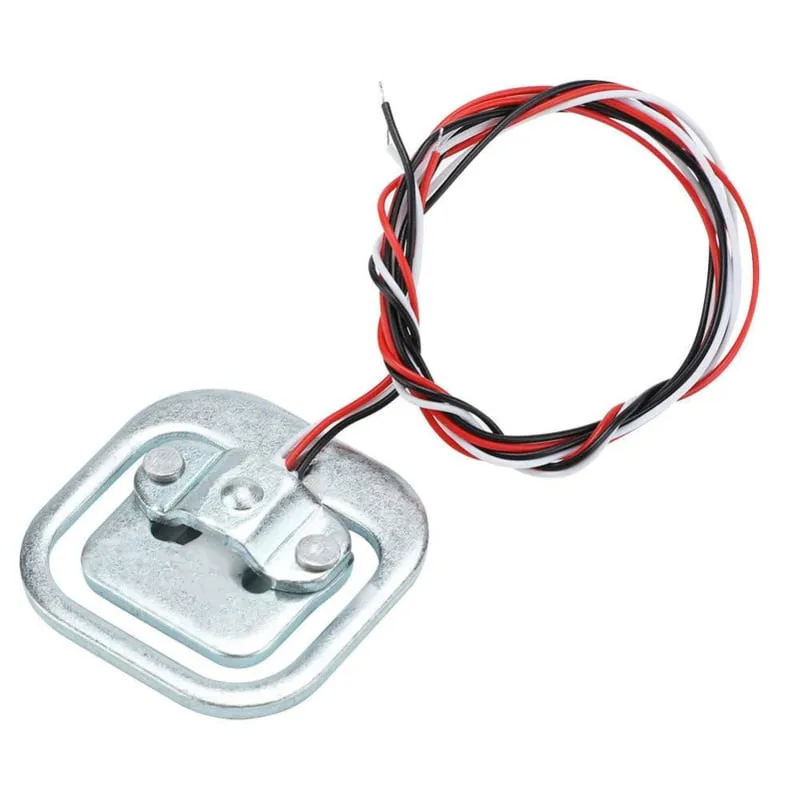
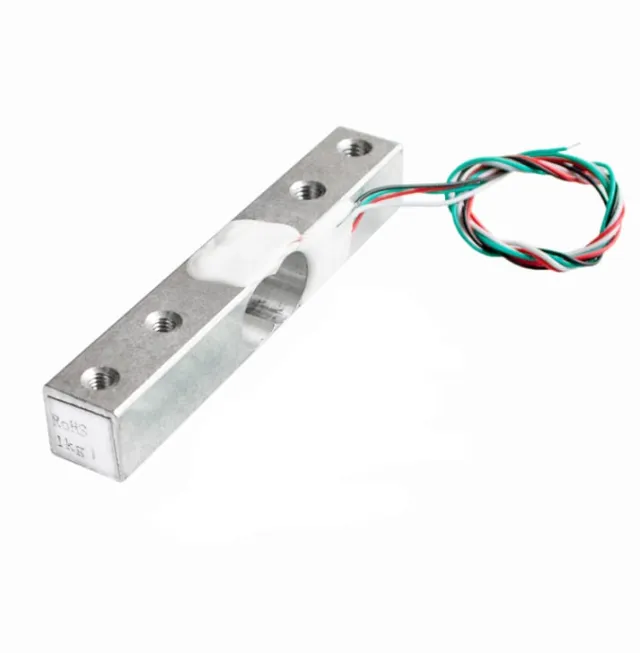
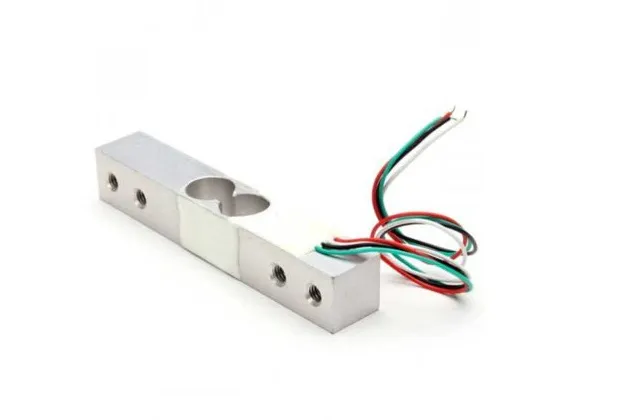
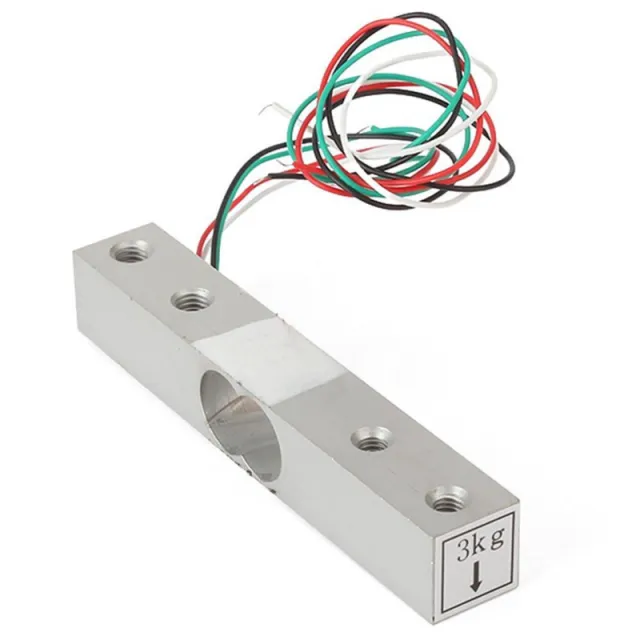
Deze weegcel of gewichtsensor kan een gewicht aan tot 50KG. Indien u een groter gewicht wilt wegen dan is het mogelijk om de sensor te combineren. Door bijvoorbeeld 4 weegcellen van 50KG te gebruiken wordt het maximale gewicht 200KG.
Materiaal: Aluminium
Capaciteit: 50KG
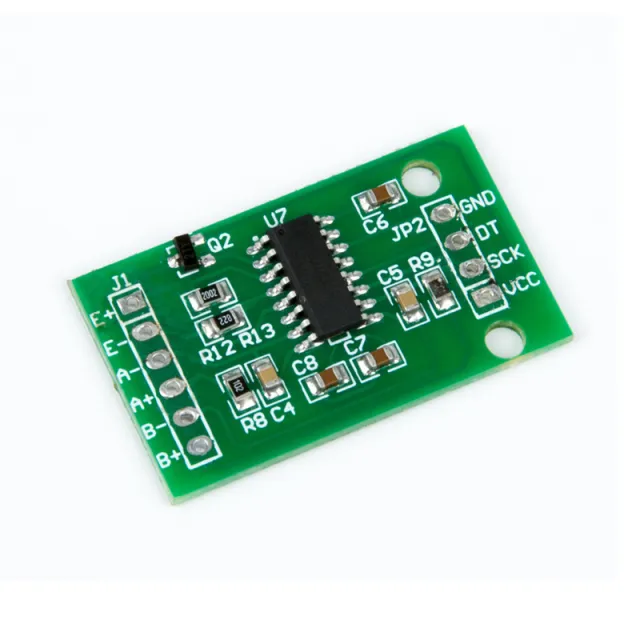
Te gebruiken met Arduino, ESP32 of ESP8266 in combinatie met de HX711 Weegcelversterker.
Afmetingen
Lengte: 3,88cm
Breedte: 3,88cm
Hoogte: 1,21cm
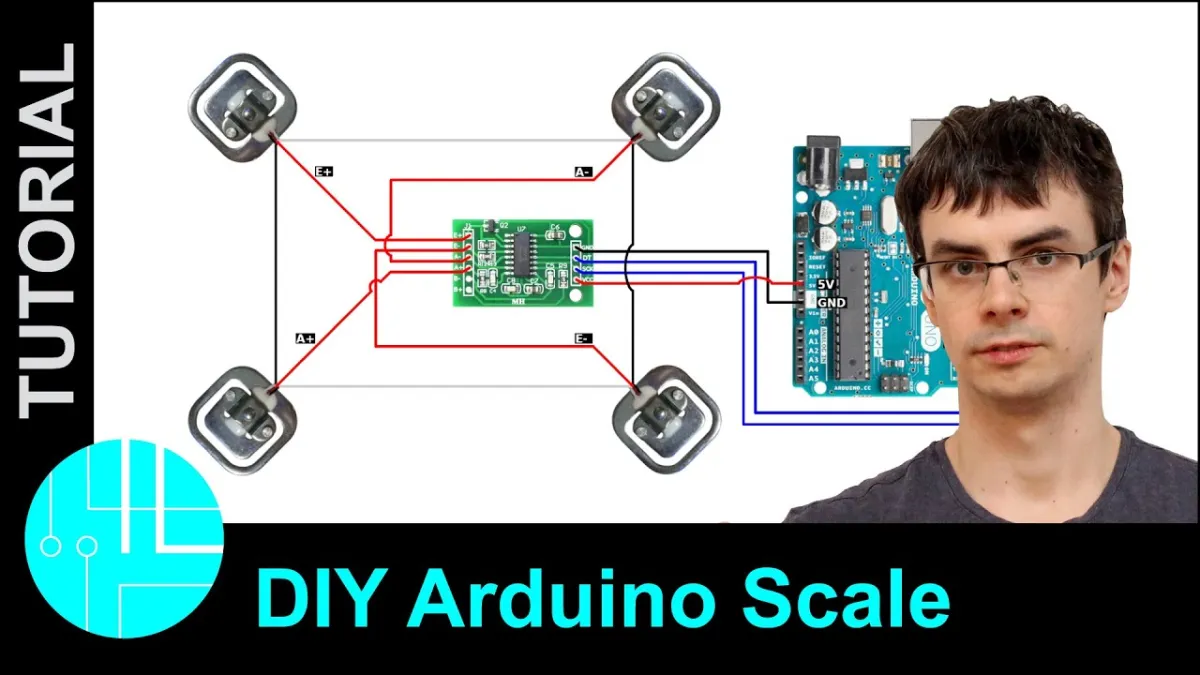
Bij afspelen wordt de video van YouTube geladen.
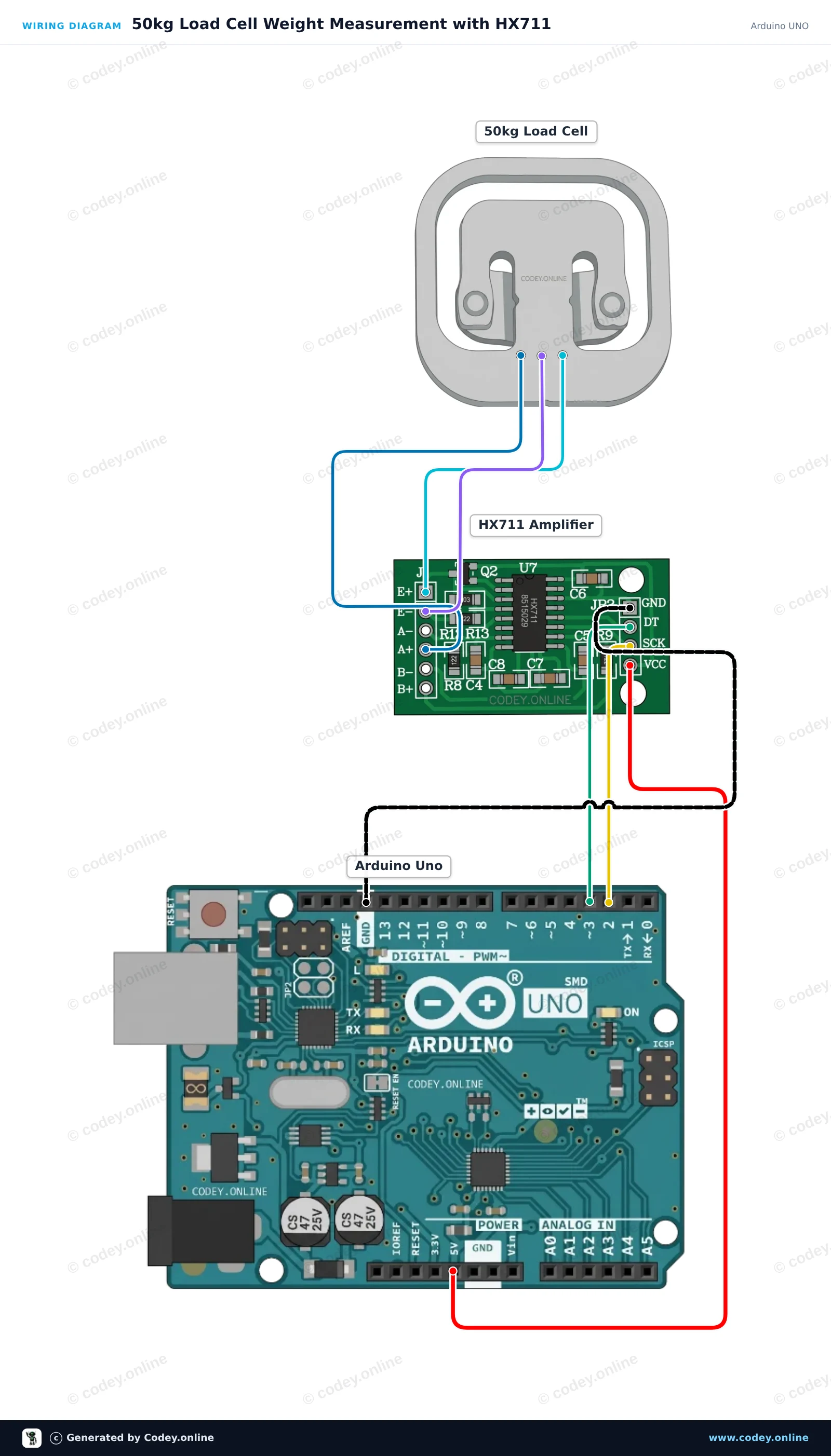
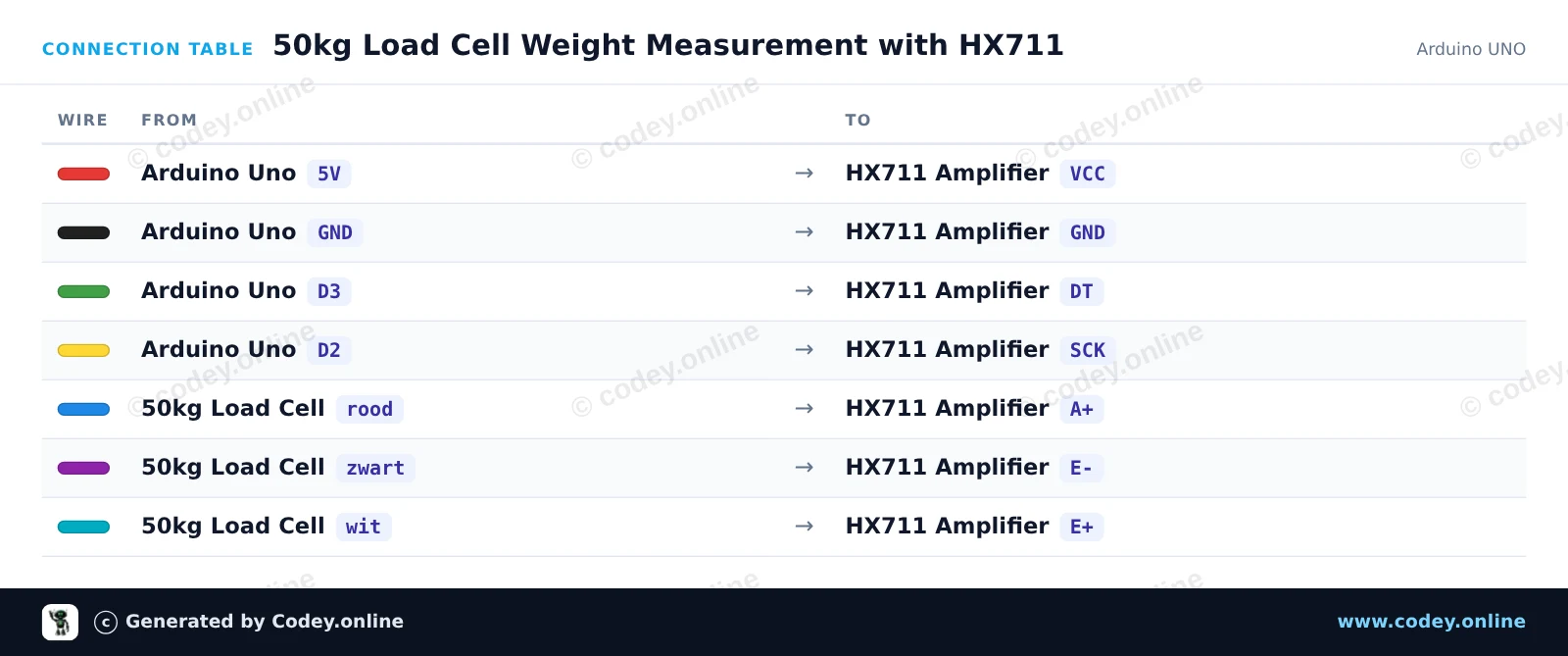
Zo sluit je de Gewichtsensor tot 50KG aan op een Arduino UNO of ESP32, met een voorbeeldsketch die je direct kunt uploaden.
Dit project meet gewicht met een 50kg load cell die via een HX711-versterkermodule is aangesloten op een Arduino Uno. De sketch tareert de weegschaal bij het opstarten en geeft het gemeten gewicht herhaaldelijk weer op de Serial Monitor. Je kunt de meting kalibreren door de calibratiefactor aan te passen met een bekend gewicht.
/*
 * ==================================================================
 *  Generated by Codey.online  —  https://www.codey.online
 * ==================================================================
 *  Project   : 50kg Load Cell Weight Measurement with HX711
 *  Board     : Arduino UNO (arduino:avr:uno)
 *  Parts     : 50kg Load Cell Weight Sensor
 *  Libraries : HX711 Arduino Library 0.7.5
 *
 *  Codey Online is an AI-powered browser IDE for Arduino and ESP32.
 *  Describe your project and Codey writes the code, draws the wiring
 *  diagram and uploads it to your board, straight from the browser.
 *  This code is free to use, modify and share, without warranty.
 * ==================================================================
 */

#include "HX711.h"

const int LOADCELL_DOUT_PIN = 3;
const int LOADCELL_SCK_PIN = 2;

HX711 scale;

// Adjust this calibration factor after testing with a known reference weight
float calibration_factor = -7050.0;

void setup() {
  Serial.begin(115200);
  while (!Serial) {
    ; // Wait for serial port to connect
  }

  Serial.println(F("--- HX711 Load Cell Scale ---"));
  Serial.println(F("Initializing scale, do not place weight on the sensor..."));

  scale.begin(LOADCELL_DOUT_PIN, LOADCELL_SCK_PIN);
  scale.set_scale(calibration_factor);
  scale.tare(); // Reset the scale to 0

  Serial.println(F("Tare complete. Ready for measurements."));
}

void loop() {
  if (scale.is_ready()) {
    float weight = scale.get_units(5);
    Serial.print(F("Weight: "));
    Serial.print(weight, 2);
    Serial.println(F(" units"));
  } else {
    Serial.println(F("HX711 not ready."));
  }

  delay(500);
}Benodigde bibliotheken: HX711 Arduino Library 0.7.5
Wiring diagram and example code generated by Codey.online — https://www.codey.online
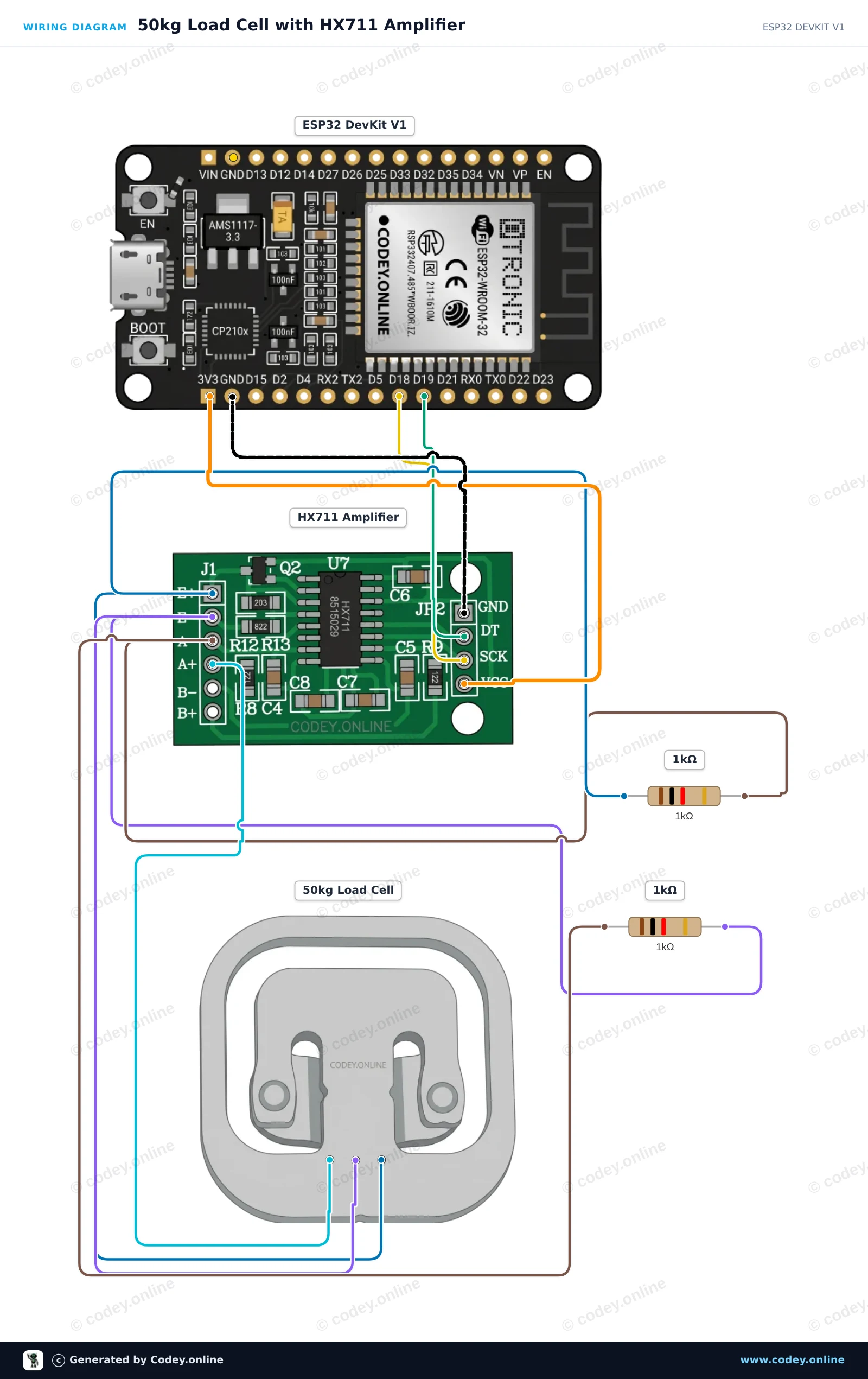
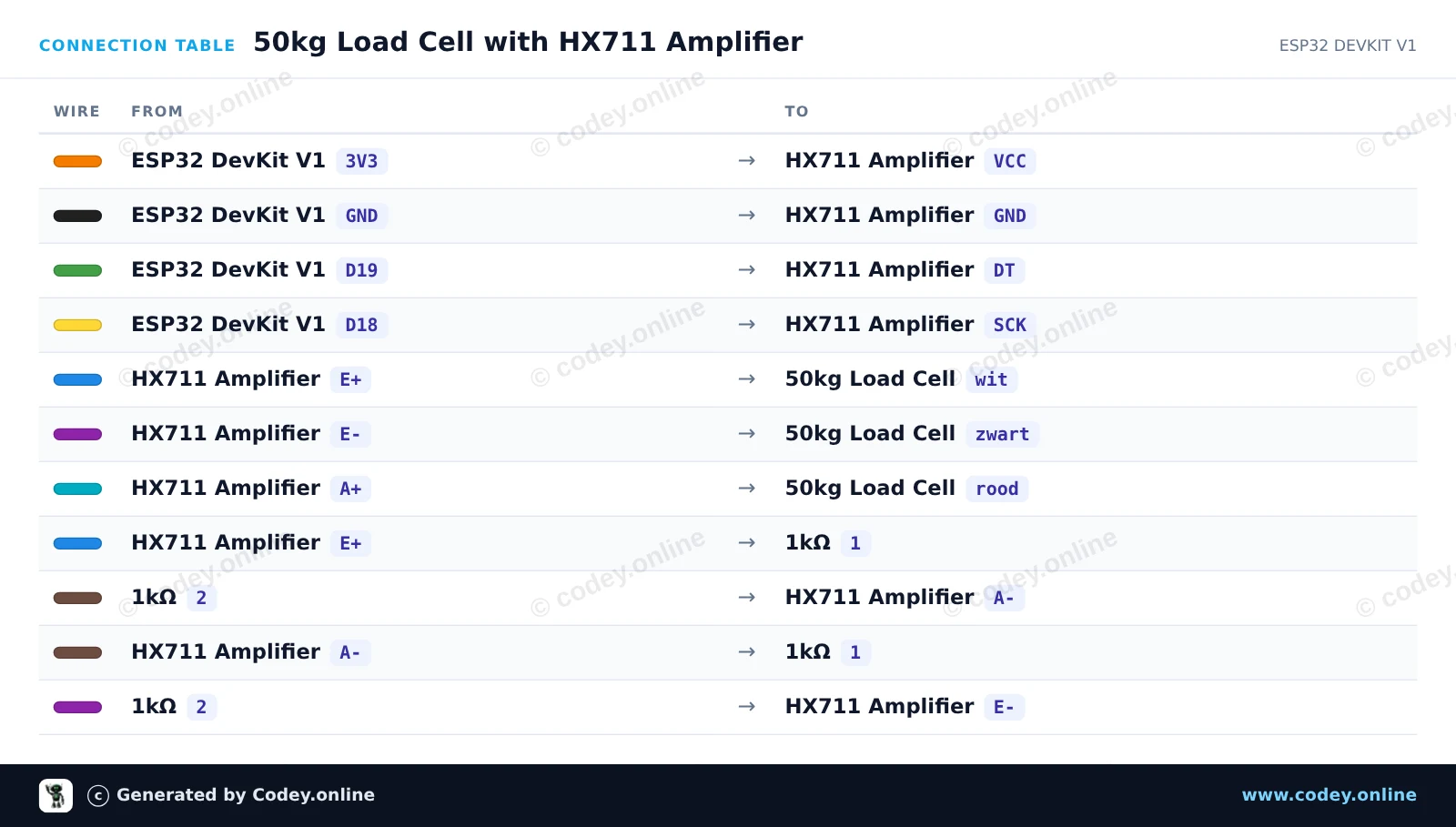
Dit project leest gewichtwaarden uit één 50kg half-bridge load cell met behulp van een HX711-versterker en twee 1kΩ weerstanden om de Wheatstonebrug te voltooien. Sluit het circuit aan, upload de sketch en open de Serial Monitor op 115200 baud om de real-time metingen van de gewichtsensor te bekijken.
/*
 * ==================================================================
 *  Generated by Codey.online  —  https://www.codey.online
 * ==================================================================
 *  Project   : 50kg Load Cell with HX711 Amplifier
 *  Board     : ESP32 DEVKIT V1 (esp32:esp32:esp32doit-devkit-v1)
 *  Parts     : 50kg Load Cell Weight Sensor
 *  Libraries : HX711 Arduino Library 0.7.5
 *
 *  Codey Online is an AI-powered browser IDE for Arduino and ESP32.
 *  Describe your project and Codey writes the code, draws the wiring
 *  diagram and uploads it to your board, straight from the browser.
 *  This code is free to use, modify and share, without warranty.
 * ==================================================================
 */

#include "HX711.h"

// Pin definitions for HX711
const int DOUT_PIN = 19;
const int SCK_PIN = 18;

HX711 scale;

void setup() {
  Serial.begin(115200);
  Serial.println("50kg Load Cell Demo");

  scale.begin(DOUT_PIN, SCK_PIN);

  Serial.println("Taring scale... Please keep sensor unloaded.");
  delay(1000);
  scale.tare();
  Serial.println("Tare complete. Ready for readings!");
}

void loop() {
  if (scale.is_ready()) {
    long rawValue = scale.get_value(5);
    Serial.print("Raw Load Cell Value: ");
    Serial.println(rawValue);
  } else {
    Serial.println("HX711 not found or not ready.");
  }

  delay(500);
}Benodigde bibliotheken: HX711 Arduino Library 0.7.5
Wiring diagram and example code generated by Codey.online — https://www.codey.online





 English
  Suomi
Suomi  Български
  Hrvatski
  Frans
Frans  Deutsch
  Italiano
  Español
  Polski
  Dansk
Dansk  Ελληνικά
  Čeština
  Svenska
  Aileen