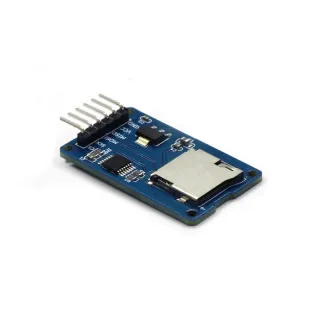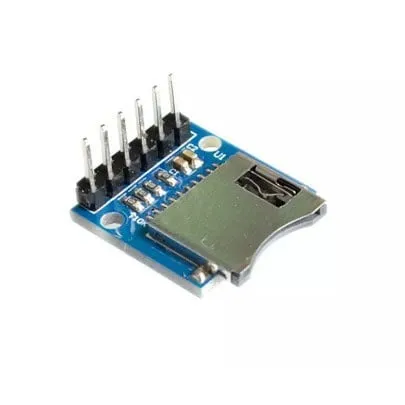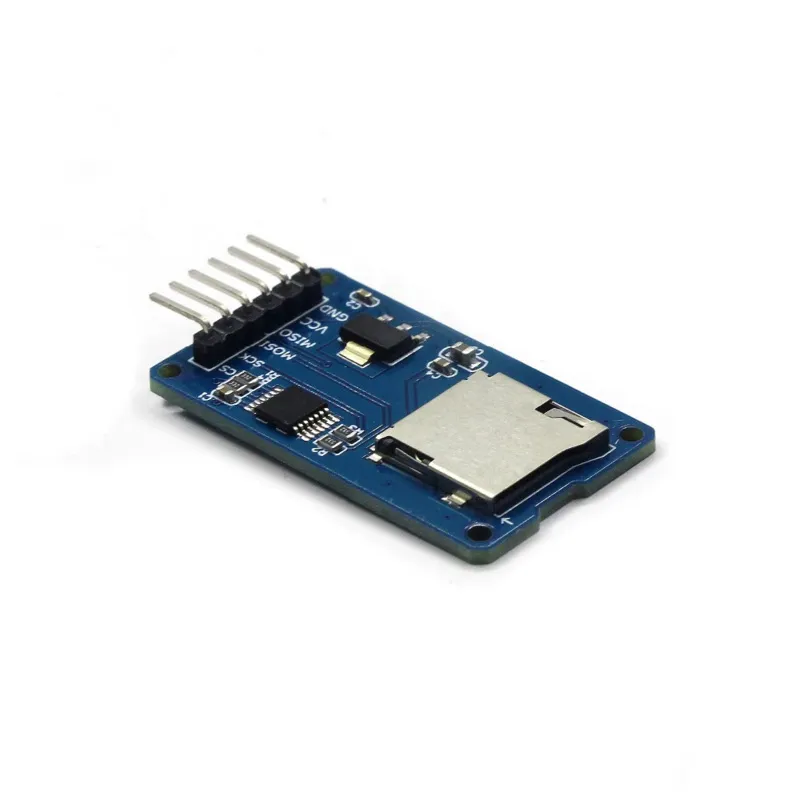
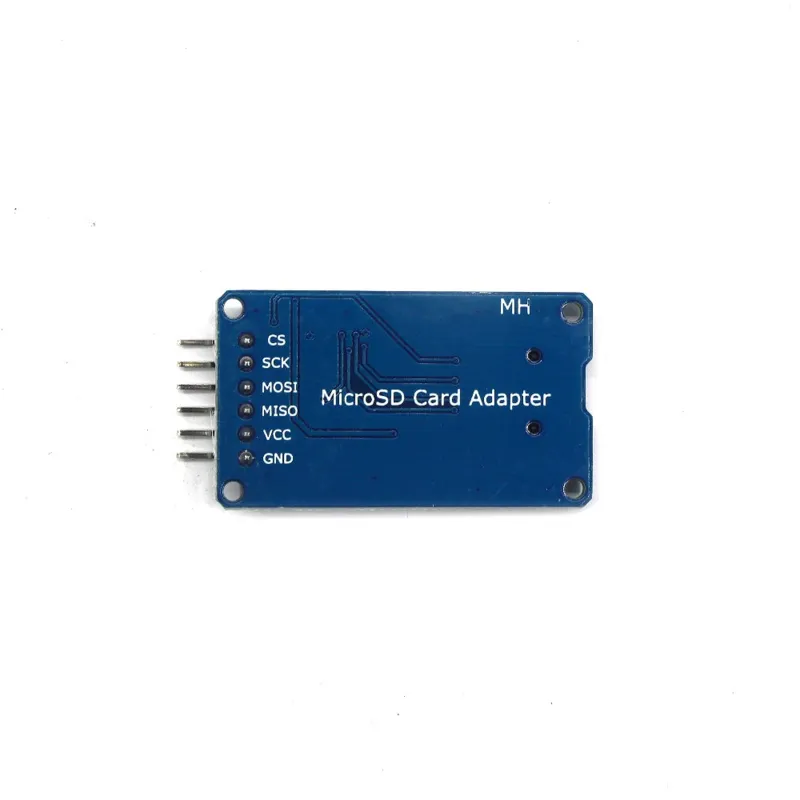
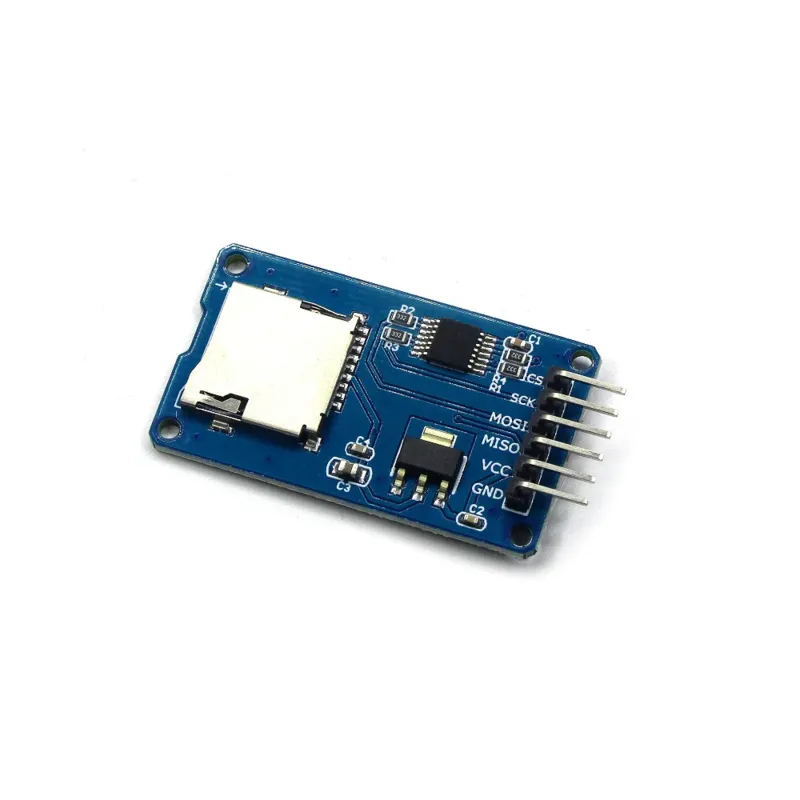
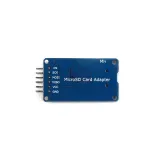
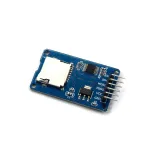

Micro SD kaartlezer voor Arduino, ESP8266, ESP32 en Wemos om bestanden te lezen en schrijven.
SKU: OT760-D37 Artikelnummer: AA115 EAN: 8720589817258 Locatie: D03.07
 Alternatief
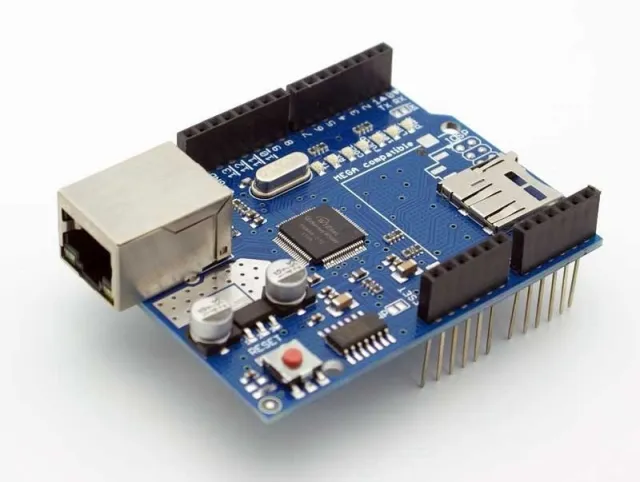
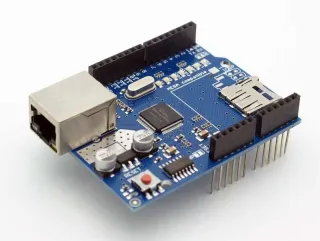
Ethernet Shield W5100 met Micro-SD kaartlezer voor Arduino
€ 10,90
Bekijk dit alternatief
Alternatief
Ethernet Shield W5100 met Micro-SD kaartlezer voor Arduino
€ 10,90
Bekijk dit alternatief
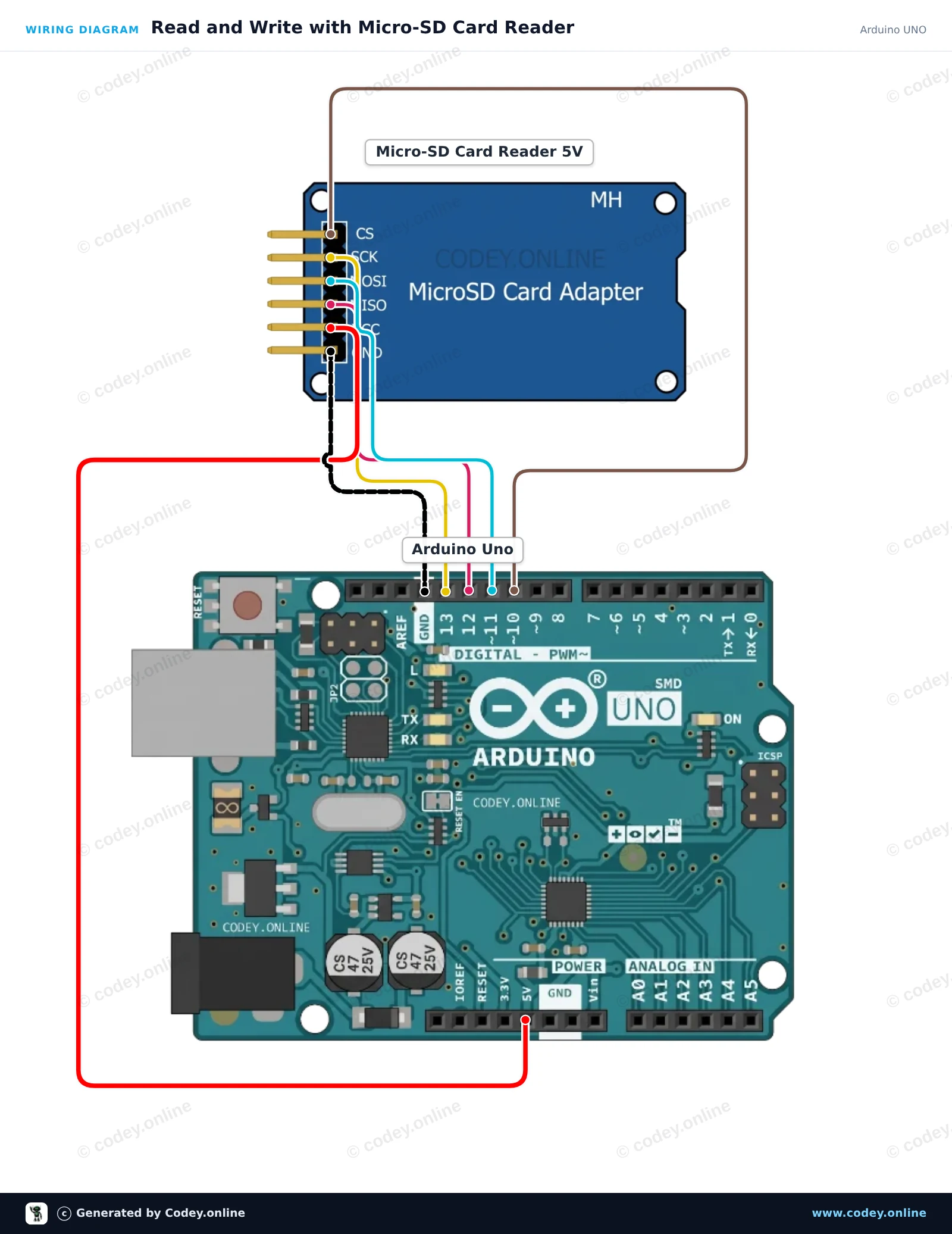
Zo sluit je de Micro SD Kaartlezer voor Arduino aan op een Arduino UNO of ESP32, met een voorbeeldsketch die je direct kunt uploaden.
Dit project laat zien hoe je een 5V Micro-SD-kaartlezer aansluit op een Arduino Uno met SPI-communicatie. De sketch initialiseert de SD-kaart, schrijft een regel tekst naar een bestand met de naam test.txt en leest het bestand vervolgens terug in de Seriële Monitor. Open de Seriële Monitor op 115200 baud om de uitvoer te bekijken.
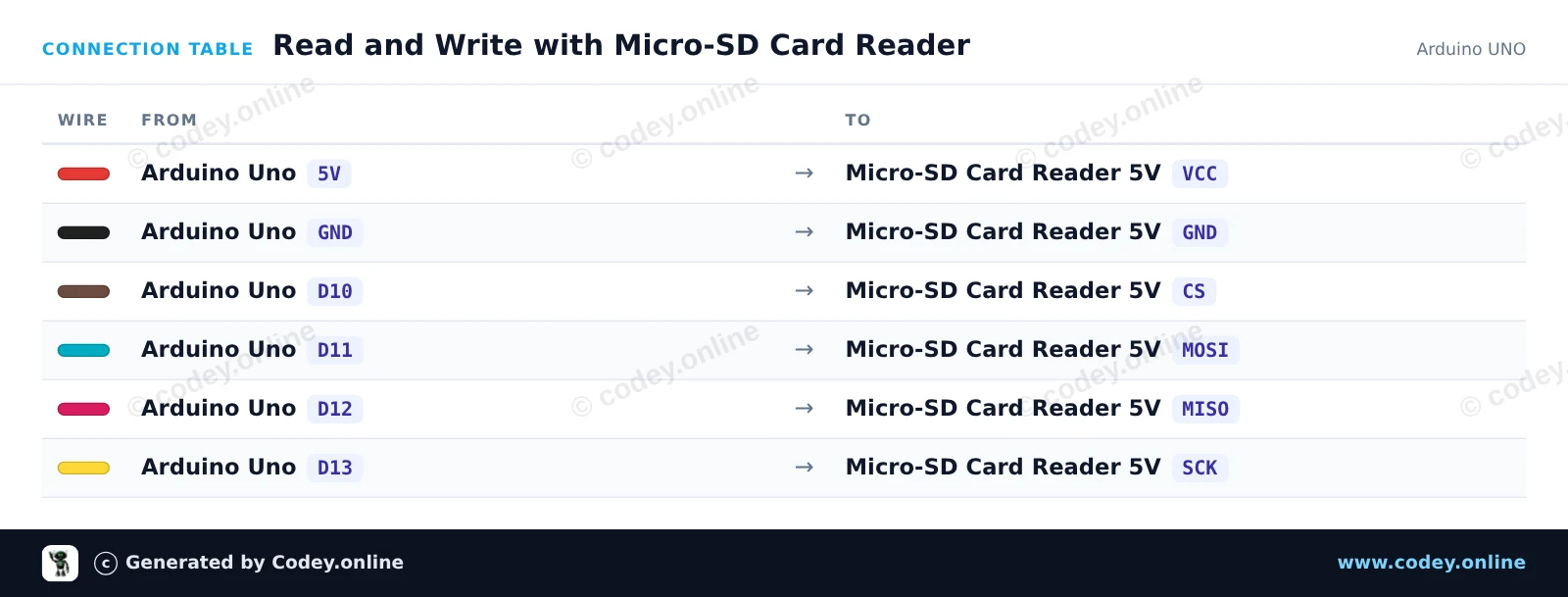
/*
 * ==================================================================
 *  Generated by Codey.online  —  https://www.codey.online
 * ==================================================================
 *  Project   : Read and Write with Micro-SD Card Reader
 *  Board     : Arduino UNO (arduino:avr:uno)
 *  Parts     : Micro-SD Card Reader 5V
 *  Libraries : none (built-in)
 *
 *  Codey Online is an AI-powered browser IDE for Arduino and ESP32.
 *  Describe your project and Codey writes the code, draws the wiring
 *  diagram and uploads it to your board, straight from the browser.
 *  This code is free to use, modify and share, without warranty.
 * ==================================================================
 */

#include <SPI.h>
#include <SD.h>

const int chipSelect = 10;

void setup() {
  Serial.begin(115200);
  while (!Serial) {
    ; // Wait for serial port to connect
  }

  Serial.println(F("Initializing SD card..."));

  if (!SD.begin(chipSelect)) {
    Serial.println(F("Initialization failed! Check wiring and FAT16/FAT32 format."));
    return;
  }
  Serial.println(F("Initialization done."));

  // Write data to the card
  File myFile = SD.open("test.txt", FILE_WRITE);
  if (myFile) {
    Serial.print(F("Writing to test.txt..."));
    myFile.println(F("Hello from Arduino UNO!"));
    myFile.close();
    Serial.println(F(" done."));
  } else {
    Serial.println(F("Error opening test.txt for writing."));
  }

  // Read data back from the card
  myFile = SD.open("test.txt");
  if (myFile) {
    Serial.println(F("--- Content of test.txt ---"));
    while (myFile.available()) {
      Serial.write(myFile.read());
    }
    myFile.close();
    Serial.println(F("--- End of file ---"));
  } else {
    Serial.println(F("Error opening test.txt for reading."));
  }
}

void loop() {
  // Demo runs once in setup
}Wiring diagram and example code generated by Codey.online — https://www.codey.online
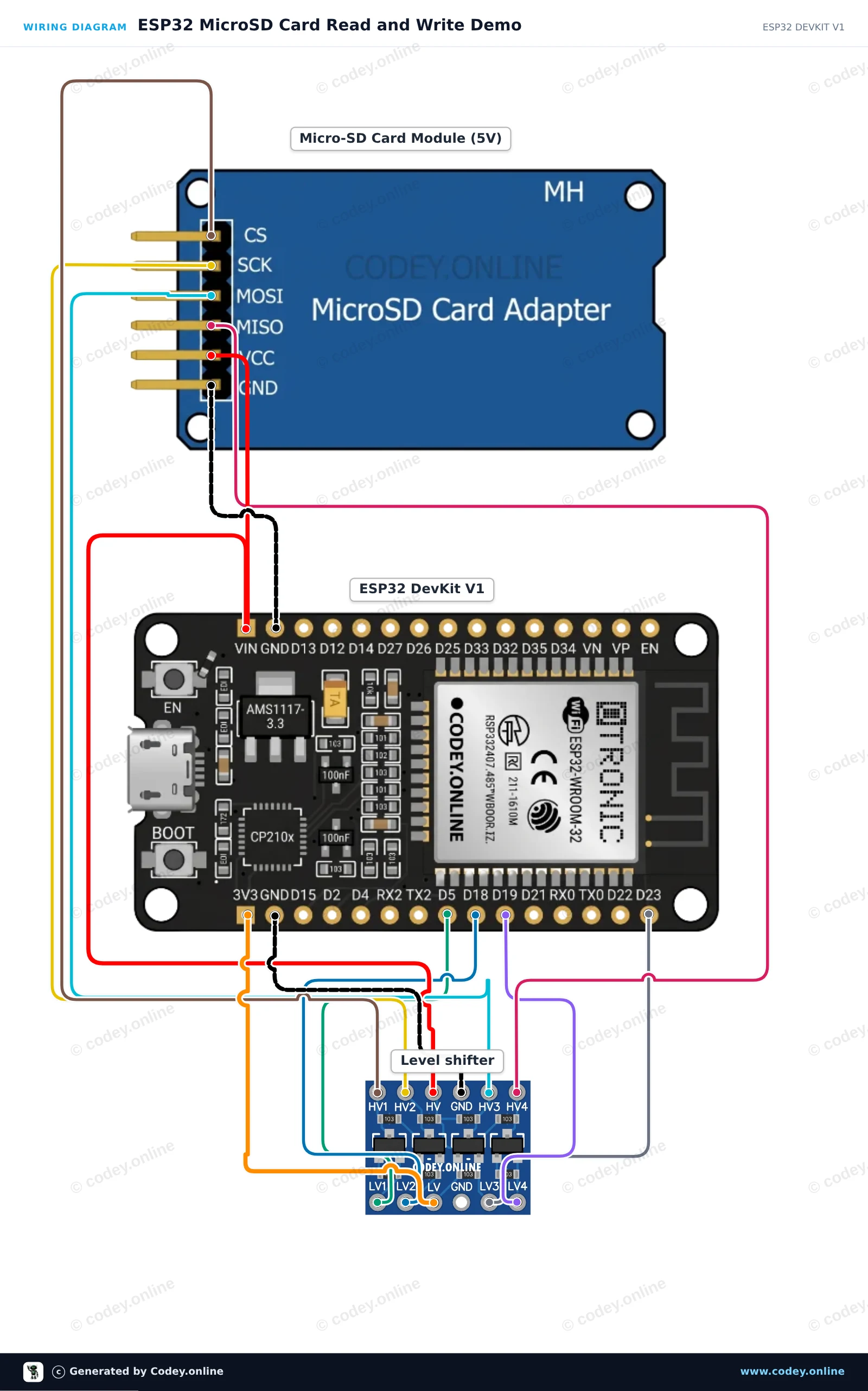
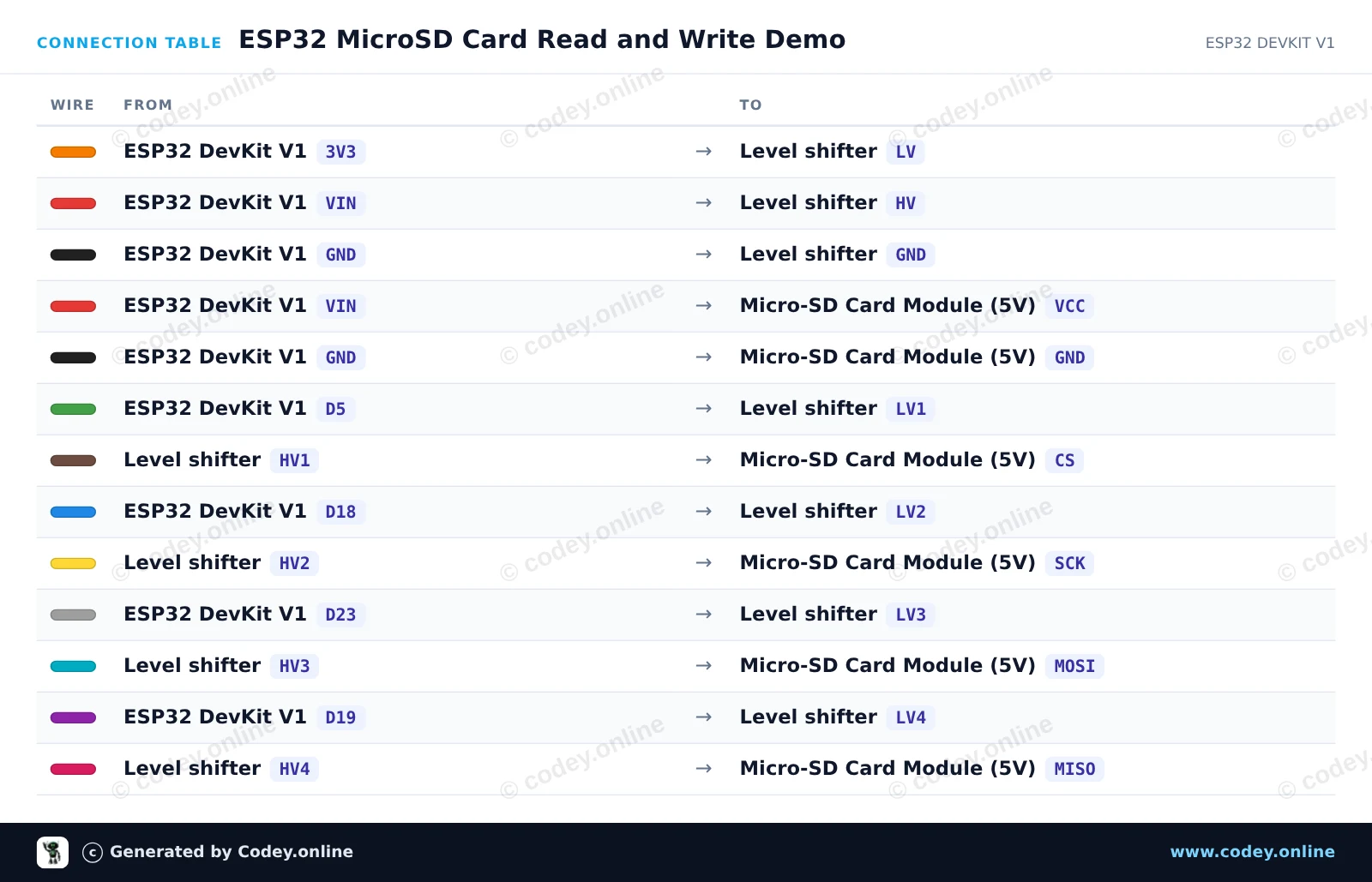
Sluit de 5V MicroSD-kaartmodule aan op de ESP32 met behulp van een 4-kanaals logic level shifter om veilige 3.3V SPI-communicatie te garanderen. De sketch initialiseert de SD-kaart op de VSPI-bus, maakt een testbestand aan en schrijft erin, en leest de inhoud daarna terug via de Serial Monitor op 115200 baud.
/*
 * ==================================================================
 *  Generated by Codey.online  —  https://www.codey.online
 * ==================================================================
 *  Project   : ESP32 MicroSD Card Read and Write Demo
 *  Board     : ESP32 DEVKIT V1 (esp32:esp32:esp32doit-devkit-v1)
 *  Parts     : Micro-SD Card Reader 5V
 *  Libraries : none (built-in)
 *
 *  Codey Online is an AI-powered browser IDE for Arduino and ESP32.
 *  Describe your project and Codey writes the code, draws the wiring
 *  diagram and uploads it to your board, straight from the browser.
 *  This code is free to use, modify and share, without warranty.
 * ==================================================================
 */

#include "FS.h"
#include "SD.h"
#include "SPI.h"

const int chipSelect = 5;

void setup() {
  Serial.begin(115200);
  while (!Serial) { delay(10); }

  Serial.println("Initializing SD card...");

  if (!SD.begin(chipSelect)) {
    Serial.println("Card Mount Failed! Check wiring and ensure a FAT32 card is inserted.");
    return;
  }

  uint8_t cardType = SD.cardType();
  if (cardType == CARD_NONE) {
    Serial.println("No SD card attached.");
    return;
  }

  Serial.print("SD Card Type: ");
  if (cardType == CARD_MMC) Serial.println("MMC");
  else if (cardType == CARD_SD) Serial.println("SDSC");
  else if (cardType == CARD_SDHC) Serial.println("SDHC");
  else Serial.println("UNKNOWN");

  uint64_t cardSize = SD.cardSize() / (1024 * 1024);
  Serial.printf("SD Card Size: %lluMB\n", cardSize);

  // Write to a test file
  Serial.println("Writing to test.txt...");
  File file = SD.open("/test.txt", FILE_WRITE);
  if (file) {
    file.println("Hello from ESP32 and MicroSD Card!");
    file.close();
    Serial.println("Write complete.");
  } else {
    Serial.println("Error opening file for writing.");
  }

  // Read the test file back
  Serial.println("Reading test.txt:");
  file = SD.open("/test.txt");
  if (file) {
    while (file.available()) {
      Serial.write(file.read());
    }
    file.close();
  } else {
    Serial.println("Error opening file for reading.");
  }
}

void loop() {
  // Idle
}Wiring diagram and example code generated by Codey.online — https://www.codey.online
Deze micro SD kaartlezer is geschikt voor de Arudino, ESP8266, ESP32, Wemos etc. Is reeds onderdeel van de standaard Arduino library.
Ideaal om bestanden te lezen en te schrijven. De opslagcapaciteit wordt bepaald door de micro SD kaart die geplaatst wordt.
Kaarttype: Micro SD tot max. 2GB en Micro SDHC tot max 32GB
Circuitstroom: 3.3V en 5V
Aanlsuitingen: VCC, GND, MISO, MOSI, SCK/SPI en CS
| Voeding | 3.3V en 5V |
|---|---|
| Aansluiting | VCC, GND, MISO, MOSI, SCK/SPI en CS |
| Geschikt voor | Arduino, ESP8266, ESP32, Wemos |
| Capaciteit | tot 2 GB |
| Kaarttype | Micro SD |
Werkt correct, doet wat het beloofd te doen.
We leveren helaas niet in dit land (US).
Niet tevreden? Je hebt 30 dagen bedenktijd na ontvangst om het product terug te sturen.
Alles over retourneren Micro SD Kaartlezer voor Arduino





 English
  Suomi
Suomi  Български
  Hrvatski
  Frans
Frans  Deutsch
  Italiano
  Español
  Polski
  Dansk
Dansk  Ελληνικά
  Čeština
  Svenska
  Aileen