Op werkdagen vóór 14:00 uur besteld = dezelfde dag verzonden en in 98% van de gevallen de volgende dag in huis. Gratis retourneren 30 dagen bedenktijd 1 jaar garantie

Aansluitschema en codevoorbeeld

Zo sluit je de Mini OLED display wit 0.96 inch 128x64 I2C aan op een Arduino UNO of ESP32, met een voorbeeldsketch die je direct kunt uploaden.

0,96-inch I2C OLED-display demo

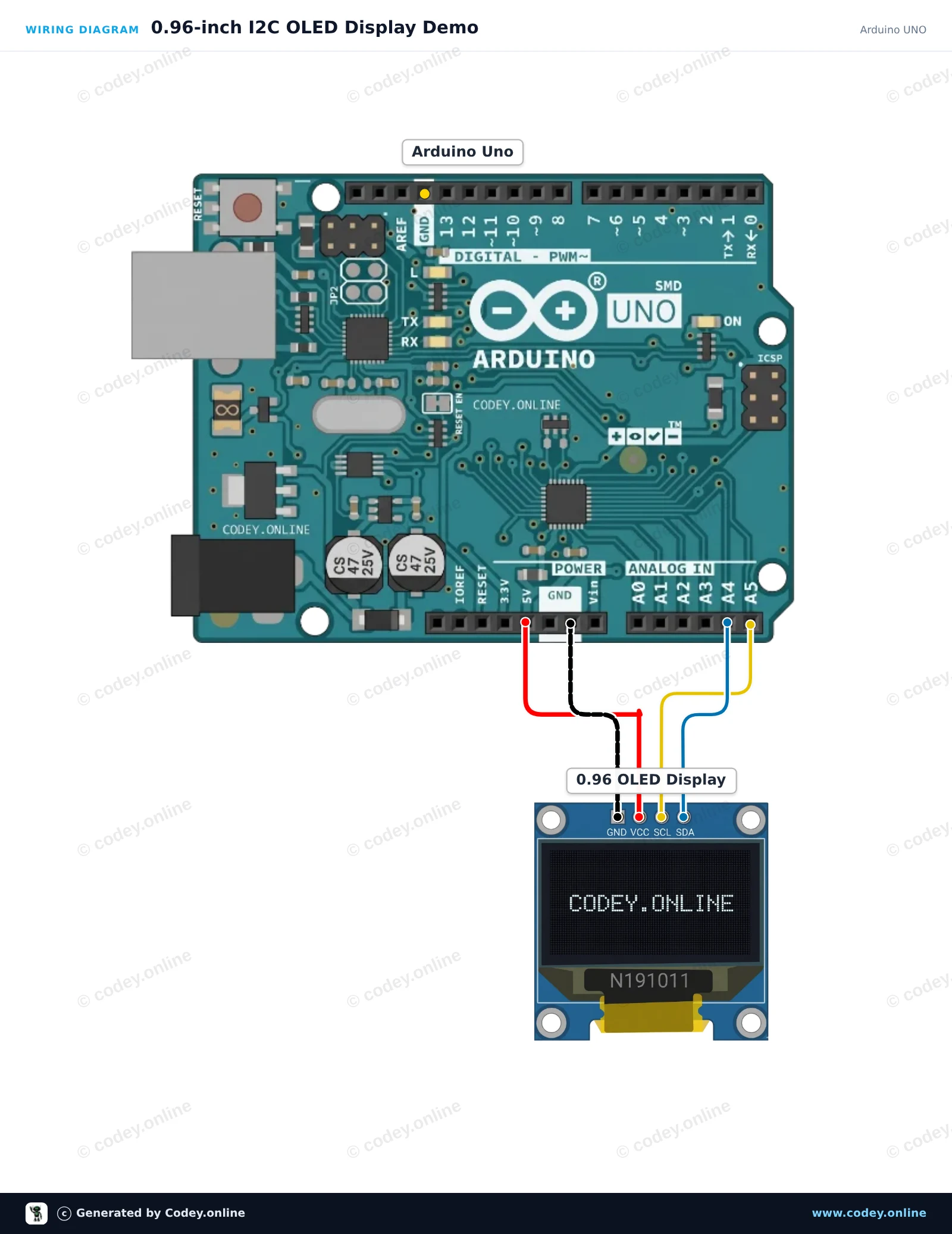
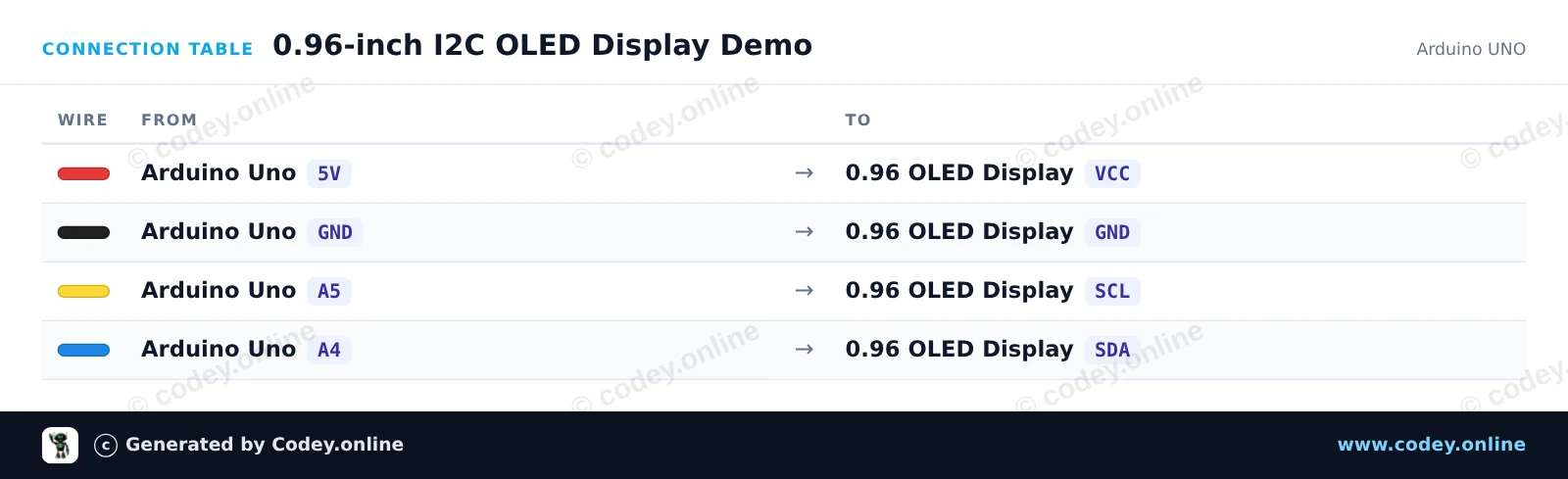
Sluit het 0,96-inch 128x64 I2C OLED-display rechtstreeks aan op de I2C-pinnen van de Arduino Uno (A4 voor SDA, A5 voor SCL). Deze sketch gebruikt standaard I2C-opdrachten om de SSD1306-controller te initialiseren en toont een live teller en tekst direct, zonder externe grafische libraries te hoeven gebruiken.

Aansluitschema: Mini OLED display  wit 0.96 inch 128x64 I2C op een Arduino UNO
Aansluitschema · Klik om te vergroten
Aansluittabel: Mini OLED display  wit 0.96 inch 128x64 I2C op een Arduino UNO
Aansluittabel · Klik om te vergroten
0_96_inch_I2C_OLED_Display_Demo.ino · gecompileerd en getest
/*
 * ==================================================================
 *  Generated by Codey.online  —  https://www.codey.online
 * ==================================================================
 *  Project   : 0.96-inch I2C OLED Display Demo
 *  Board     : Arduino UNO (arduino:avr:uno)
 *  Parts     : OLED Display 0.96 inch
 *  Libraries : none (built-in)
 *
 *  Codey Online is an AI-powered browser IDE for Arduino and ESP32.
 *  Describe your project and Codey writes the code, draws the wiring
 *  diagram and uploads it to your board, straight from the browser.
 *  This code is free to use, modify and share, without warranty.
 * ==================================================================
 */

#include <Wire.h>

const uint8_t OLED_ADDR = 0x3C;
const uint8_t OLED_WIDTH = 128;
const uint8_t OLED_HEIGHT = 64;
uint8_t buffer[1024];
int counter = 0;

const uint8_t font5x7[][5] = {
  {0x00, 0x00, 0x00, 0x00, 0x00}, // space
  {0x7E, 0x11, 0x11, 0x11, 0x7E}, // A
  {0x7F, 0x49, 0x49, 0x49, 0x36}, // B
  {0x3E, 0x41, 0x41, 0x41, 0x22}, // C
  {0x7F, 0x41, 0x41, 0x22, 0x1C}, // D
  {0x7F, 0x49, 0x49, 0x49, 0x41}, // E
  {0x7F, 0x09, 0x09, 0x09, 0x01}, // F
  {0x3E, 0x41, 0x49, 0x49, 0x7A}, // G
  {0x7F, 0x08, 0x08, 0x08, 0x7F}, // H
  {0x00, 0x41, 0x7F, 0x41, 0x00}, // I
  {0x7F, 0x40, 0x40, 0x40, 0x40}, // L
  {0x7F, 0x02, 0x0C, 0x02, 0x7F}, // M
  {0x7F, 0x04, 0x08, 0x10, 0x7F}, // N
  {0x3E, 0x41, 0x41, 0x41, 0x3E}, // O
  {0x7F, 0x09, 0x09, 0x09, 0x06}, // P
  {0x7F, 0x09, 0x19, 0x29, 0x46}, // R
  {0x46, 0x49, 0x49, 0x49, 0x31}, // S
  {0x01, 0x01, 0x7F, 0x01, 0x01}, // T
  {0x3F, 0x40, 0x40, 0x40, 0x3F}, // U
  {0x3E, 0x51, 0x49, 0x45, 0x3E}, // 0
  {0x00, 0x42, 0x7F, 0x40, 0x00}, // 1
  {0x42, 0x61, 0x51, 0x49, 0x46}, // 2
  {0x21, 0x41, 0x45, 0x4B, 0x31}, // 3
  {0x18, 0x14, 0x12, 0x7F, 0x10}, // 4
  {0x27, 0x45, 0x45, 0x45, 0x39}, // 5
  {0x3C, 0x4A, 0x49, 0x49, 0x30}, // 6
  {0x01, 0x71, 0x09, 0x05, 0x03}, // 7
  {0x36, 0x49, 0x49, 0x49, 0x36}, // 8
  {0x06, 0x49, 0x49, 0x29, 0x1E}, // 9
  {0x00, 0x36, 0x36, 0x00, 0x00}, // :
  {0x00, 0x60, 0x60, 0x00, 0x00}  // .
};

int charIndex(char c) {
  if (c >= 'a' && c <= 'z') c -= 32;
  if (c == ' ') return 0;
  if (c == 'A') return 1; if (c == 'B') return 2; if (c == 'C') return 3;
  if (c == 'D') return 4; if (c == 'E') return 5; if (c == 'F') return 6;
  if (c == 'G') return 7; if (c == 'H') return 8; if (c == 'I') return 9;
  if (c == 'L') return 10; if (c == 'M') return 11; if (c == 'N') return 12;
  if (c == 'O') return 13; if (c == 'P') return 14; if (c == 'R') return 15;
  if (c == 'S') return 16; if (c == 'T') return 17; if (c == 'U') return 18;
  if (c >= '0' && c <= '9') return 19 + (c - '0');
  if (c == ':') return 29;
  if (c == '.') return 30;
  return 0;
}

void sendCmd(uint8_t cmd) {
  Wire.beginTransmission(OLED_ADDR);
  Wire.write(0x00);
  Wire.write(cmd);
  Wire.endTransmission();
}

void sendCmd2(uint8_t cmd, uint8_t val) {
  Wire.beginTransmission(OLED_ADDR);
  Wire.write(0x00);
  Wire.write(cmd);
  Wire.write(val);
  Wire.endTransmission();
}

void clearDisplay() {
  memset(buffer, 0, sizeof(buffer));
}

void setPixel(int x, int y, bool state) {
  if (x < 0 || x >= OLED_WIDTH || y < 0 || y >= OLED_HEIGHT) return;
  int idx = x + (y / 8) * OLED_WIDTH;
  if (state) buffer[idx] |= (1 << (y % 8));
  else buffer[idx] &= ~(1 << (y % 8));
}

void printText(int x, int y, const char* str) {
  while (*str) {
    int idx = charIndex(*str++);
    for (int col = 0; col < 5; col++) {
      uint8_t line = font5x7[idx][col];
      for (int row = 0; row < 7; row++) {
        setPixel(x + col, y + row, (line >> row) & 1);
      }
    }
    x += 6;
  }
}

void updateDisplay() {
  sendCmd(0x20); sendCmd(0x00);
  sendCmd2(0x21, 0x00); sendCmd(0x7F);
  sendCmd2(0x22, 0x00); sendCmd(0x07);
  for (uint16_t i = 0; i < 1024; i += 16) {
    Wire.beginTransmission(OLED_ADDR);
    Wire.write(0x40);
    for (uint8_t j = 0; j < 16; j++) {
      Wire.write(buffer[i + j]);
    }
    Wire.endTransmission();
  }
}

void setup() {
  Serial.begin(115200);
  Wire.begin();
  delay(50);
  sendCmd(0xAE); sendCmd2(0xD5, 0x80); sendCmd2(0xA8, 0x3F);
  sendCmd2(0xD3, 0x00); sendCmd(0x40); sendCmd2(0x8D, 0x14);
  sendCmd(0xA1); sendCmd(0xC8); sendCmd2(0xDA, 0x12);
  sendCmd2(0x81, 0xCF); sendCmd2(0xD9, 0xF1); sendCmd2(0xDB, 0x40);
  sendCmd(0xA4); sendCmd(0xA6); sendCmd(0xAF);
  Serial.println(F("OLED Initialized"));
}

void loop() {
  clearDisplay();
  printText(0, 0, "OLED 0.96 INCH");
  printText(0, 16, "ARDUINO UNO");
  
  char buf[16];
  itoa(counter, buf, 10);
  printText(0, 32, "COUNT: ");
  printText(42, 32, buf);

  int barWidth = (counter % 120);
  for (int x = 0; x <= barWidth; x++) {
    for (int y = 48; y < 58; y++) {
      setPixel(x, y, true);
    }
  }

  updateDisplay();
  counter++;
  delay(100);
}

Wiring diagram and example code generated by Codey.online — https://www.codey.online

ESP32 0.96-inch I2C OLED-display demo

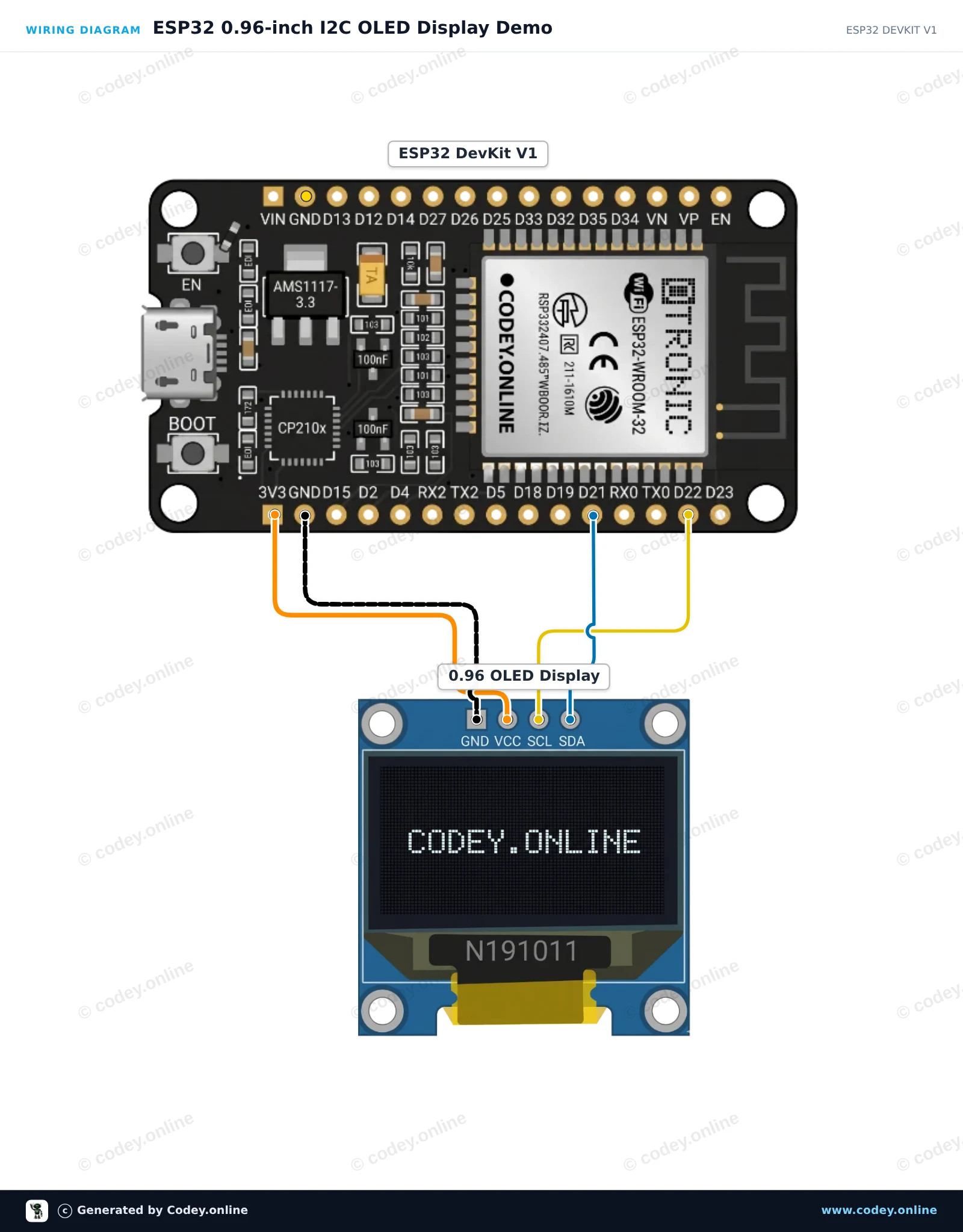
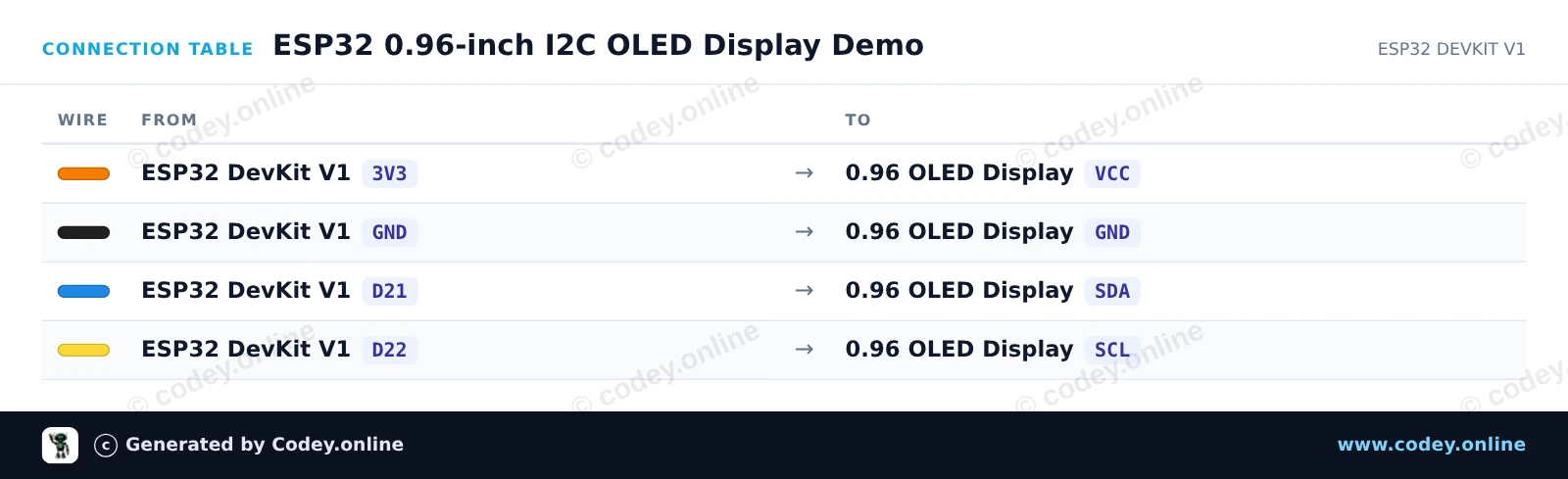
Dit project laat zien hoe je met de ESP32 tekst en cijfers kunt aansluiten en weergeven op een 0.96-inch I2C OLED-scherm. De sketch initialiseert het display en werkt elke seconde een live teller bij. Zorg ervoor dat je vóór het uploaden de Adafruit SSD1306- en Adafruit GFX-bibliotheken installeert.

Aansluitschema: Mini OLED display  wit 0.96 inch 128x64 I2C op een ESP32 DevKit V1
Aansluitschema · Klik om te vergroten
Aansluittabel: Mini OLED display  wit 0.96 inch 128x64 I2C op een ESP32 DevKit V1
Aansluittabel · Klik om te vergroten
ESP32_0_96_inch_I2C_OLED_Display_Demo.ino · gecompileerd en getest
/*
 * ==================================================================
 *  Generated by Codey.online  —  https://www.codey.online
 * ==================================================================
 *  Project   : ESP32 0.96-inch I2C OLED Display Demo
 *  Board     : ESP32 DEVKIT V1 (esp32:esp32:esp32doit-devkit-v1)
 *  Parts     : OLED Display 0.96 inch
 *  Libraries : Adafruit SSD1306 2.5.16, Adafruit GFX Library 1.12.6
 *
 *  Codey Online is an AI-powered browser IDE for Arduino and ESP32.
 *  Describe your project and Codey writes the code, draws the wiring
 *  diagram and uploads it to your board, straight from the browser.
 *  This code is free to use, modify and share, without warranty.
 * ==================================================================
 */

#include <Wire.h>
#include <Adafruit_GFX.h>
#include <Adafruit_SSD1306.h>

#define SCREEN_WIDTH 128
#define SCREEN_HEIGHT 64
#define OLED_RESET    -1
#define SCREEN_ADDRESS 0x3C

Adafruit_SSD1306 display(SCREEN_WIDTH, SCREEN_HEIGHT, &Wire, OLED_RESET);

int counter = 0;

void setup() {
  Serial.begin(115200);

  // Initialize I2C on ESP32 default pins (SDA: 21, SCL: 22)
  Wire.begin(21, 22);

  if (!display.begin(SSD1306_SWITCHCAPVCC, SCREEN_ADDRESS)) {
    Serial.println(F("SSD1306 allocation failed"));
    while (true); // Freeze
  }

  display.clearDisplay();
  display.setTextColor(SSD1306_WHITE);
  display.setTextSize(1);
  display.setCursor(0, 0);
  display.println("ESP32 OLED Test");
  display.display();
  delay(1500);
}

void loop() {
  display.clearDisplay();

  // Header text
  display.setTextSize(1);
  display.setCursor(0, 0);
  display.println("ESP32 + SSD1306");

  // Separator line
  display.drawLine(0, 12, 127, 12, SSD1306_WHITE);

  // Counter display
  display.setCursor(0, 20);
  display.println("Counter value:");
  
  display.setTextSize(2);
  display.setCursor(0, 36);
  display.print(counter);

  display.display();

  counter++;
  delay(1000);
}

Benodigde bibliotheken: Adafruit SSD1306 2.5.16, Adafruit GFX Library 1.12.6

Wiring diagram and example code generated by Codey.online — https://www.codey.online

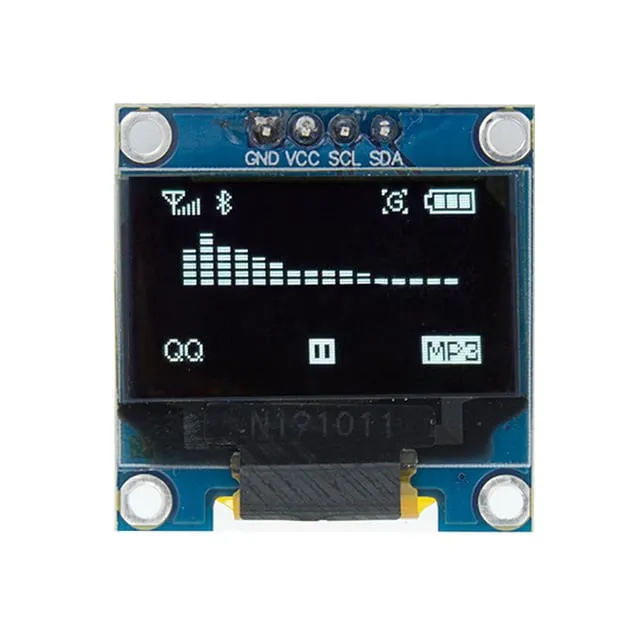
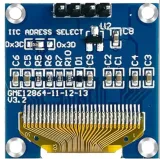
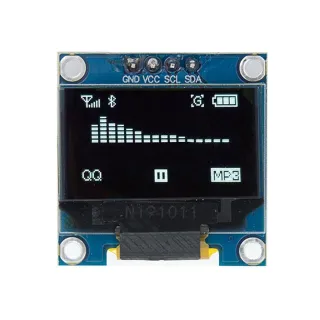
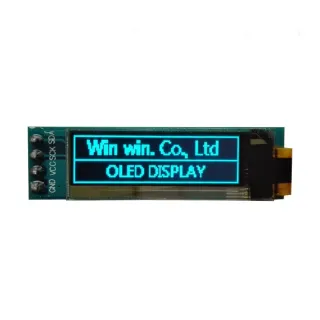
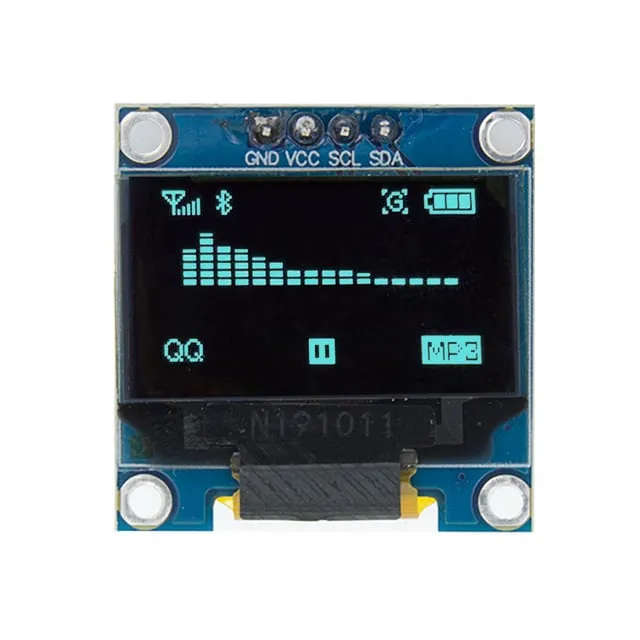
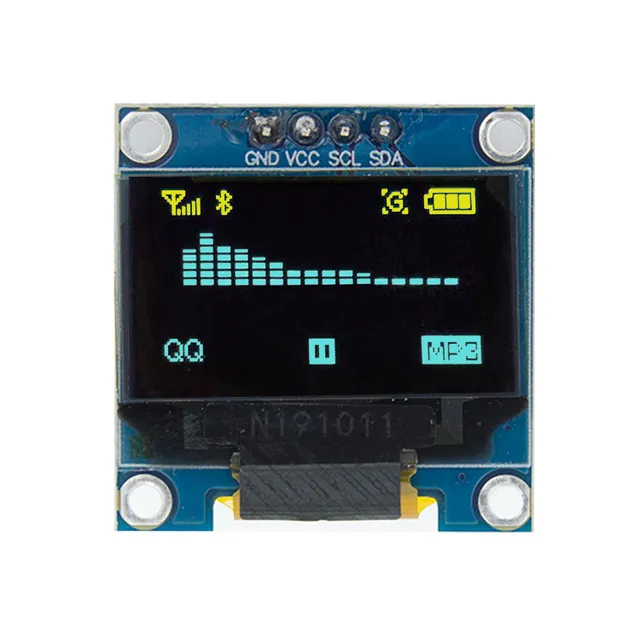
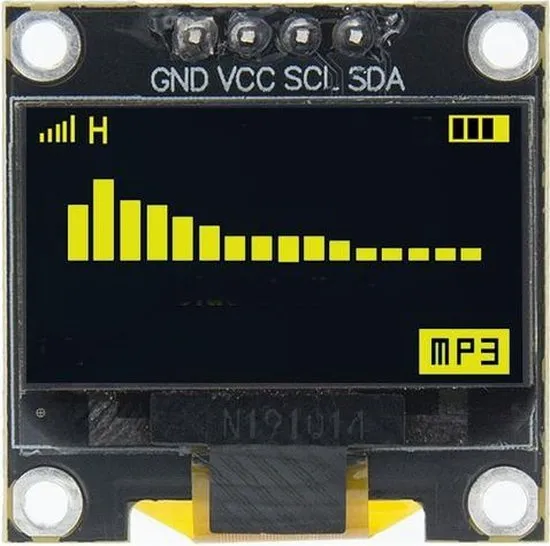
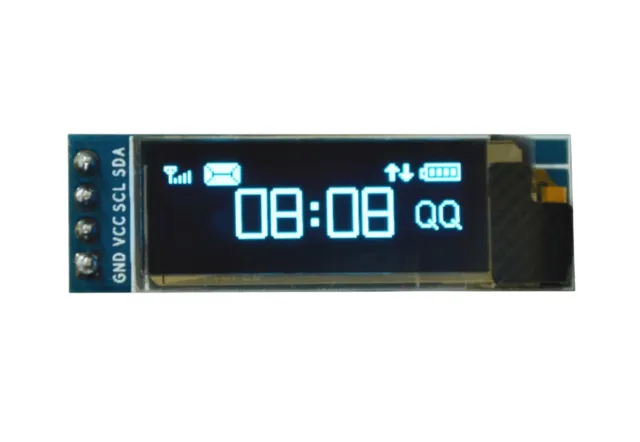
Mini OLED display wit 0.96 inch 128x64 I2C

0,96 inch mini OLED schermpje. Haarscherp beeld met een resolutie van 128x64 pixels.

Werkt op een voedingsbron van 3v-5v. Ideaal voor Arduino of ESP32 / ESP8266 projecten.

De afmetingen van dit board zijn slechts 26,1 x 26,1 x 3,2mm.

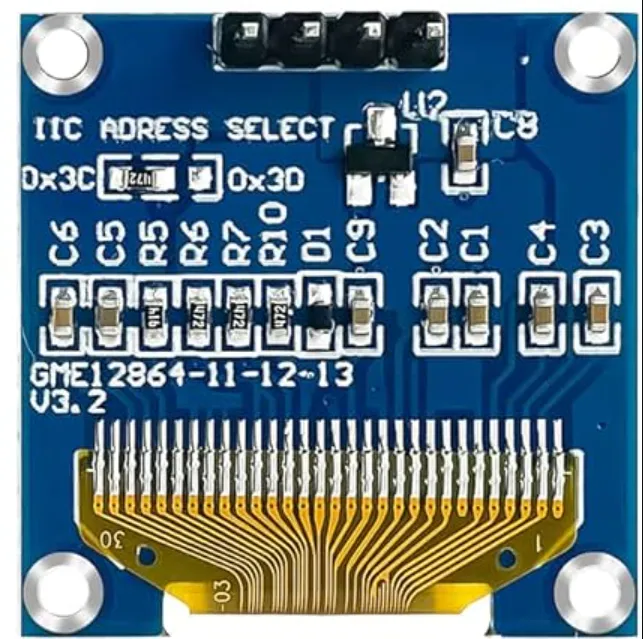
Er zijn 2 i2c adressen te selecteren middels het veranderen van de weerstand aan de achterkant.
Beschikbare adressen zijn: 0x3C (default) en x3D

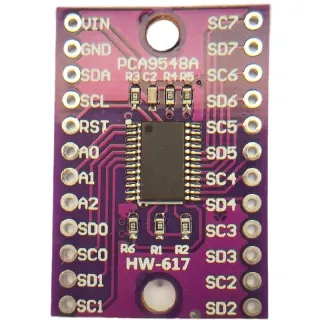
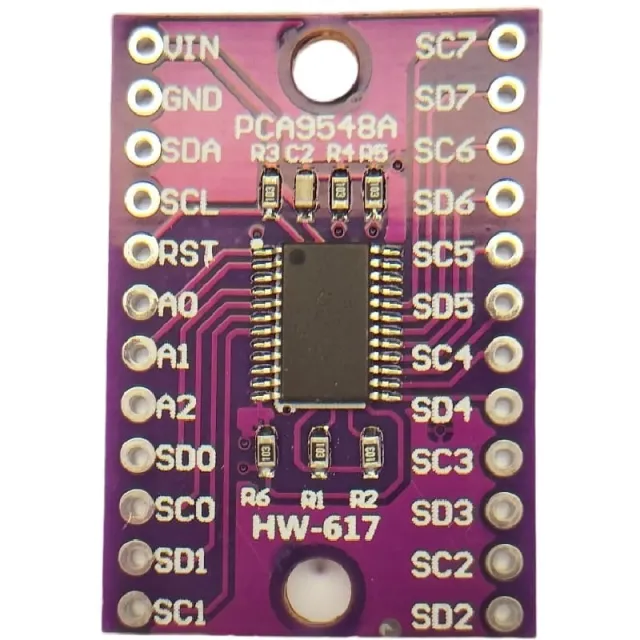
Wilt u meerdere OLED displays aansturen of wilt u niet de SMD solderen dan kunt u middels een i2c mutliplexer ook tot 8x i2C displays aansturen met hetzelfde adres. 

bekijk hier het Aansluitschema en de voorbeeldcode >>>

Afmetingen
Lengte: 2,61cm
Breedte: 2,61cm
Hoogte: 0,32cm

  • 26,1 x 26,1 x 3,2 mm
  • 128x64 pixels
  • 3v-5v voeding
  • I2C adresselectie
Bij afspelen wordt de video van YouTube geladen.

Waarom kiezen voor dit product?

  • Scherp beeld – 128x64 pixels voor duidelijke weergave.
  • Geschikt voor projecten – Ideaal voor Arduino en ESP32/ESP8266.
  • Klein formaat – Board is slechts 26,1 x 26,1 x 3,2 mm.
  • Twee I2C adressen – Selecteer 0x3C of 0x3D.
  • Meerdere displays – Met multiplexer tot 8 displays.
Specificaties
Voeding3V-5V
Afmetingen26,1 x 26,1 x 3,2 mm
Breedte2,61 cm
Resolutie128 x 64 pixels
InterfaceI2C
Geschikt voorArduino
Lengte2,61 cm
Hoogte0,32 cm
I2C-adres0x3C

Vaak samen gekocht

Totaal: € 13,94

Beoordelingen

★★★★★ 4,9/5 10 beoordelingen
  • ★★★★★David Kapor

    ...........

  • ★★★★★Thomas IbrahimGeverifieerde koop

    It was fine

  • ★★★★★Raymond GrégoireGeverifieerde koop

    Prima display!

Schrijf een beoordeling
Jouw beoordeling

Verzenden & retourneren

Verzending

  • Pakket met track & trace€ 7,70Binnen 24 uur
  • Ophalen bij PostNL locatie€ 7,40Binnen 24 uur
  • Brievenbuspakketje€ 3,70Binnen 2 werkdagen
  • Brievenbuspakketje 24 uur€ 4,55Binnen 24 uur
  • Afhalen in de winkelGratis
Alles over verzenden

Retourneren

Niet tevreden? Je hebt 30 dagen bedenktijd na ontvangst om het product terug te sturen.

Alles over retourneren

Eerder bekeken