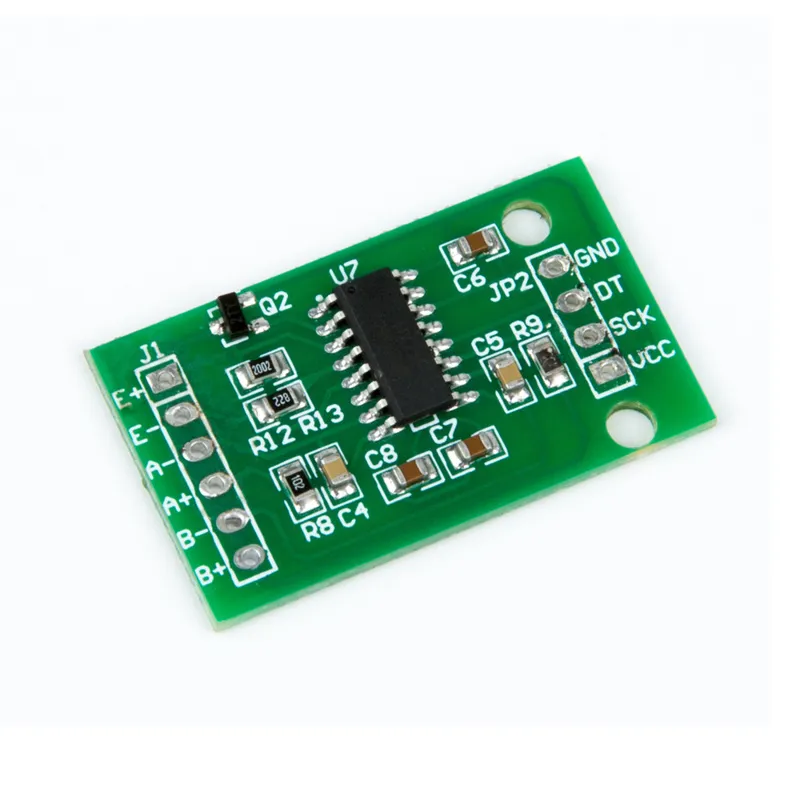
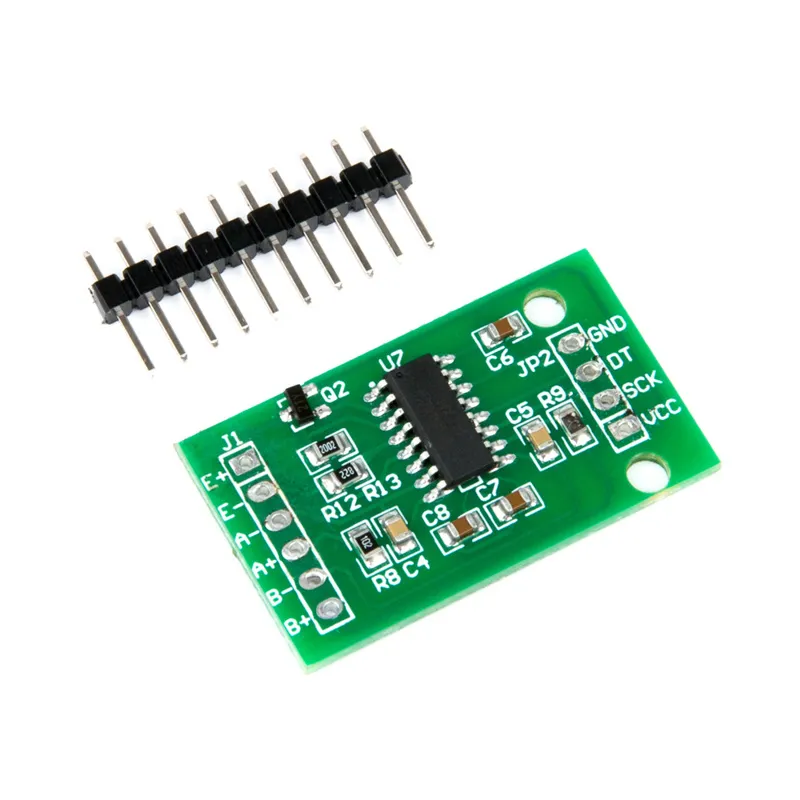
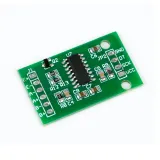
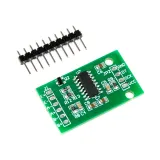
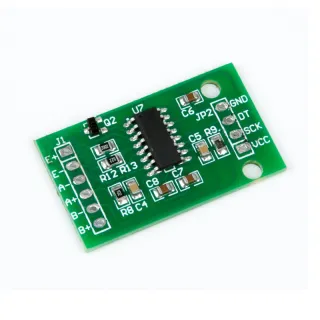
HX711 load cell amplifier module for reading weight sensors and digital scales.
SKU: OT3331 Article number: AB080 EAN: 8720589817005 Location: F03.02
Alternative
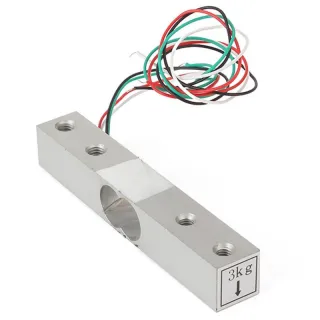
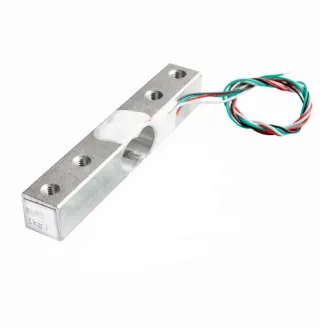
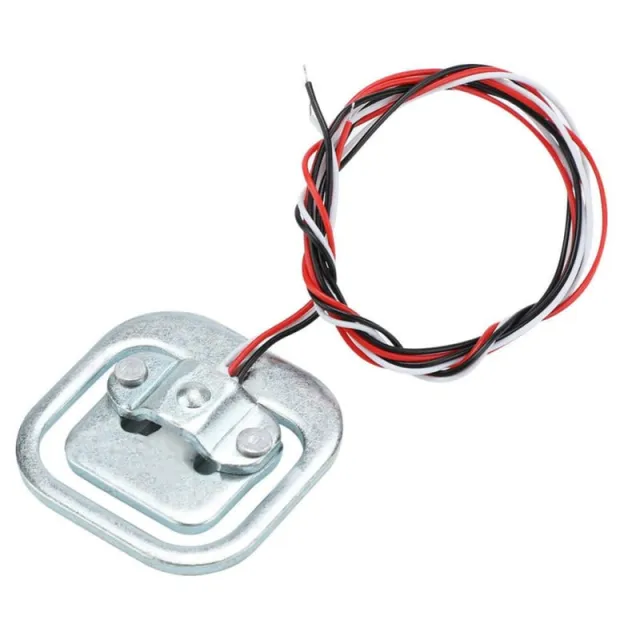
3 kg Load Cell Sensor YZC-131 with wiring - for Digital Weighing
€ 6,00
View this alternative
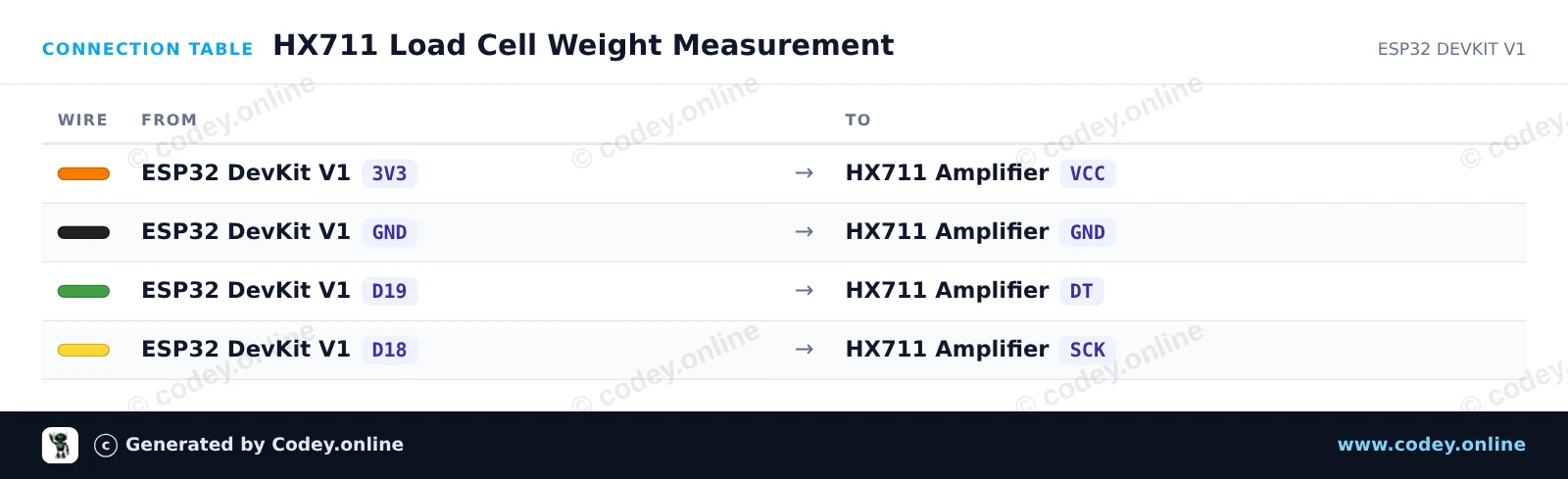
How to connect the HX711 Load Cell Amplifier Module to an Arduino UNO or ESP32, with an example sketch you can upload straight away.
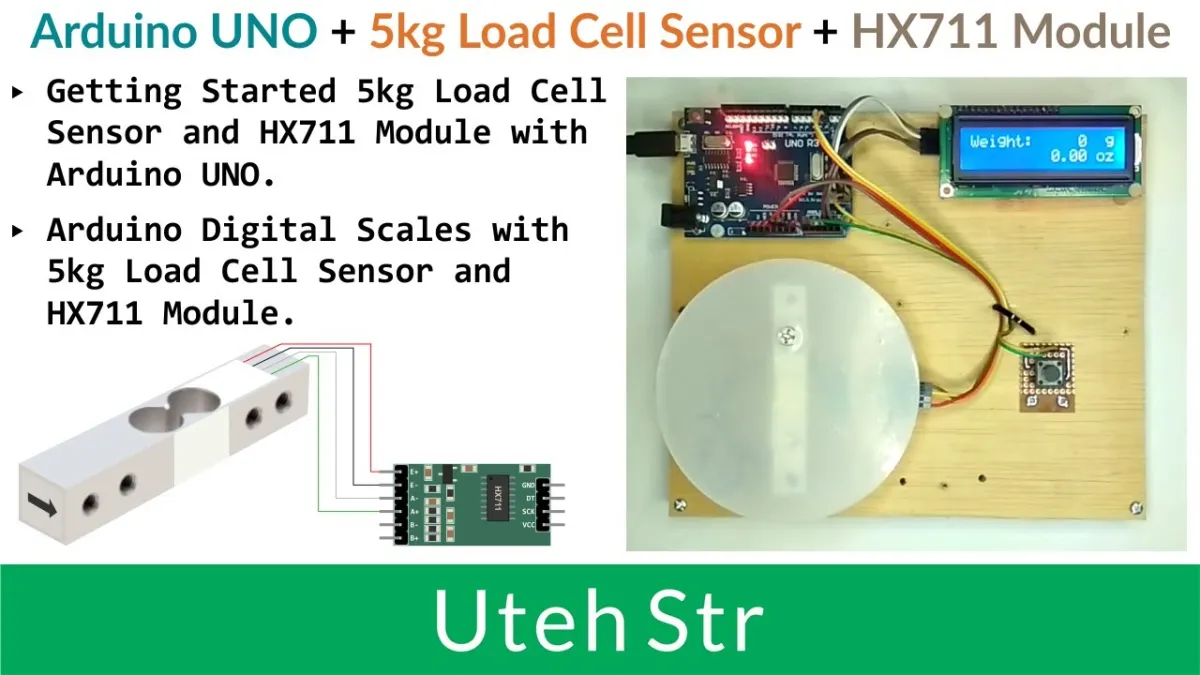
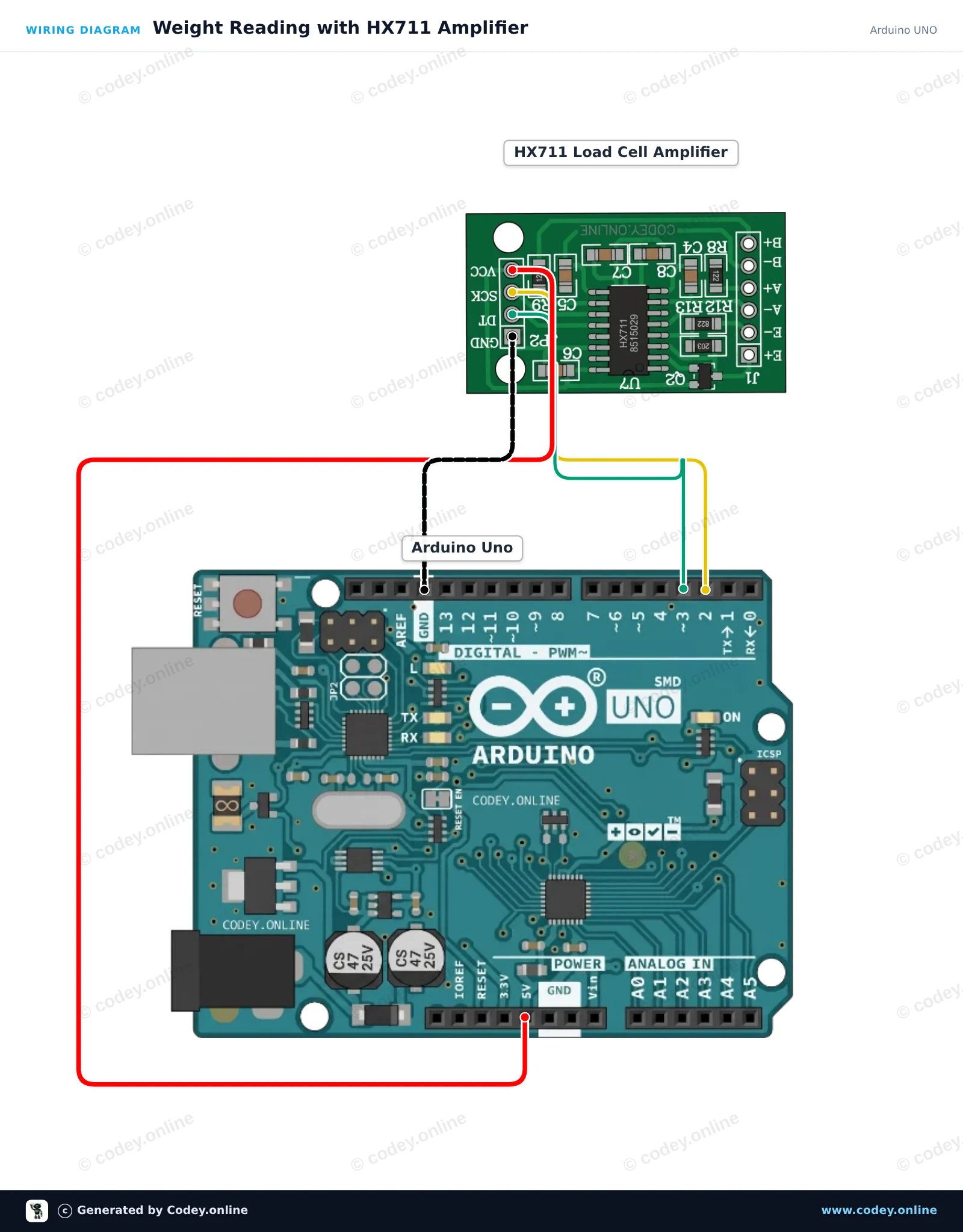
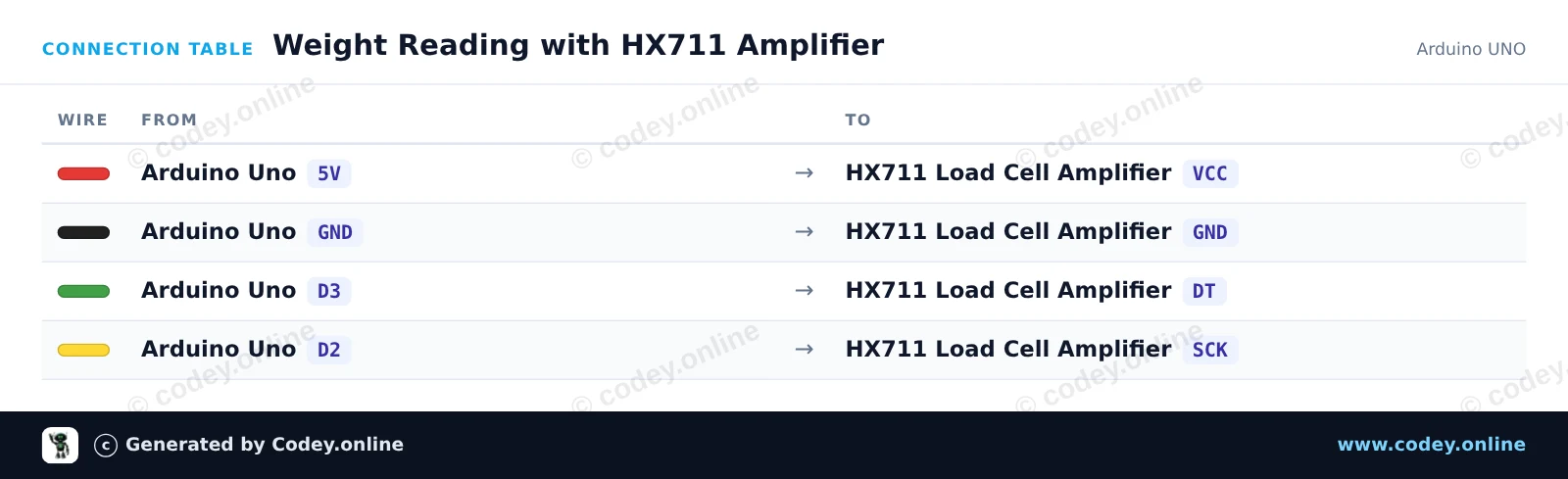
This example connects an HX711 24-bit ADC module to the Arduino Uno to read weight data from a load cell. On startup, the module tares (zeros) the scale and continuously prints weight measurements to the Serial Monitor.
/*
* ==================================================================
* Generated by Codey.online — https://www.codey.online
* ==================================================================
* Project : Weight Reading with HX711 Amplifier
* Board : Arduino UNO (arduino:avr:uno)
* Parts : HX711 Load Cell Amplifier
* Libraries : HX711 Arduino Library 0.7.5
*
* Codey Online is an AI-powered browser IDE for Arduino and ESP32.
* Describe your project and Codey writes the code, draws the wiring
* diagram and uploads it to your board, straight from the browser.
* This code is free to use, modify and share, without warranty.
* ==================================================================
*/
#include "HX711.h"
const int DOUT_PIN = 3;
const int SCK_PIN = 2;
HX711 scale;
void setup() {
Serial.begin(115200);
Serial.println(F("HX711 Load Cell Demo"));
scale.begin(DOUT_PIN, SCK_PIN);
Serial.println(F("Taring... ensure no weight is on the scale."));
scale.set_scale();
scale.tare();
Serial.println(F("Tare complete. Place weight on load cell."));
}
void loop() {
if (scale.is_ready()) {
long reading = scale.get_units(5);
Serial.print(F("Reading: "));
Serial.println(reading);
} else {
Serial.println(F("HX711 not detected."));
}
delay(500);
}
Required libraries: HX711 Arduino Library 0.7.5
Wiring diagram and example code generated by Codey.online — https://www.codey.online
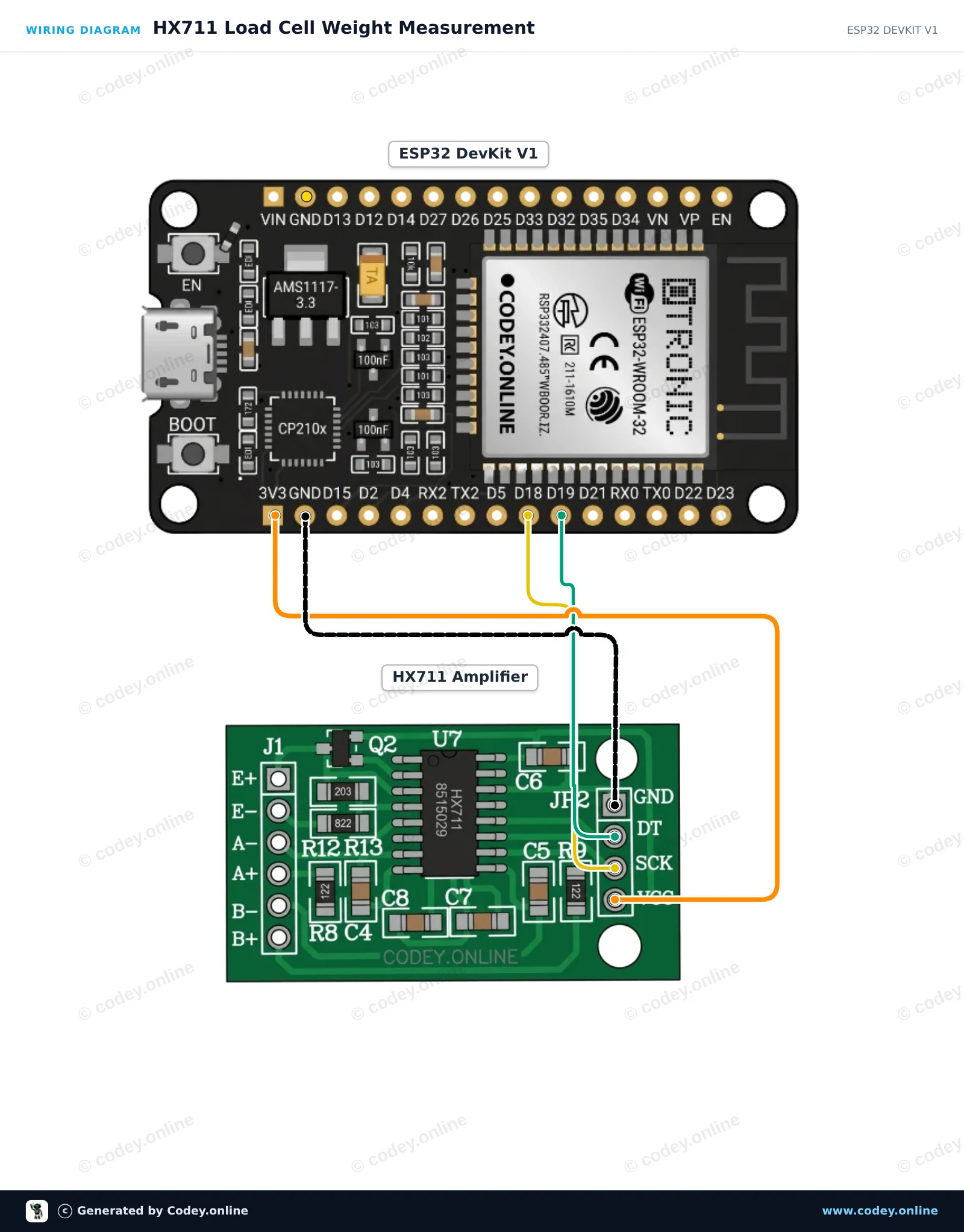
This project interfaces an HX711 24-bit load cell amplifier with the ESP32. On startup, the sketch tares the scale and then continuously outputs raw load cell readings to the Serial Monitor at 115200 baud. Powering the HX711 from 3.3V ensures signal levels are directly compatible with ESP32 GPIOs.
/*
* ==================================================================
* Generated by Codey.online — https://www.codey.online
* ==================================================================
* Project : HX711 Load Cell Weight Measurement
* Board : ESP32 DEVKIT V1 (esp32:esp32:esp32doit-devkit-v1)
* Parts : HX711 Load Cell Amplifier
* Libraries : HX711 Arduino Library 0.7.5
*
* Codey Online is an AI-powered browser IDE for Arduino and ESP32.
* Describe your project and Codey writes the code, draws the wiring
* diagram and uploads it to your board, straight from the browser.
* This code is free to use, modify and share, without warranty.
* ==================================================================
*/
#include "HX711.h"
// Pin definitions (GPIO 19 for DOUT, GPIO 18 for SCK)
const int DOUT_PIN = 19;
const int SCK_PIN = 18;
HX711 scale;
void setup() {
Serial.begin(115200);
while (!Serial) { delay(10); }
Serial.println("HX711 Weight Sensor Demo");
scale.begin(DOUT_PIN, SCK_PIN);
Serial.println("Initializing sensor...");
delay(1000);
if (scale.is_ready()) {
scale.set_scale(); // Set default scale factor
scale.tare(); // Reset the scale to 0 (tare)
Serial.println("Tare complete. Place weight on the load cell.");
} else {
Serial.println("HX711 not detected. Check wiring.");
}
}
void loop() {
if (scale.is_ready()) {
long reading = scale.get_units(5); // Average of 5 readings
Serial.print("Raw reading: ");
Serial.println(reading);
} else {
Serial.println("HX711 not ready.");
}
delay(500);
}
Required libraries: HX711 Arduino Library 0.7.5
Wiring diagram and example code generated by Codey.online — https://www.codey.online
The module uses the HX711 as a controller, a 24-bit S/D converter chip specifically designed for digital scales. This module is used with one or two weight sensors, which provide a variable resistance depending on the weight.
With the HX711 Load Cell amplifier, you can easily read weight sensors to determine the weight. Since the differential signal from a weight sensor is very small, you cannot connect it directly to an Arduino, so you need to use this amplifier.
The HX711 module is equipped with a 24-bit ADC, allowing it to detect the smallest differences in weight. With the help of calibration weights, you could make a very accurate scale.
| Dimensions | 33.50 x 20.30 x 3.00 mm |
|---|---|
| Weight | 2.2 grams |
| Operating voltage | 5V |
| Power consumption | approx. 1.6mA (active), < 1 uA (sleep mode) |
| Model | HX711 |
| ADC Resolution | 24 bit |
| Number of load cells | 2 pieces (4-wire) or 4 pieces (3-wire) |
correct, everything seems to me to be in order
HX711 Load Cell Amplifier Module