Ordered on weekdays before 14:00 = shipped the same day and delivered the next day in 98% of cases. Free returns 30-day reflection period 1-year warranty

Wiring diagram and code example

How to connect the Infrared obstacle avoidance module HW-201 to an Arduino UNO or ESP32, with an example sketch you can upload straight away.

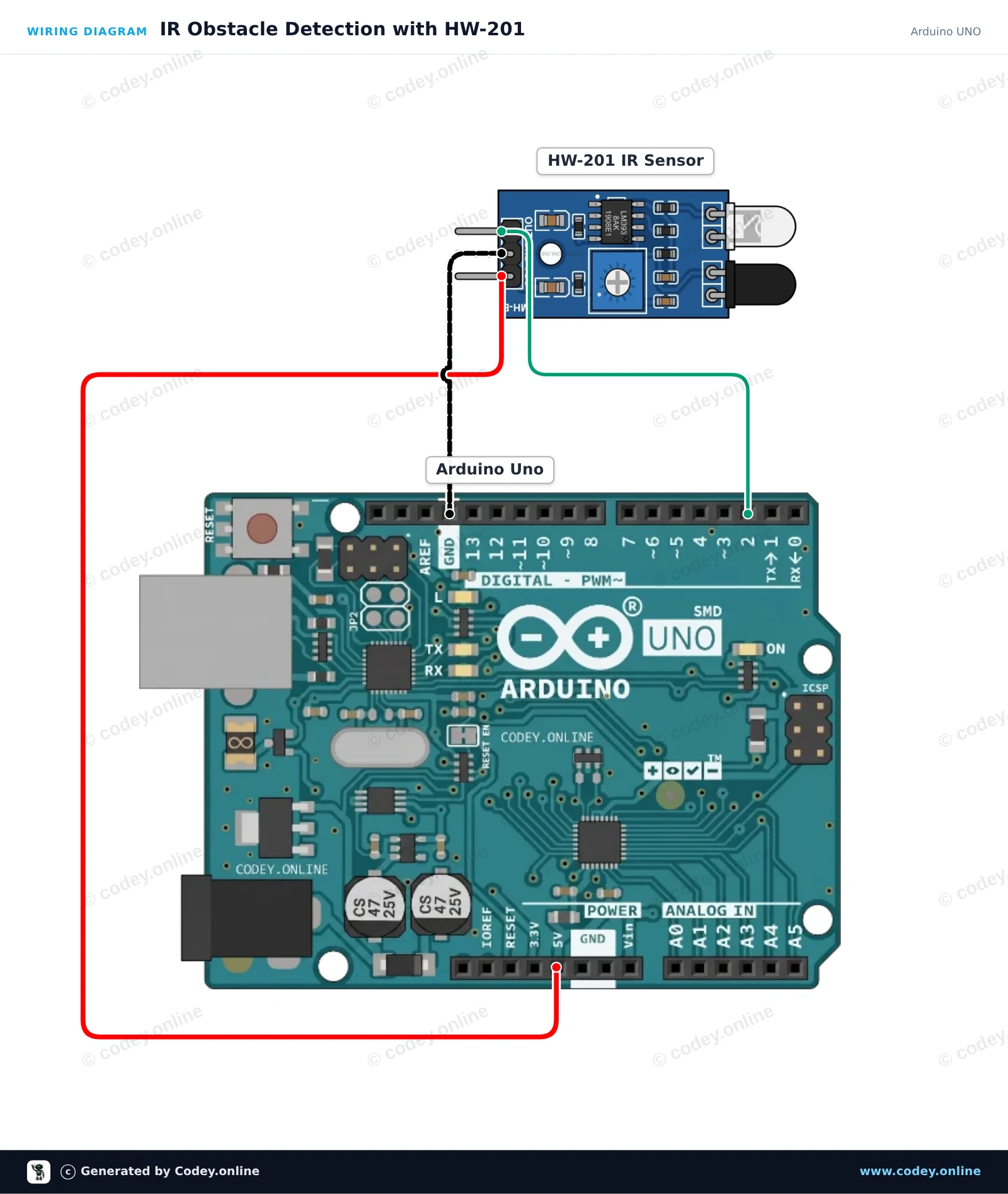
IR Obstacle Detection with HW-201

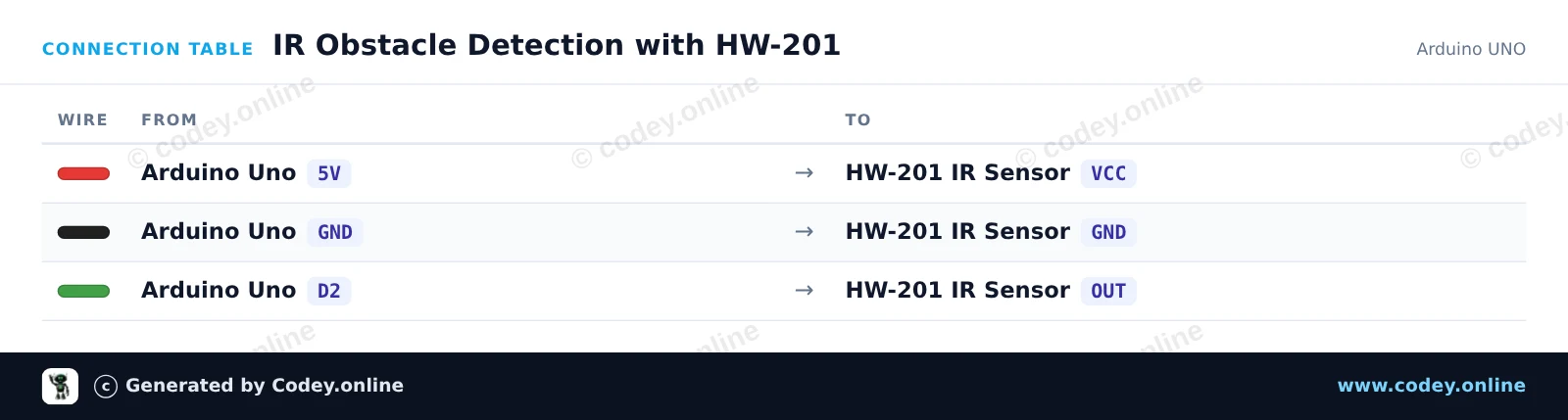
This project uses an HW-201 infrared obstacle avoidance sensor to detect nearby objects. When an obstacle comes into range, the sensor's digital output goes LOW, turning on the Arduino's built-in LED and printing detection alerts to the Serial Monitor. Adjust the onboard potentiometer on the sensor module to calibrate the detection distance.

Wiring diagram: Infrared obstacle avoidance module HW-201 on an Arduino UNO
Wiring diagram · Click to enlarge
Connection table: Infrared obstacle avoidance module HW-201 on an Arduino UNO
Connection table · Click to enlarge
IR_Obstacle_Detection_with_HW_201.ino · compiled and verified
/*
 * ==================================================================
 *  Generated by Codey.online  —  https://www.codey.online
 * ==================================================================
 *  Project   : IR Obstacle Detection with HW-201
 *  Board     : Arduino UNO (arduino:avr:uno)
 *  Parts     : HW-201 Infrared Obstacle Avoidance Module
 *  Libraries : none (built-in)
 *
 *  Codey Online is an AI-powered browser IDE for Arduino and ESP32.
 *  Describe your project and Codey writes the code, draws the wiring
 *  diagram and uploads it to your board, straight from the browser.
 *  This code is free to use, modify and share, without warranty.
 * ==================================================================
 */

// Pin definitions
const int sensorPin = 2;
const int ledPin = 13;

void setup() {
  pinMode(sensorPin, INPUT);
  pinMode(ledPin, OUTPUT);

  Serial.begin(115200);
  Serial.println(F("HW-201 IR Obstacle Sensor Demo"));
  Serial.println(F("Ready: Move an object in front of the sensor."));
}

void loop() {
  // The HW-201 sensor outputs LOW when an obstacle is detected
  int sensorState = digitalRead(sensorPin);

  if (sensorState == LOW) {
    digitalWrite(ledPin, HIGH);
    Serial.println(F("Obstacle Detected!"));
  } else {
    digitalWrite(ledPin, LOW);
    Serial.println(F("Clear (no obstacle)"));
  }

  delay(200);
}

Wiring diagram and example code generated by Codey.online — https://www.codey.online

IR Obstacle Detection with ESP32

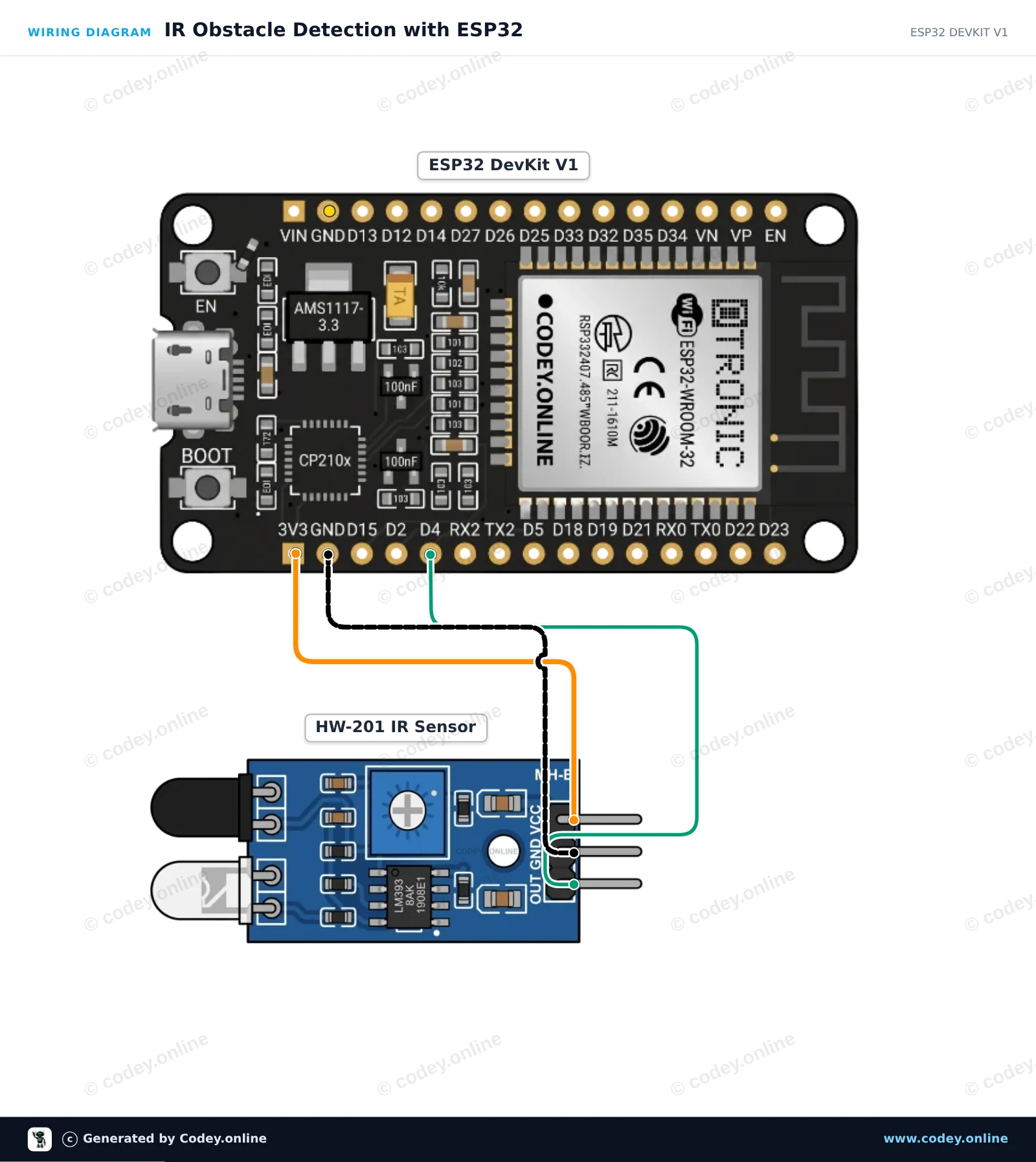
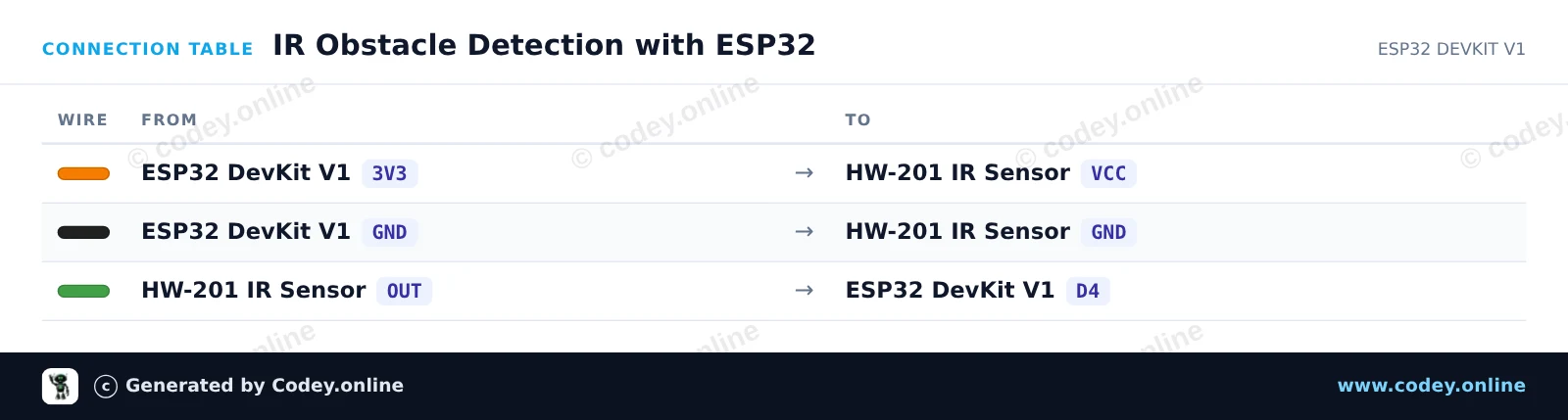
This project reads the digital output from the HW-201 Infrared Obstacle Avoidance Module. When an object is detected within range, the sensor output drops LOW, lighting up the ESP32's built-in LED and printing an alert to the Serial Monitor. You can adjust the detection distance using the potentiometer on the module.

Wiring diagram: Infrared obstacle avoidance module HW-201 on an ESP32 DevKit V1
Wiring diagram · Click to enlarge
Connection table: Infrared obstacle avoidance module HW-201 on an ESP32 DevKit V1
Connection table · Click to enlarge
IR_Obstacle_Detection_with_ESP32.ino · compiled and verified
/*
 * ==================================================================
 *  Generated by Codey.online  —  https://www.codey.online
 * ==================================================================
 *  Project   : IR Obstacle Detection with ESP32
 *  Board     : ESP32 DEVKIT V1 (esp32:esp32:esp32doit-devkit-v1)
 *  Parts     : HW-201 Infrared Obstacle Avoidance Module
 *  Libraries : none (built-in)
 *
 *  Codey Online is an AI-powered browser IDE for Arduino and ESP32.
 *  Describe your project and Codey writes the code, draws the wiring
 *  diagram and uploads it to your board, straight from the browser.
 *  This code is free to use, modify and share, without warranty.
 * ==================================================================
 */

// HW-201 IR Obstacle Sensor with ESP32
const int SENSOR_PIN = 4;   // Connected to OUT pin of HW-201
const int LED_PIN = 2;      // Onboard LED

void setup() {
  Serial.begin(115200);
  pinMode(SENSOR_PIN, INPUT);
  pinMode(LED_PIN, OUTPUT);
  
  Serial.println("HW-201 Obstacle Sensor Ready");
}

void loop() {
  // The HW-201 output is active-LOW (LOW when an obstacle is detected)
  int sensorState = digitalRead(SENSOR_PIN);

  if (sensorState == LOW) {
    digitalWrite(LED_PIN, HIGH);
    Serial.println("Obstacle detected!");
  } else {
    digitalWrite(LED_PIN, LOW);
    Serial.println("Path clear");
  }

  delay(200);
}

Wiring diagram and example code generated by Codey.online — https://www.codey.online

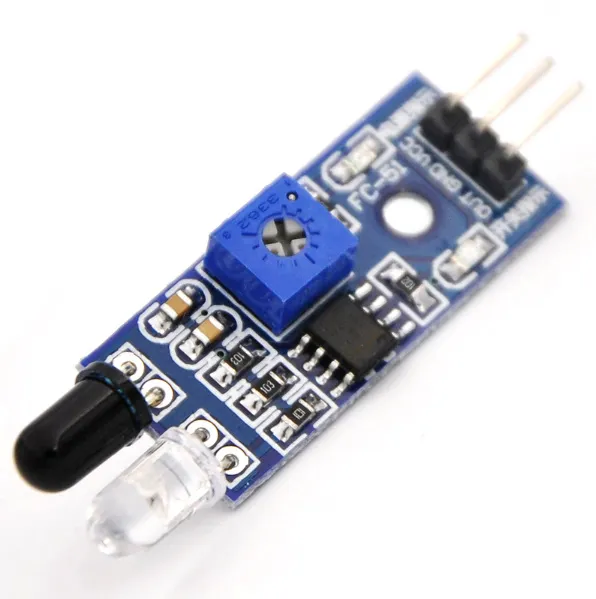
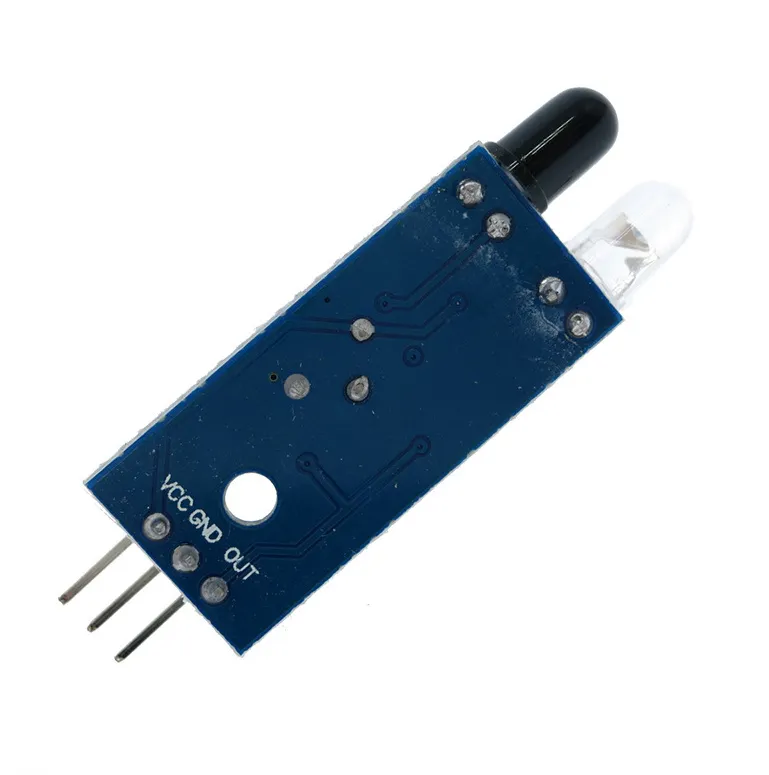
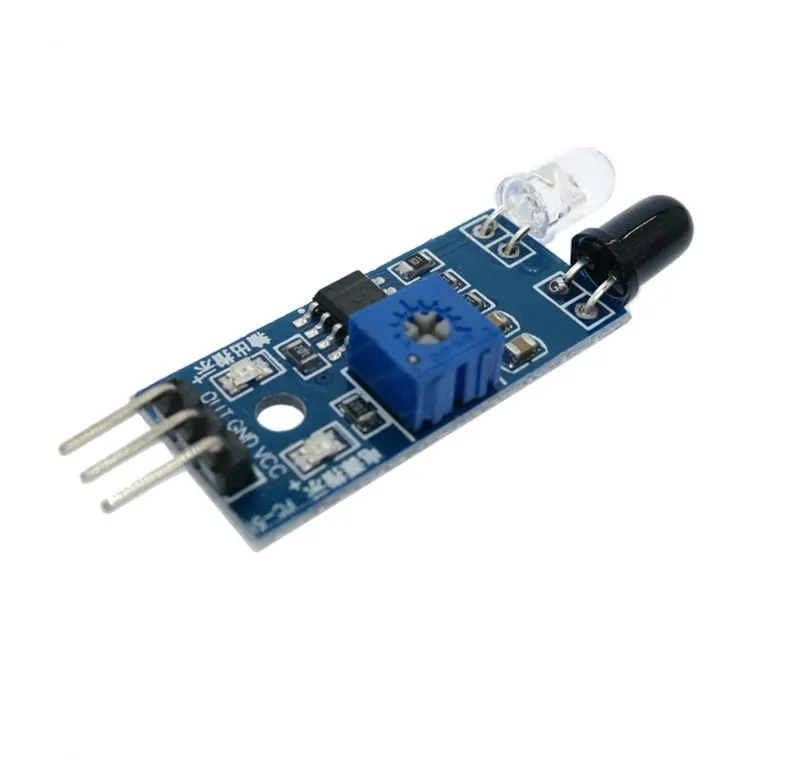
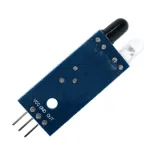
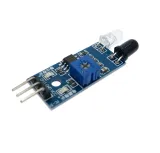
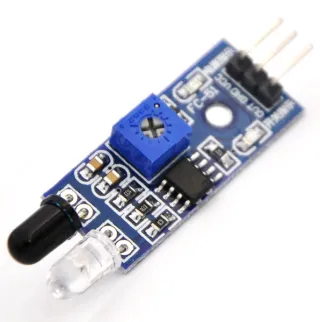
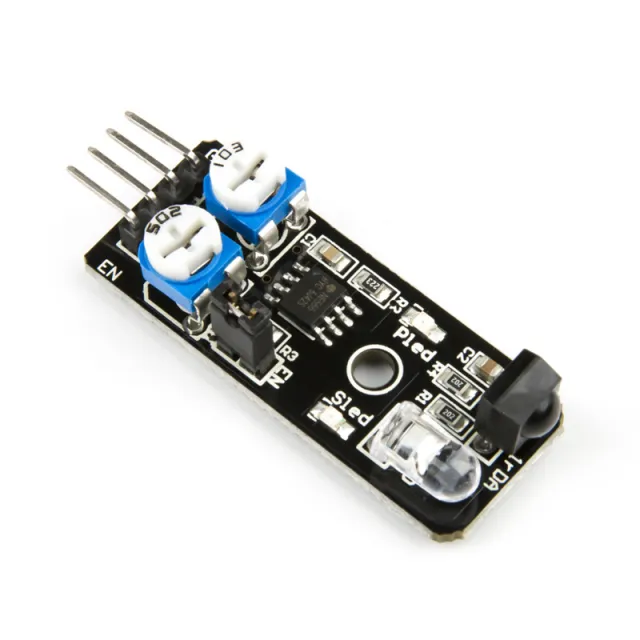
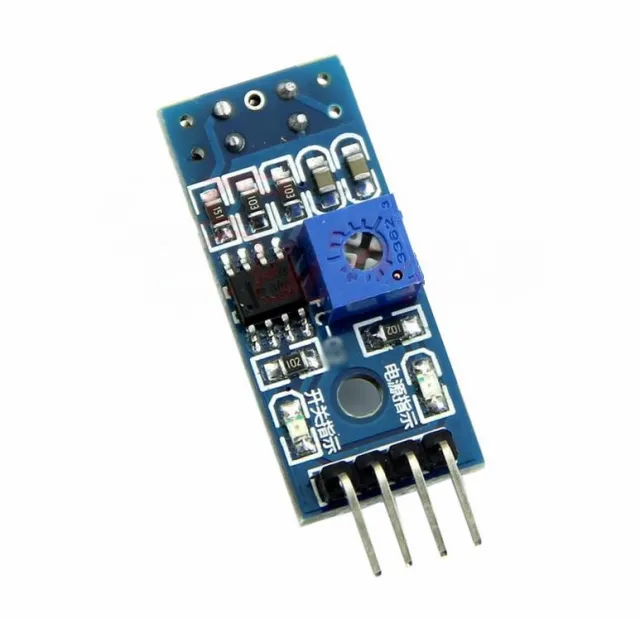
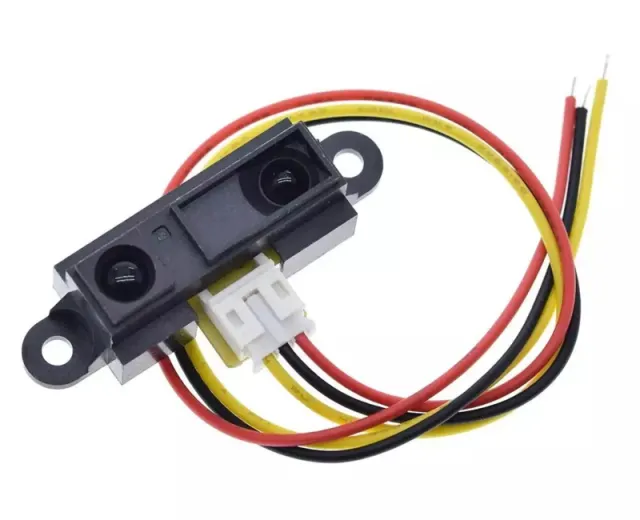
Infrared obstacle avoidance module HW-201

Infrared obstacle avoidance module.

Gives a 5V signal when there are no obstacles and a 0V signal when there is an obstacle, and the green LED lights up. The distance can be adjusted with a potentiometer. Works with 3.3V and 5V, has a red power LED.

Measures distance to obstacles at a range of 2-30cm and 35 degrees using infrared signals. Contains an infrared transmitter and receiver.

Dimensions
Length: 4.5cm
Width: 1.4cm
Height: 0.9cm

  • Obstacle detection
  • Adjustable distance
  • Green LED
  • Red power LED

Why choose this product?

  • Adjustable distance – Distance can be adjusted with a potentiometer.
  • Two signals – Outputs 5V or 0V depending on obstacle.
  • Works on 3.3V and 5V – Suitable for 3.3V and 5V applications.
  • LED indication – Green and red LEDs indicate status.
  • Detects nearby – Detects obstacles at a distance of 2-30 cm.
Specifications
Width1,4 cm
Operating voltage3,3V
Length4,5 cm
Height0,9 cm
Angle35 degrees
Measuring distance2-30 cm

Frequently bought together

Total: € 12,85

Reviews

★★★★★ 5,0/5 4 reviews
  • ★★★★★Ad Versteeg

    Exactly what I was looking for

  • ★★★★★Simon Appeltants

    good qual

  • ★★★★★Vojta Matejec

    IT IS GOOD

Write a review
Your rating

Shipping & returns

Shipping

  • Parcel with track & trace€ 7,70Within 24 hours
  • Pick up at PostNL location€ 7,40Within 24 hours
  • Letterbox parcel€ 3,70Within 2 business days
  • Letterbox parcel 24 hours€ 4,55Within 24 hours
  • Pick up in storeFree
All about shipping

Returns

Not satisfied? You have 30 days after delivery to return the product.

All about returns