Ordered on weekdays before 14:00 = shipped the same day and delivered the next day in 98% of cases. Free returns 30-day reflection period 1-year warranty

Wiring diagram and code example

How to connect the Touch sensor TTP223B to an Arduino UNO or ESP32, with an example sketch you can upload straight away.

TTP223B Capacitive Touch Sensor Demo

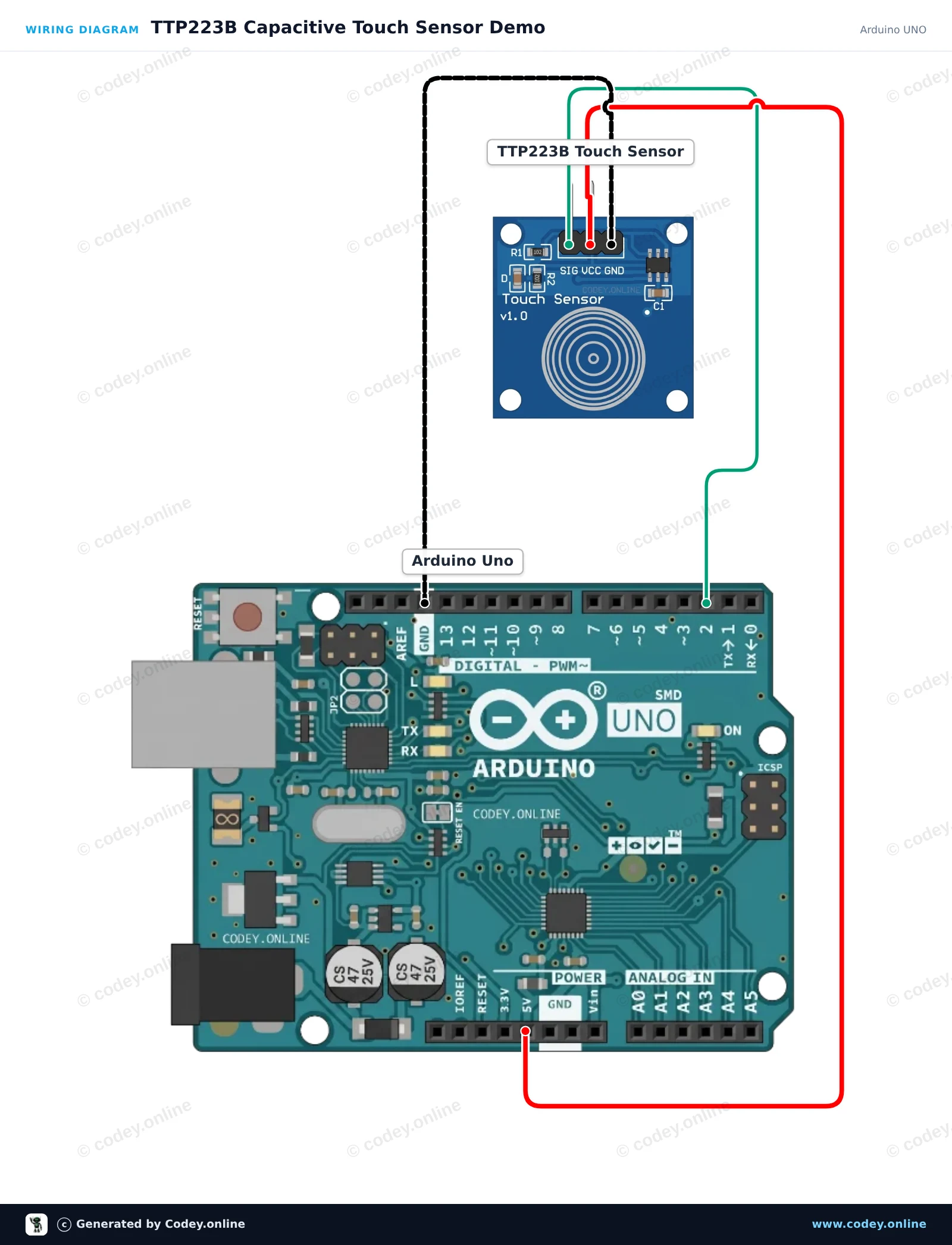
This project demonstrates the TTP223B capacitive touch sensor module. When you touch the capacitive sensing pad, the sensor outputs a HIGH signal which turns on the Arduino's built-in LED and prints the status to the Serial Monitor.

Wiring diagram: Touch sensor TTP223B on an Arduino UNO
Wiring diagram · Click to enlarge
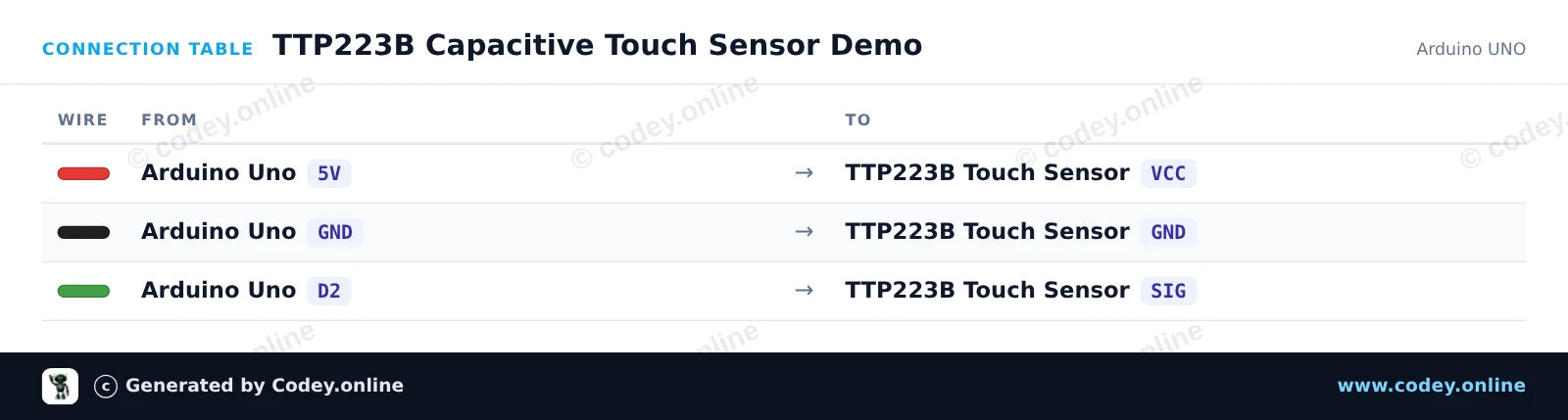
Connection table: Touch sensor TTP223B on an Arduino UNO
Connection table · Click to enlarge
TTP223B_Capacitive_Touch_Sensor_Demo.ino · compiled and verified
/*
 * ==================================================================
 *  Generated by Codey.online  —  https://www.codey.online
 * ==================================================================
 *  Project   : TTP223B Capacitive Touch Sensor Demo
 *  Board     : Arduino UNO (arduino:avr:uno)
 *  Parts     : Touch sensor TTP223B
 *  Libraries : none (built-in)
 *
 *  Codey Online is an AI-powered browser IDE for Arduino and ESP32.
 *  Describe your project and Codey writes the code, draws the wiring
 *  diagram and uploads it to your board, straight from the browser.
 *  This code is free to use, modify and share, without warranty.
 * ==================================================================
 */

// Pin definitions
const int touchPin = 2;
const int ledPin = 13;

int lastState = LOW;

void setup() {
  pinMode(touchPin, INPUT);
  pinMode(ledPin, OUTPUT);

  Serial.begin(115200);
  Serial.println(F("TTP223B Touch Sensor Initialized"));
}

void loop() {
  int touchState = digitalRead(touchPin);

  // Control onboard LED based on touch input
  digitalWrite(ledPin, touchState);

  // Print message on state change
  if (touchState != lastState) {
    if (touchState == HIGH) {
      Serial.println(F("Touch detected!"));
    } else {
      Serial.println(F("Touch released."));
    }
    lastState = touchState;
  }

  delay(20);
}

Wiring diagram and example code generated by Codey.online — https://www.codey.online

ESP32 TTP223 Capacitive Touch Sensor Demo

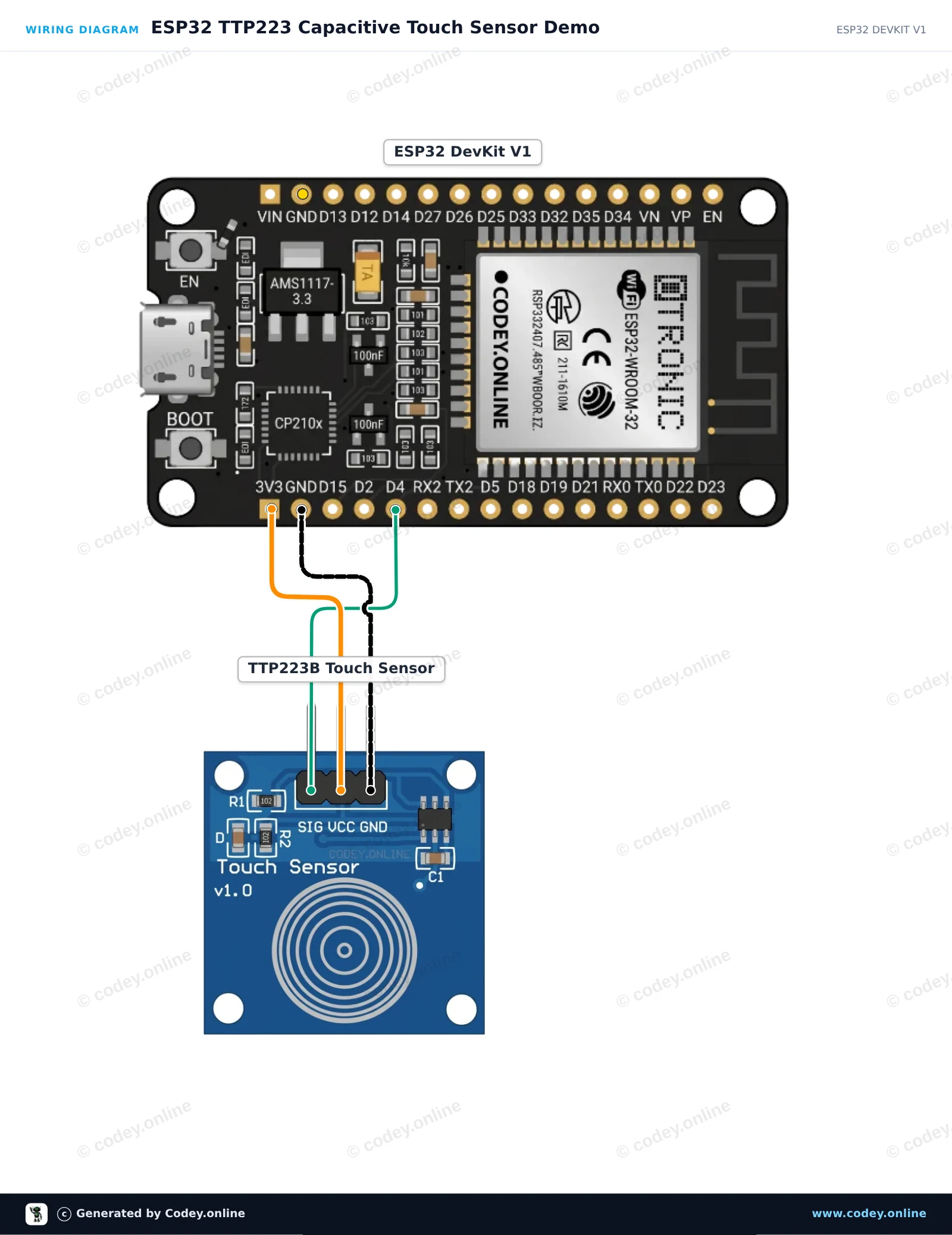
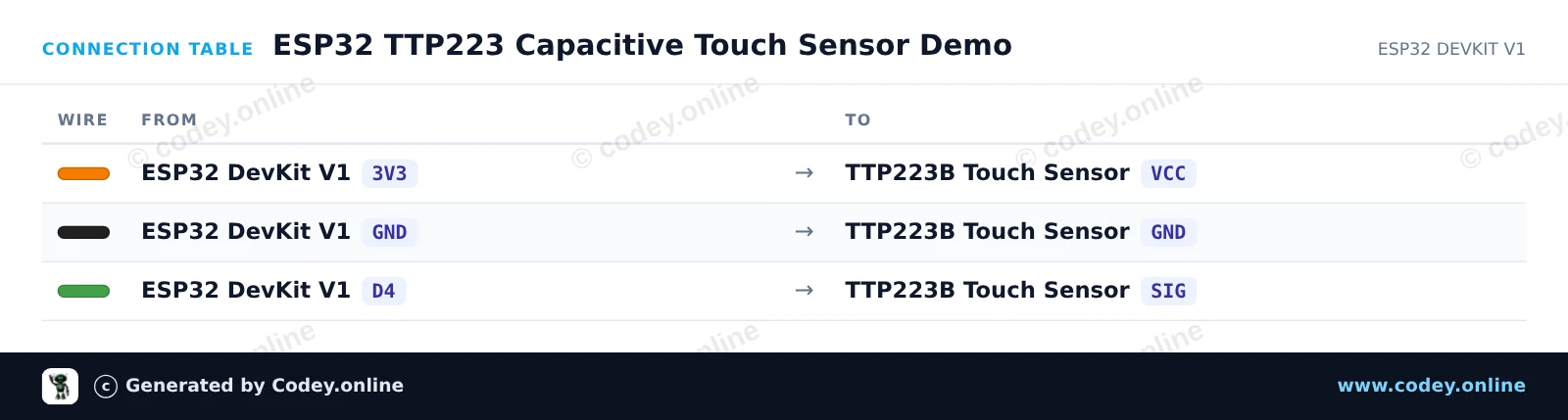
This circuit reads digital signals from the TTP223 capacitive touch sensor and reflects the state on the ESP32's built-in LED. When you touch the sensor pad, the signal pin goes HIGH, illuminating the onboard LED and printing touch events to the Serial Monitor. The module is powered directly with 3.3V for safe logic compatibility.

Wiring diagram: Touch sensor TTP223B on an ESP32 DevKit V1
Wiring diagram · Click to enlarge
Connection table: Touch sensor TTP223B on an ESP32 DevKit V1
Connection table · Click to enlarge
ESP32_TTP223_Capacitive_Touch_Sensor_Dem.ino · compiled and verified
/*
 * ==================================================================
 *  Generated by Codey.online  —  https://www.codey.online
 * ==================================================================
 *  Project   : ESP32 TTP223 Capacitive Touch Sensor Demo
 *  Board     : ESP32 DEVKIT V1 (esp32:esp32:esp32doit-devkit-v1)
 *  Parts     : Touch sensor TTP223B
 *  Libraries : none (built-in)
 *
 *  Codey Online is an AI-powered browser IDE for Arduino and ESP32.
 *  Describe your project and Codey writes the code, draws the wiring
 *  diagram and uploads it to your board, straight from the browser.
 *  This code is free to use, modify and share, without warranty.
 * ==================================================================
 */

const int TOUCH_PIN = 4;   // D4 on ESP32 DevKit V1
const int LED_PIN   = 2;   // Onboard LED on ESP32 DevKit V1

int lastState = LOW;

void setup() {
  Serial.begin(115200);
  pinMode(TOUCH_PIN, INPUT);
  pinMode(LED_PIN, OUTPUT);
  digitalWrite(LED_PIN, LOW);
  Serial.println("TTP223 Touch Sensor Initialized.");
}

void loop() {
  int touchState = digitalRead(TOUCH_PIN);

  if (touchState != lastState) {
    if (touchState == HIGH) {
      digitalWrite(LED_PIN, HIGH);
      Serial.println("Touch detected!");
    } else {
      digitalWrite(LED_PIN, LOW);
      Serial.println("Touch released.");
    }
    lastState = touchState;
    delay(50); // Simple debounce delay
  }
}

Wiring diagram and example code generated by Codey.online — https://www.codey.online

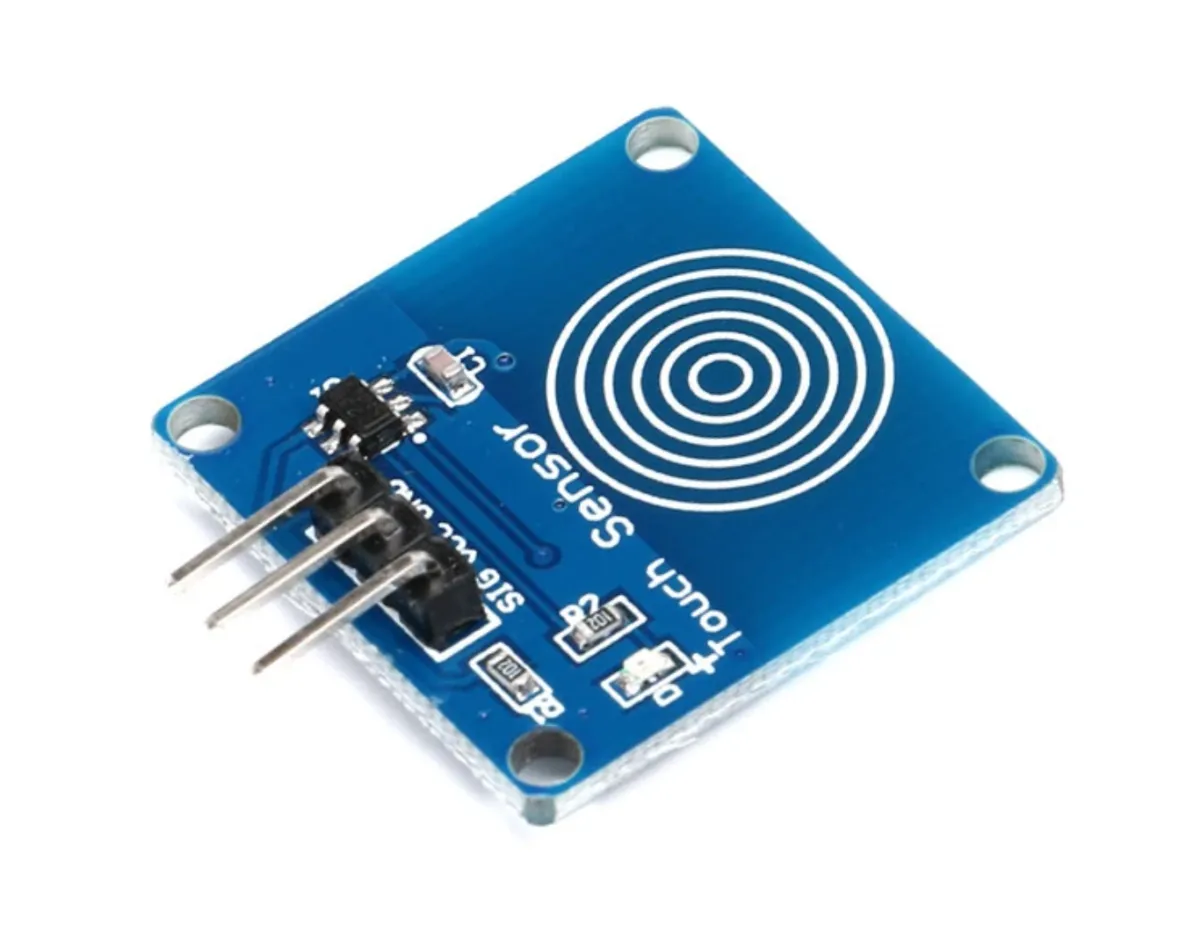
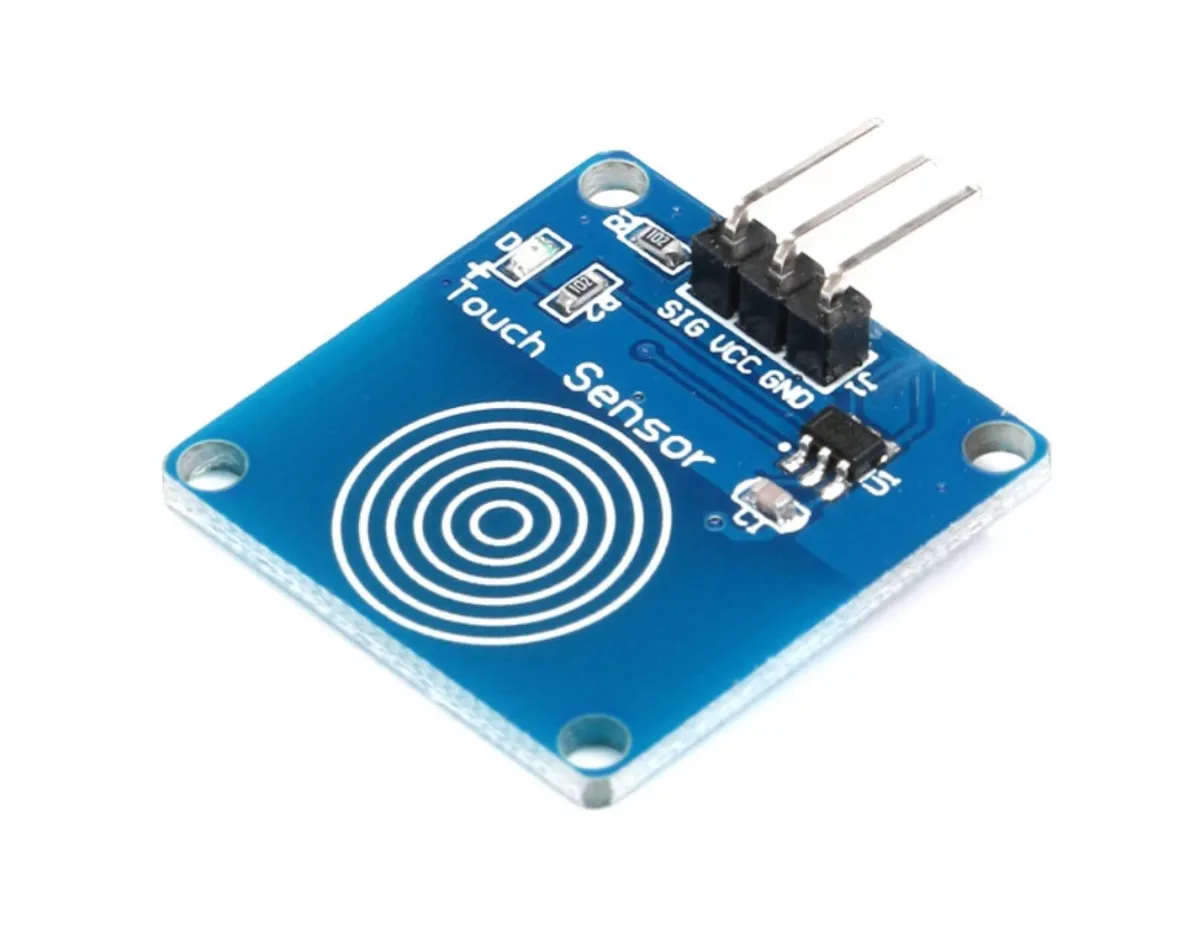
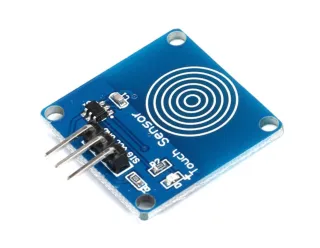
Touch sensor TTP223B

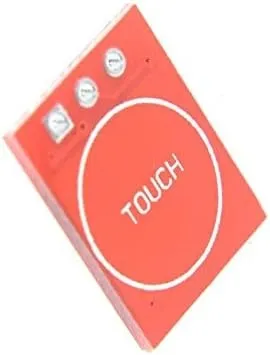
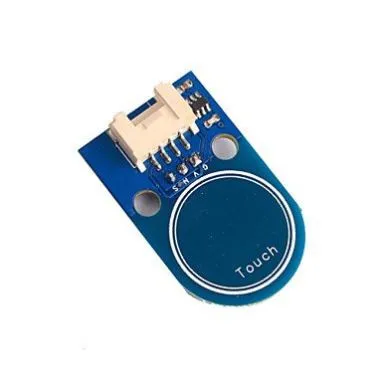
The TTP223B is a capacitive touch sensor that responds to touch from an object or person on a sensitive surface. This sensor is designed for various applications, such as touch control, touch switches and buttons, and other touch-activated devices.

Technical Specifications TTP223B Touch Sensor:

  • Operating voltage: 2.0 V to 5.5 V DC
  • Detection range: 0 mm to 12 mm
  • Output mode: Toggle mode or Momentary mode (adjustable)
  • Output voltage:
    • Equal to the supply voltage (Vcc) in Momentary mode
    • High or low in Toggle mode (adjustable)
  • Output current: 500 mA (maximum)
  • Operating temperature: -20 °C to +70 °C

The TTP223B touch sensor features a built-in debounce circuit to prevent interference. Power consumption is low, less than 1 mA in standby mode. The sensor has a fast response of less than 60 ms and a long lifespan of more than 100,000 cycles.

  • Capacitive sensor
  • Adjustable mode
  • Low power consumption
  • 100,000 cycles

Why choose this product?

  • Adjustable mode – Toggle or momentary mode adjustable.
  • Fast response – Responds in less than 60 ms.
  • Long lifespan – More than 100,000 cycles.
  • Low standby – Less than 1 mA in standby.
  • Debounce circuit – Prevents interference.
Specifications
Operating voltage2.0 V to 5.5 V DC
Output voltageEqual to the supply voltage (Vcc) in Momentary mode
Operating temperature-20 °C to +70 °C
Detection range0 mm to 12 mm
Lifespan> 100000 cycles
Output current500 mA (maximum)
Output modeToggle mode or Momentary mode (configurable)
Response time< 60 ms
Standby power consumption< 1 mA

Frequently bought together

Total: € 10,69

Reviews

★★★★★ 4,5/5 2 reviews
  • ★★★★★Ferre WillemsVerified purchase

    Works well.

  • ★★★★★Brenon EjupovicVerified purchase

    great for small projects.

Write a review
Your rating

Shipping & returns

Shipping

  • Parcel with track & trace€ 7,70Within 24 hours
  • Pick up at PostNL location€ 7,40Within 24 hours
  • Letterbox parcel€ 3,70Within 2 business days
  • Letterbox parcel 24 hours€ 4,55Within 24 hours
  • Pick up in storeFree
All about shipping

Returns

Not satisfied? You have 30 days after delivery to return the product.

All about returns