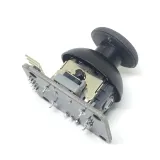
SKU: OT620-B36 Artikelnummer: YQ939 EAN: 8720828223031 Locatie: B03.06

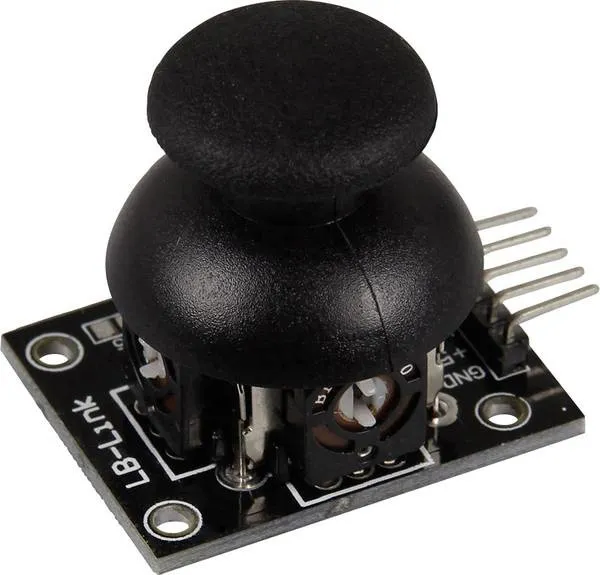
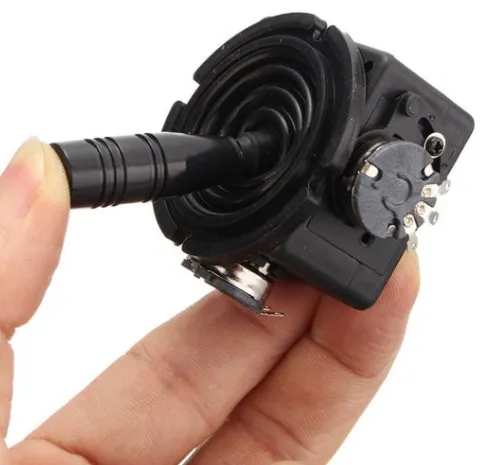
Met dit board kunnen de X- en Y-positie van de joystick als analoge spanning op de uitgangspinnen worden weergegeven. Geschikt voor o.a. Arduino, Raspberry Pi, ESP8266 of ESP32 projecten.
bekijk hier het Aansluitschema en de voorbeeldcode >>>
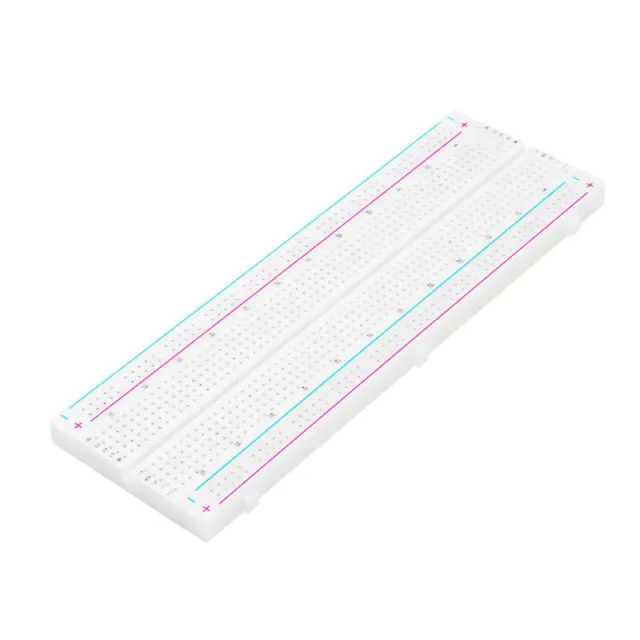
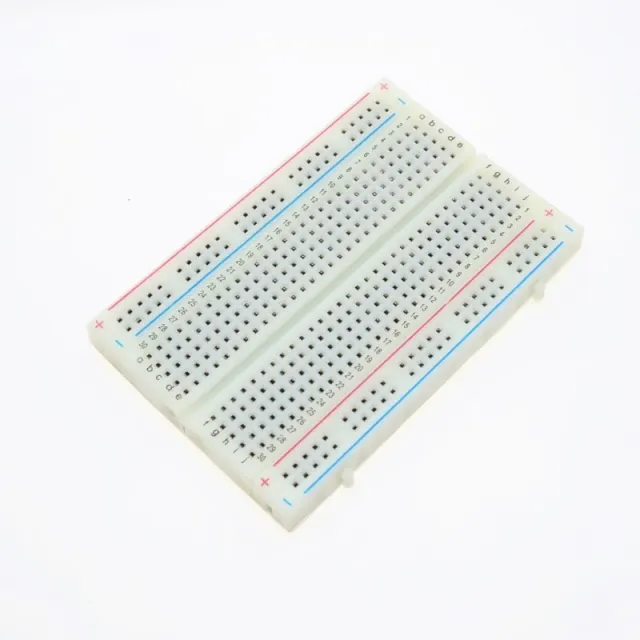
De module kan worden gesoldeerd of op een breadboard worden gebruikt.
Spanningsbereik: 0 - 5 V
Bedrijfsspanning: 3,3 - 5V
Afmetingen: 34 x 39 x 26 mm
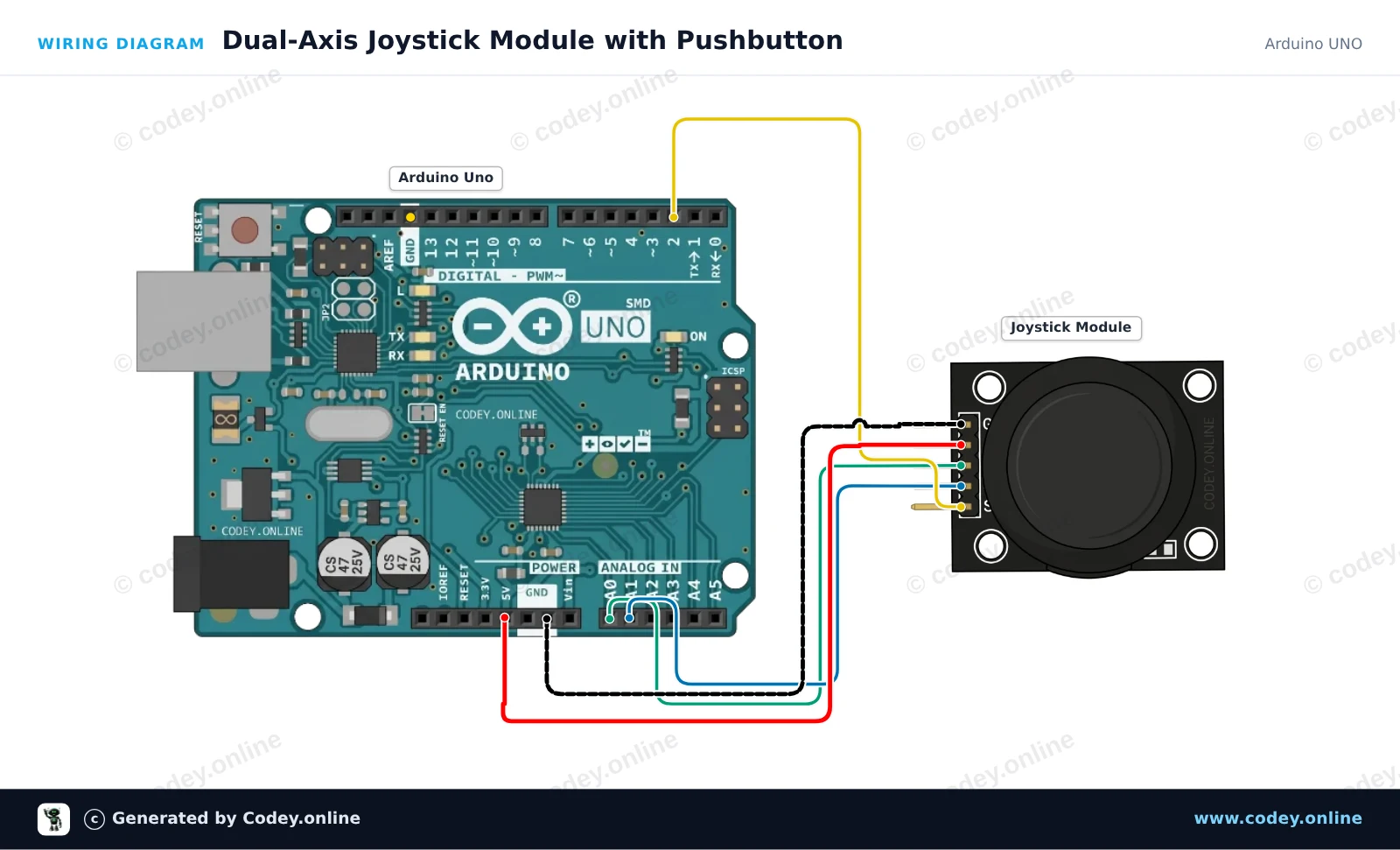
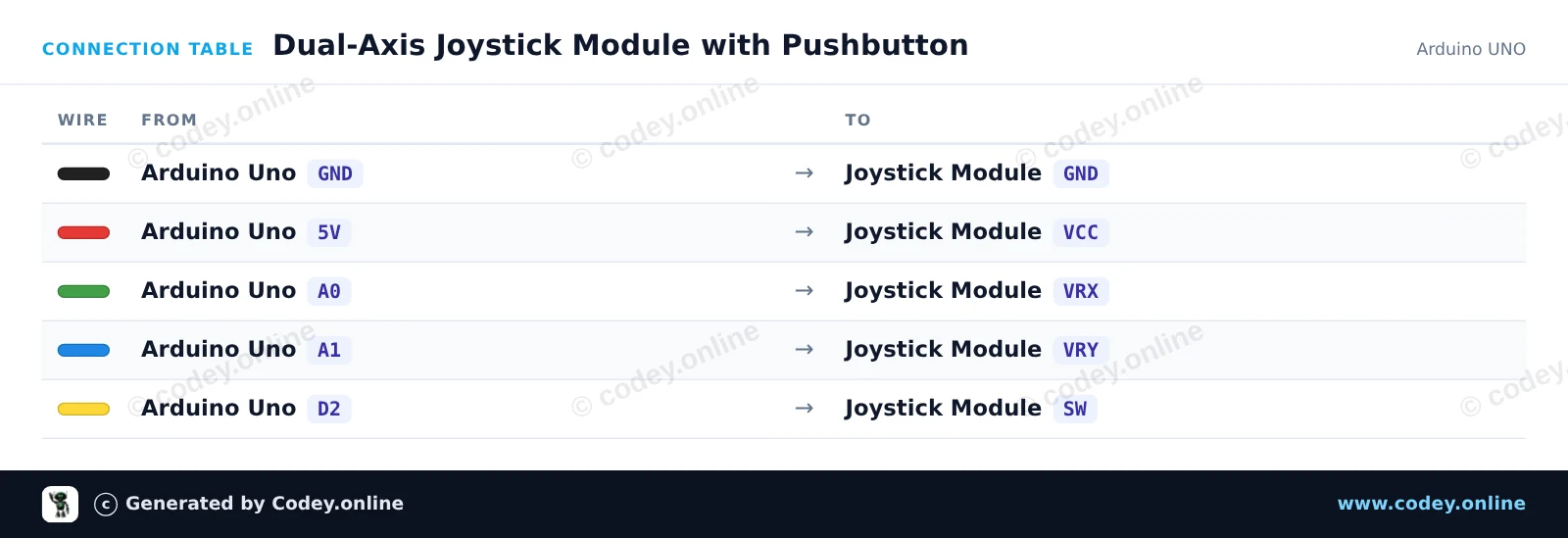
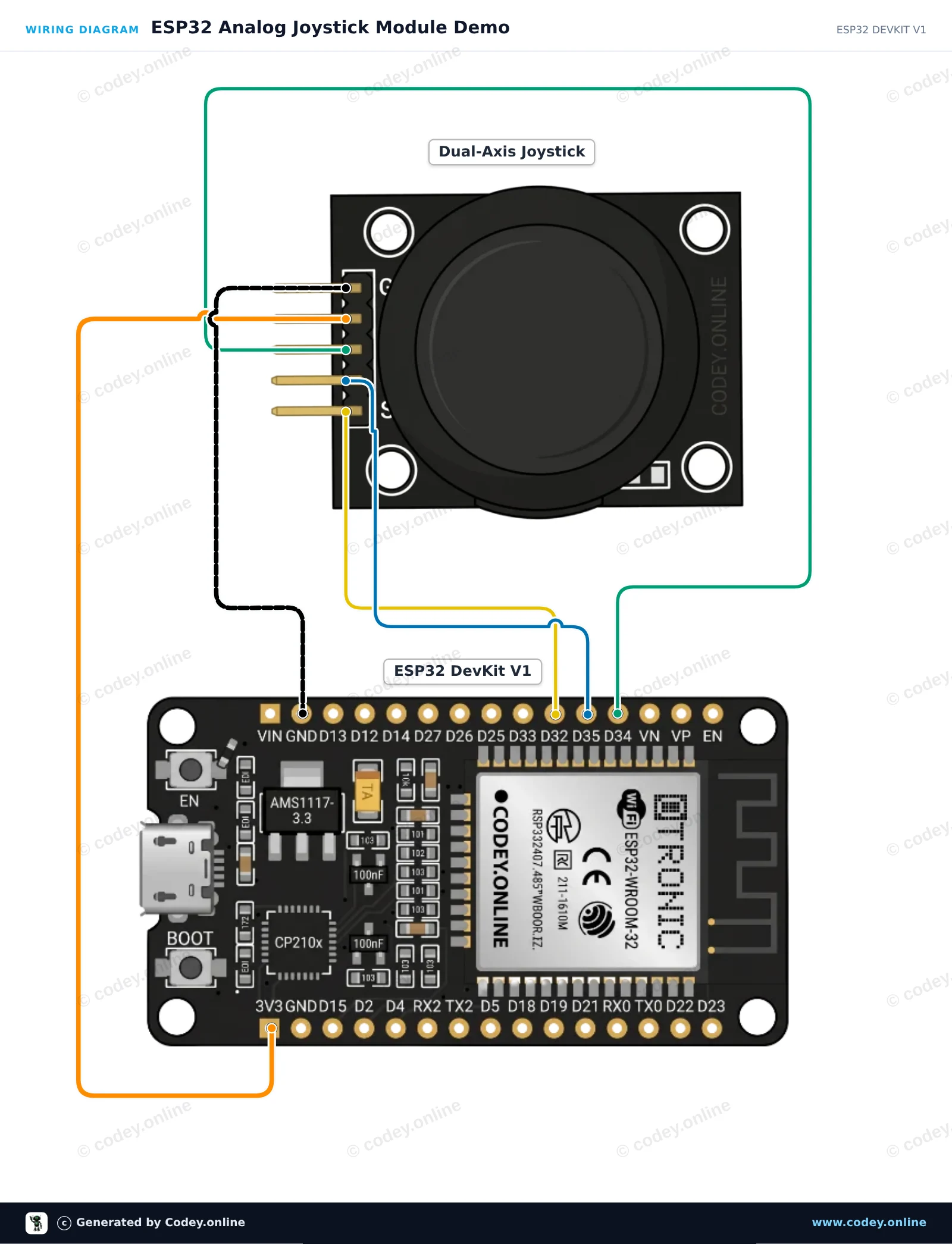
Zo sluit je de Joystick module aan op een Arduino UNO of ESP32, met een voorbeeldsketch die je direct kunt uploaden.
Dit voorbeeld leest de analoge X- en Y-asposities samen met de geïntegreerde drukknop van de joystickmodule. Beweeg de stick of druk erop om de realtime positiewaarden en knopstatus in de Serial Monitor te bekijken.
/*
 * ==================================================================
 *  Generated by Codey.online  —  https://www.codey.online
 * ==================================================================
 *  Project   : Dual-Axis Joystick Module with Pushbutton
 *  Board     : Arduino UNO (arduino:avr:uno)
 *  Parts     : Joystick module
 *  Libraries : none (built-in)
 *
 *  Codey Online is an AI-powered browser IDE for Arduino and ESP32.
 *  Describe your project and Codey writes the code, draws the wiring
 *  diagram and uploads it to your board, straight from the browser.
 *  This code is free to use, modify and share, without warranty.
 * ==================================================================
 */

// Pin definitions
const int PIN_X = A0;
const int PIN_Y = A1;
const int PIN_SW = 2;

void setup() {
  // Enable internal pull-up resistor for the integrated pushbutton
  pinMode(PIN_SW, INPUT_PULLUP);

  Serial.begin(115200);
  Serial.println(F("Joystick Module Demo"));
  Serial.println(F("--------------------"));
}

void loop() {
  // Read analog values for X and Y axes (range: 0 - 1023)
  int xVal = analogRead(PIN_X);
  int yVal = analogRead(PIN_Y);

  // Button is active-low (reads LOW when pressed)
  bool isPressed = (digitalRead(PIN_SW) == LOW);

  // Print the results to Serial Monitor
  Serial.print(F("X: "));
  Serial.print(xVal);
  Serial.print(F(" | Y: "));
  Serial.print(yVal);
  Serial.print(F(" | Button: "));
  Serial.println(isPressed ? F("PRESSED") : F("RELEASED"));

  delay(150);
}Wiring diagram and example code generated by Codey.online — https://www.codey.online
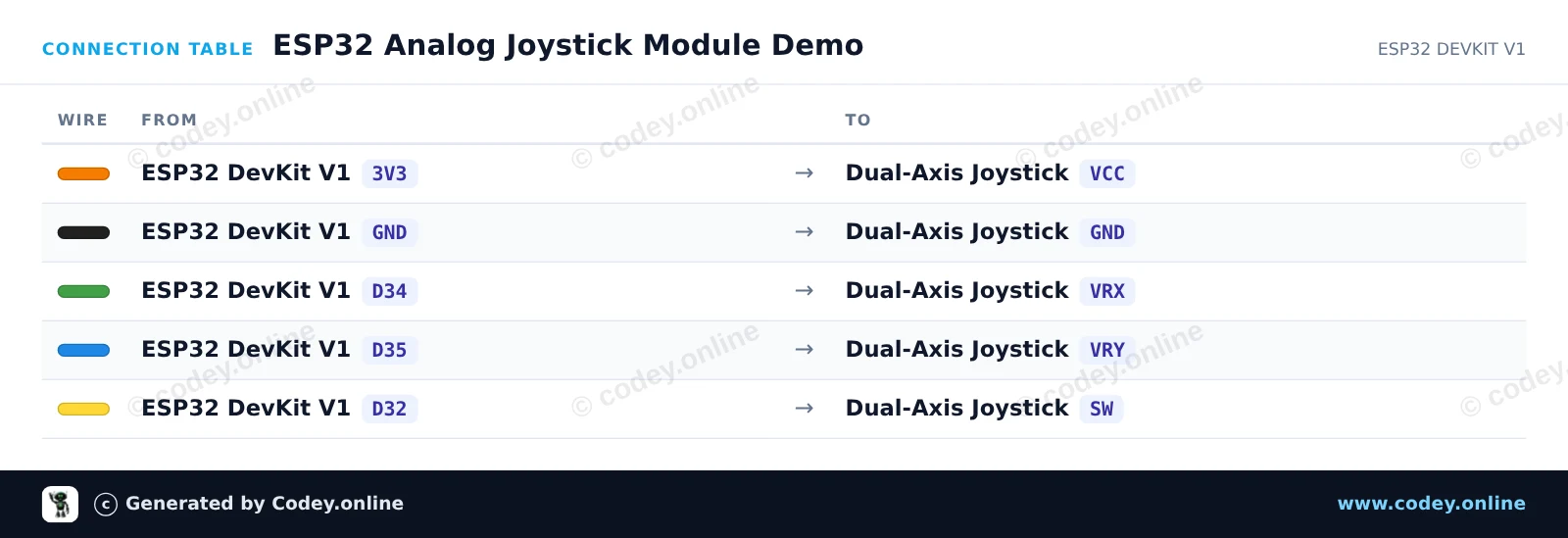
Dit project leest de X- en Y-posities en ook de status van de geïntegreerde drukknop van een analoge joystickmodule met twee assen. De ESP32 leest analoge spanningen via GPIO 34 en 35, en de knopstatus via GPIO 32. Open de Seriële Monitor op 115200 baud om de joystickcoördinaten en knopindrukken in realtime te zien.
/*
 * ==================================================================
 *  Generated by Codey.online  —  https://www.codey.online
 * ==================================================================
 *  Project   : ESP32 Analog Joystick Module Demo
 *  Board     : ESP32 DEVKIT V1 (esp32:esp32:esp32doit-devkit-v1)
 *  Parts     : Joystick module
 *  Libraries : none (built-in)
 *
 *  Codey Online is an AI-powered browser IDE for Arduino and ESP32.
 *  Describe your project and Codey writes the code, draws the wiring
 *  diagram and uploads it to your board, straight from the browser.
 *  This code is free to use, modify and share, without warranty.
 * ==================================================================
 */

// Pin definitions (using bare GPIO numbers for ESP32)
const int pinVRX = 34;
const int pinVRY = 35;
const int pinSW  = 32;

void setup() {
  Serial.begin(115200);

  // Configure push-button pin with internal pull-up
  pinMode(pinSW, INPUT_PULLUP);
}

void loop() {
  // Read analog values from joystick potentiometers (0 - 4095 on ESP32)
  int xVal = analogRead(pinVRX);
  int yVal = analogRead(pinVRY);

  // Read digital state of the integrated switch (LOW when pressed)
  bool isPressed = (digitalRead(pinSW) == LOW);

  // Print the readings to the Serial Monitor
  Serial.print("X: ");
  Serial.print(xVal);
  Serial.print(" | Y: ");
  Serial.print(yVal);
  Serial.print(" | Button: ");
  Serial.println(isPressed ? "PRESSED" : "RELEASED");

  delay(100);
}Wiring diagram and example code generated by Codey.online — https://www.codey.online





 English
  Suomi
Suomi  Български
  Hrvatski
  Frans
Frans  Deutsch
  Italiano
  Español
  Polski
  Dansk
Dansk  Ελληνικά
  Čeština
  Svenska
  Aileen