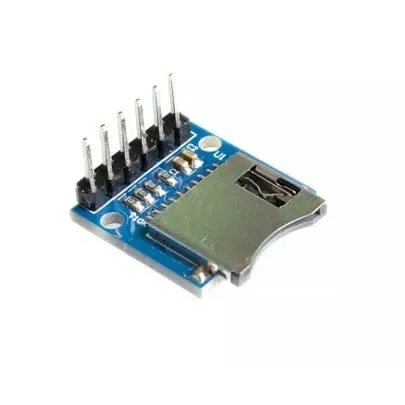
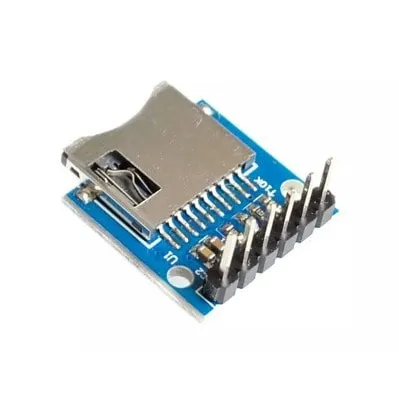
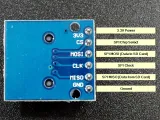
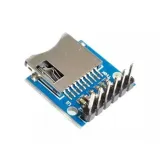
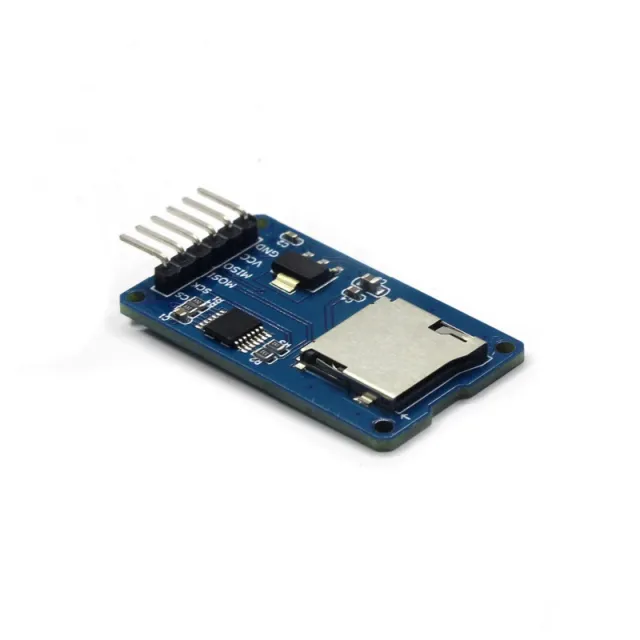
Yksinkertainen MicroSD-kortinlukijamoduuli ESP32:lle ja ESP8266:lle 3,3 V:lla.
SKU: OT2044-D79 Tuotenumero: AA440 EAN: 8720589817333 Sijainti: D07.09
Vaihtoehto
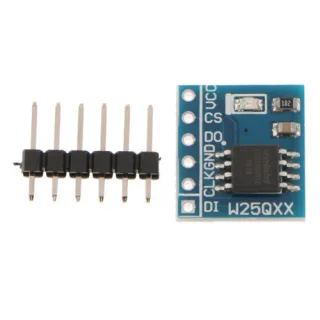
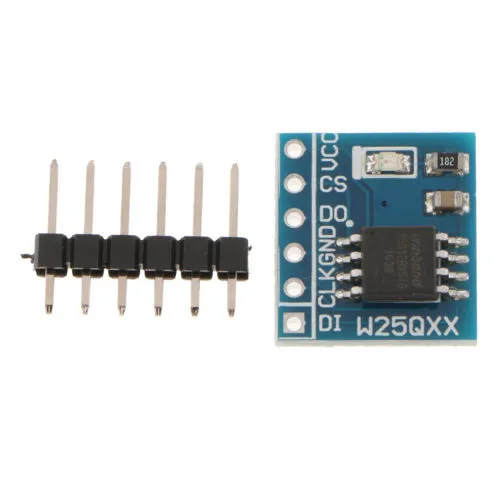
Flash-muistimoduuli 8MB SPI W25Q64FW
€ 2,60
Katso tämä vaihtoehto
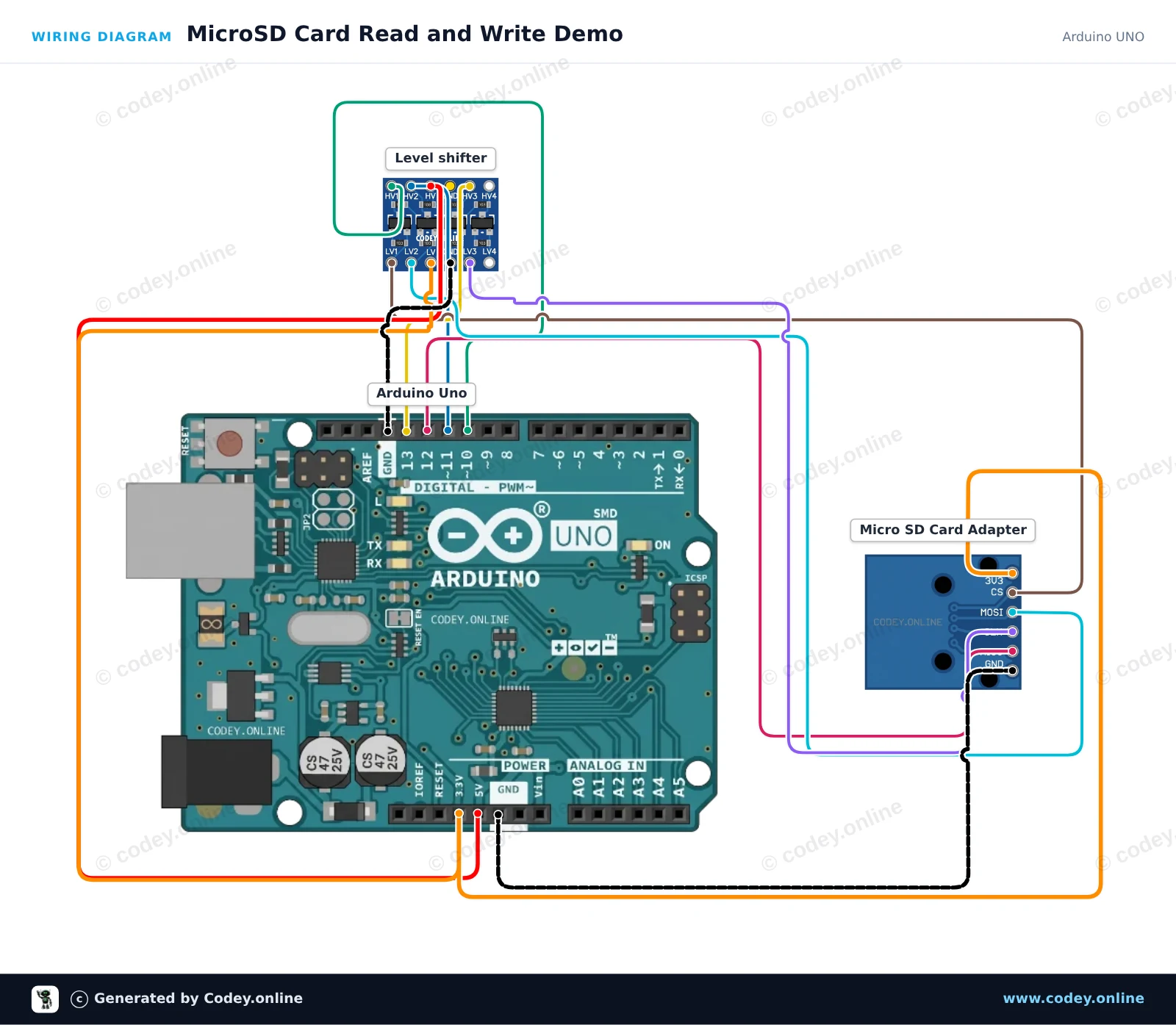
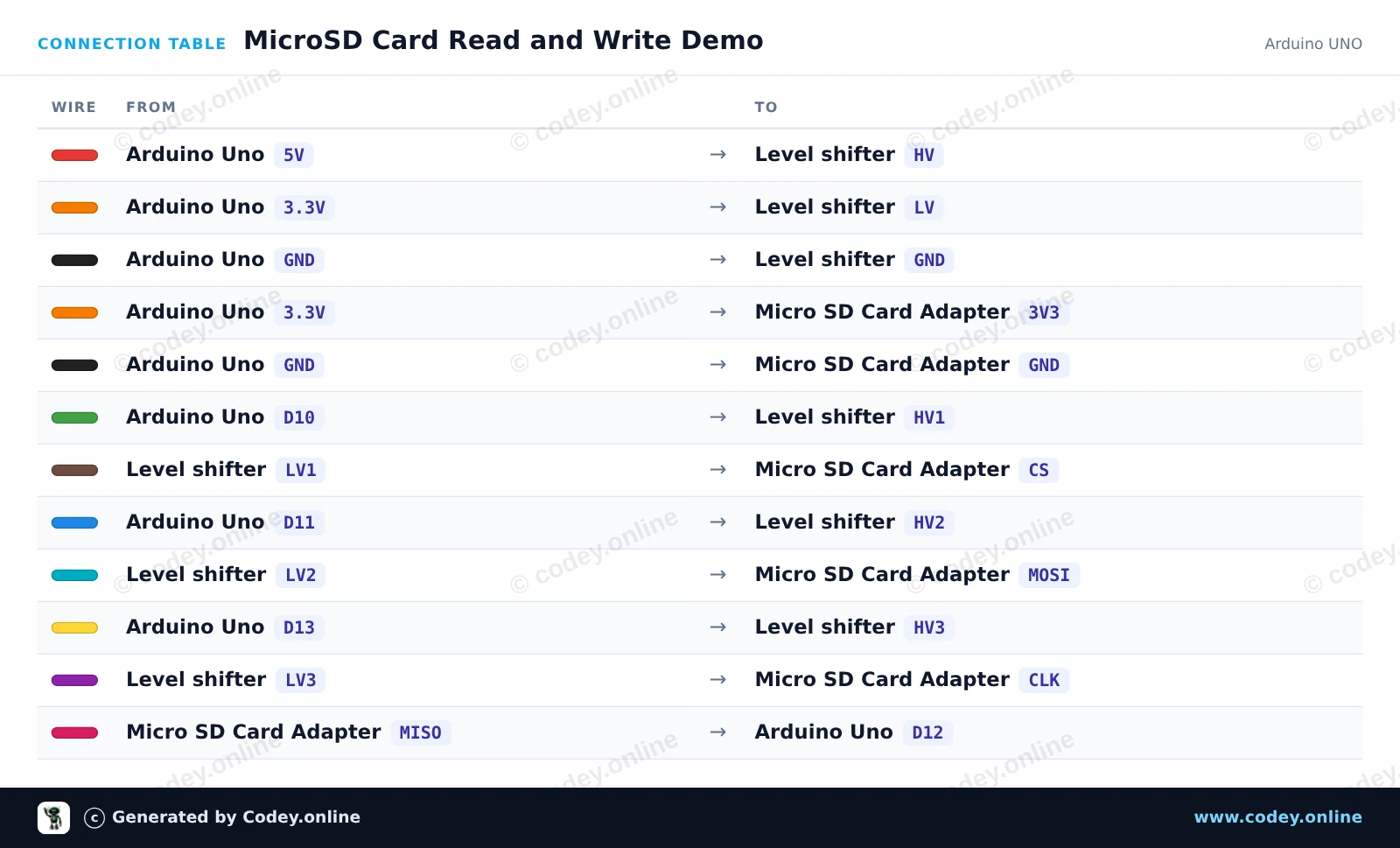
Näin kytket 3.3V Micro SD -korttimoduuli ESP32 | ESP8266:n Arduino UNOon tai ESP32:een, mukana esimerkkisketsi, jonka voit ladata heti.
Tämä projekti näyttää, miten tekstiä kirjoitetaan microSD-kortille ja luetaan takaisin SPI:n kautta. 4-kanavainen logic level shifter muuntaa Arduino Unon 5V-logiikkasignaalit turvallisesti 3.3V:iin microSD-korttimoduulia varten. Avaa Serial Monitor 115200 baudilla nähdäksesi alustustilan ja tiedoston sisällön.
/*
* ==================================================================
* Generated by Codey.online — https://www.codey.online
* ==================================================================
* Project : MicroSD Card Read and Write Demo
* Board : Arduino UNO (arduino:avr:uno)
* Parts : Micro SD Card Adapter Module 3.3V
* Libraries : none (built-in)
*
* Codey Online is an AI-powered browser IDE for Arduino and ESP32.
* Describe your project and Codey writes the code, draws the wiring
* diagram and uploads it to your board, straight from the browser.
* This code is free to use, modify and share, without warranty.
* ==================================================================
*/
#include <SPI.h>
#include <SD.h>
const int chipSelect = 10;
void setup() {
Serial.begin(115200);
while (!Serial) {
; // Wait for serial port to connect
}
Serial.println(F("Initializing SD card..."));
if (!SD.begin(chipSelect)) {
Serial.println(F("Initialization failed! Check connections & SD card."));
return;
}
Serial.println(F("Initialization done."));
// Write to file
File myFile = SD.open("demo.txt", FILE_WRITE);
if (myFile) {
Serial.println(F("Writing to demo.txt..."));
myFile.println(F("MicroSD card read/write test successful!"));
myFile.close();
Serial.println(F("Done writing."));
} else {
Serial.println(F("Error opening demo.txt for writing."));
}
// Read from file
myFile = SD.open("demo.txt");
if (myFile) {
Serial.println(F("Contents of demo.txt:"));
while (myFile.available()) {
Serial.write(myFile.read());
}
myFile.close();
} else {
Serial.println(F("Error opening demo.txt for reading."));
}
}
void loop() {
// Idle
}
Wiring diagram and example code generated by Codey.online — https://www.codey.online
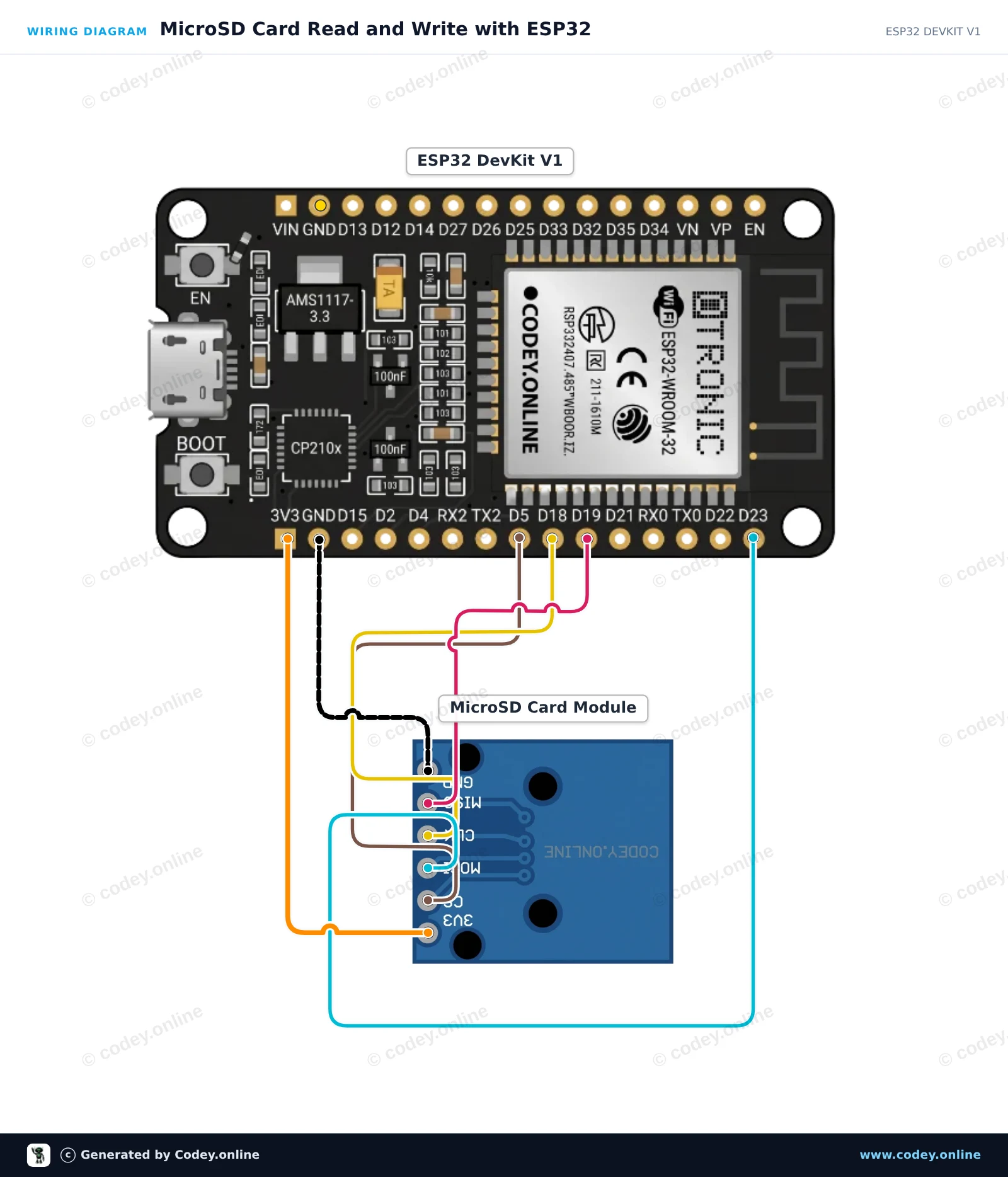
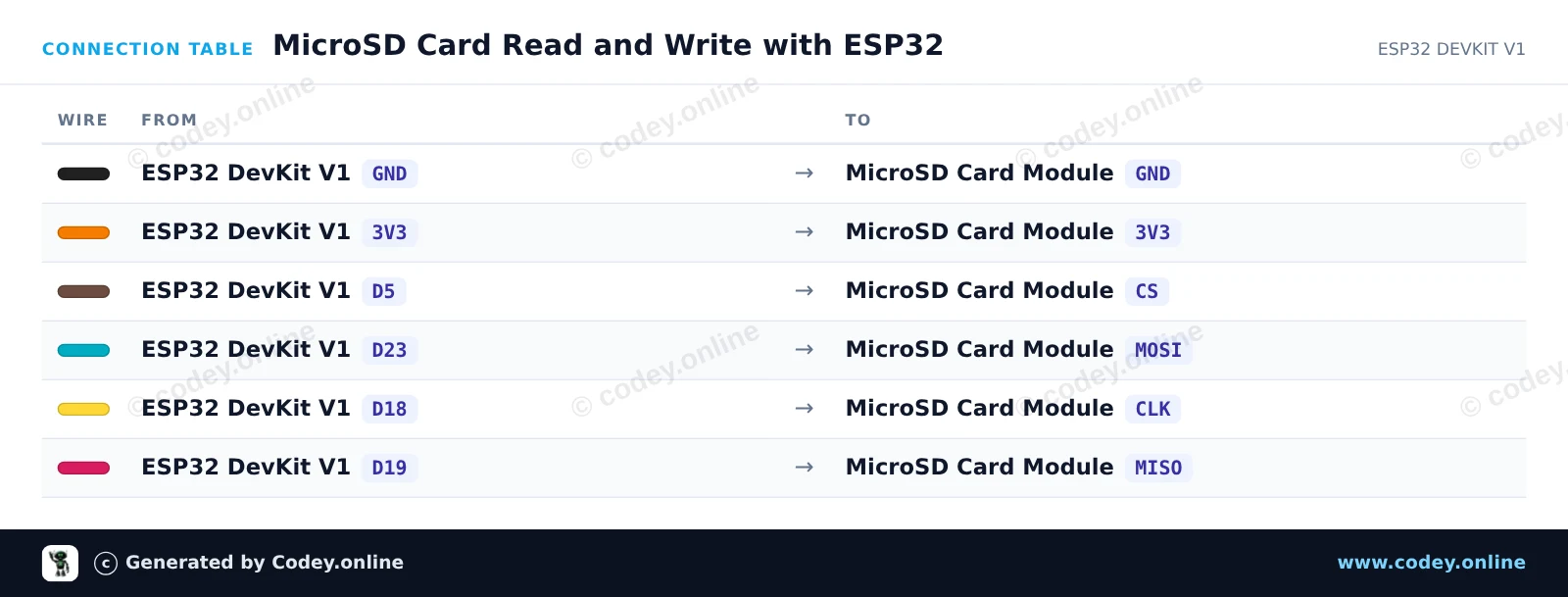
Tämä esimerkki näyttää, miten 3.3V MicroSD-korttimoduuli liitetään ESP32:een käyttämällä oletuksena olevaa laitteistotason SPI-väylää (VSPI). Sketch alustaa SD-kortin, kirjoittaa testiviestin tiedostoon ja lukee sen takaisin näytettäväksi Serial Monitorissa.
/*
* ==================================================================
* Generated by Codey.online — https://www.codey.online
* ==================================================================
* Project : MicroSD Card Read and Write with ESP32
* Board : ESP32 DEVKIT V1 (esp32:esp32:esp32doit-devkit-v1)
* Parts : Micro SD Card Adapter Module 3.3V
* Libraries : none (built-in)
*
* Codey Online is an AI-powered browser IDE for Arduino and ESP32.
* Describe your project and Codey writes the code, draws the wiring
* diagram and uploads it to your board, straight from the browser.
* This code is free to use, modify and share, without warranty.
* ==================================================================
*/
#include "FS.h"
#include "SD.h"
#include "SPI.h"
const int chipSelect = 5;
void setup() {
Serial.begin(115200);
while (!Serial) { delay(10); }
Serial.println("\n--- MicroSD Card Demo ---");
// Initialize SD card on default VSPI pins (CS = GPIO 5)
if (!SD.begin(chipSelect)) {
Serial.println("Card Mount Failed! Check wiring and make sure card is FAT32 formatted.");
return;
}
uint8_t cardType = SD.cardType();
if (cardType == CARD_NONE) {
Serial.println("No SD card attached.");
return;
}
Serial.print("SD Card Type: ");
if (cardType == CARD_MMC) {
Serial.println("MMC");
} else if (cardType == CARD_SD) {
Serial.println("SDSC");
} else if (cardType == CARD_SDHC) {
Serial.println("SDHC");
} else {
Serial.println("UNKNOWN");
}
uint64_t cardSize = SD.cardSize() / (1024 * 1024);
Serial.printf("SD Card Size: %lluMB\n", cardSize);
// Write to a test file
Serial.println("Writing to test.txt...");
File file = SD.open("/test.txt", FILE_WRITE);
if (file) {
file.println("Hello from ESP32!");
file.println("MicroSD read/write test successful.");
file.close();
Serial.println("Write complete.");
} else {
Serial.println("Failed to open file for writing.");
return;
}
// Read back the test file
Serial.println("Reading from test.txt:");
file = SD.open("/test.txt");
if (file) {
while (file.available()) {
Serial.write(file.read());
}
file.close();
} else {
Serial.println("Failed to open file for reading.");
}
}
void loop() {
// Nothing to repeat in this test
delay(1000);
}
Wiring diagram and example code generated by Codey.online — https://www.codey.online
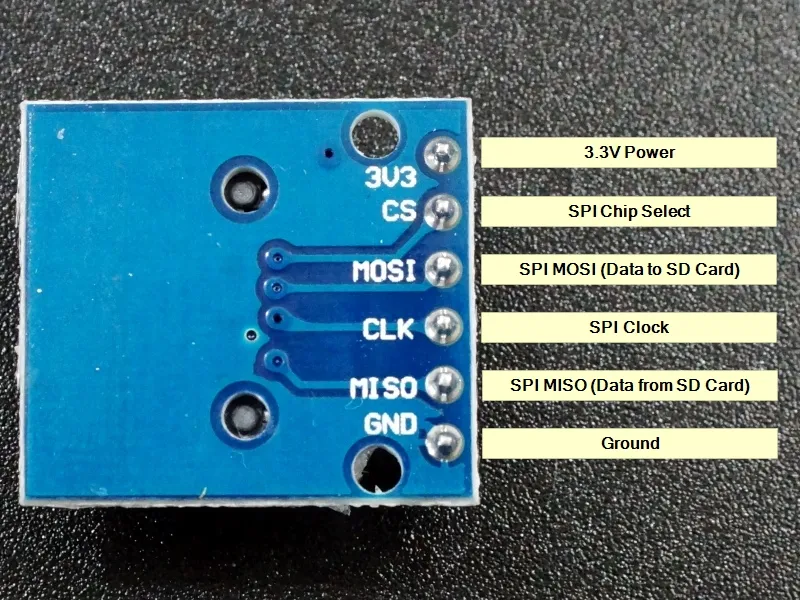
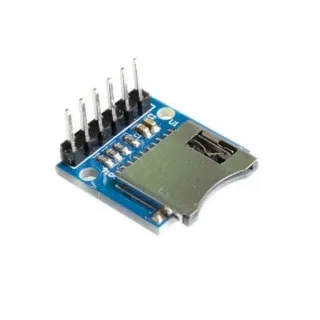
Yksinkertainen MicroSD-kortinlukijamoduuli. Toimii 3.3V jännitteellä, joten se sopii hyvin esimerkiksi ESP32:lle tai ESP8266:lle. Moduulissa on tarvittavat 10K pull-up-vastukset datalinjoissa.
Tekniset tiedot:
– Käyttöjännite: 3.3V
- Micro SD -paikan tyyppi: Push-Pull
– Liitäntä: SPI
– Operating voltage (logic level): 3.3V
Pin headerit on valmiiksi juotettu.
Mitat
Pituus: 2cm
Leveys: 1,8cm
Korkeus: 1,1cm

| Leveys | 1,8cm |
|---|---|
| Käyttöjännite | 3.3V |
| Pituus | 2 cm |
| Korkeus | 1,1 cm |
| Mikro SD -kortin tyyppi | Push-Pull |
Tekee sen, mihin sen ostin.
Yksinkertainen ja hyvä.
Toimii hyvin
Etkö ole tyytyväinen? Sinulla on 30 päivää aikaa vastaanotosta palauttaa tuote.
Kaikki palautuksista
3.3V Micro SD -korttimoduuli ESP32 | ESP8266