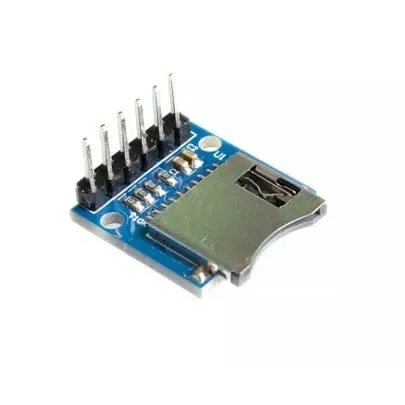
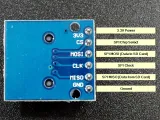
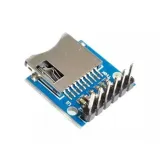
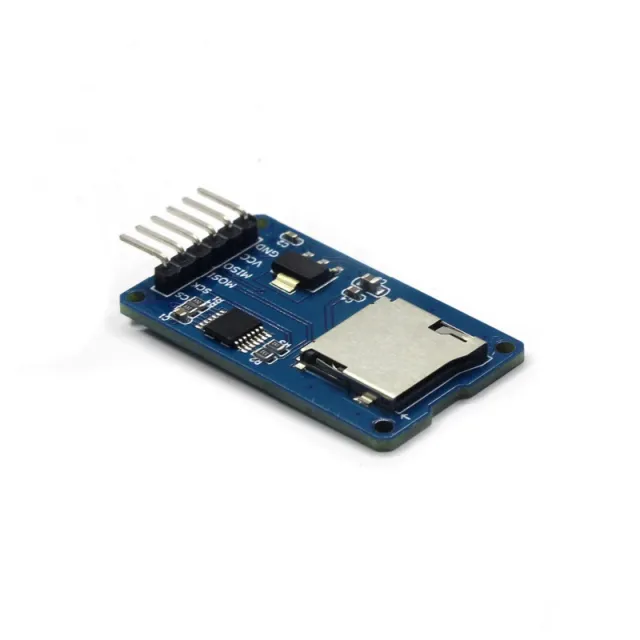
Проста MicroSD четец модул за ESP32 и ESP8266 на 3.3V.
SKU: OT2044-D79 Артикулен номер: AA440 EAN: 8720589817333 Местоположение: D07.09
Алтернатива
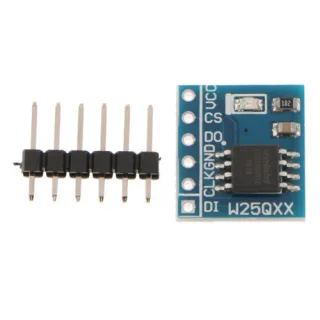
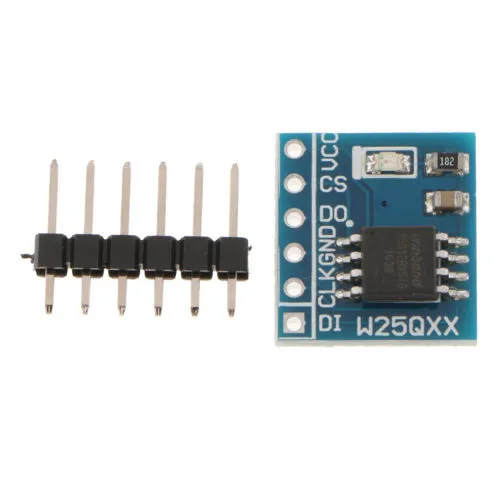
Модул за флаш памет 8MB SPI W25Q64FW
€ 2,60
Виж тази алтернатива
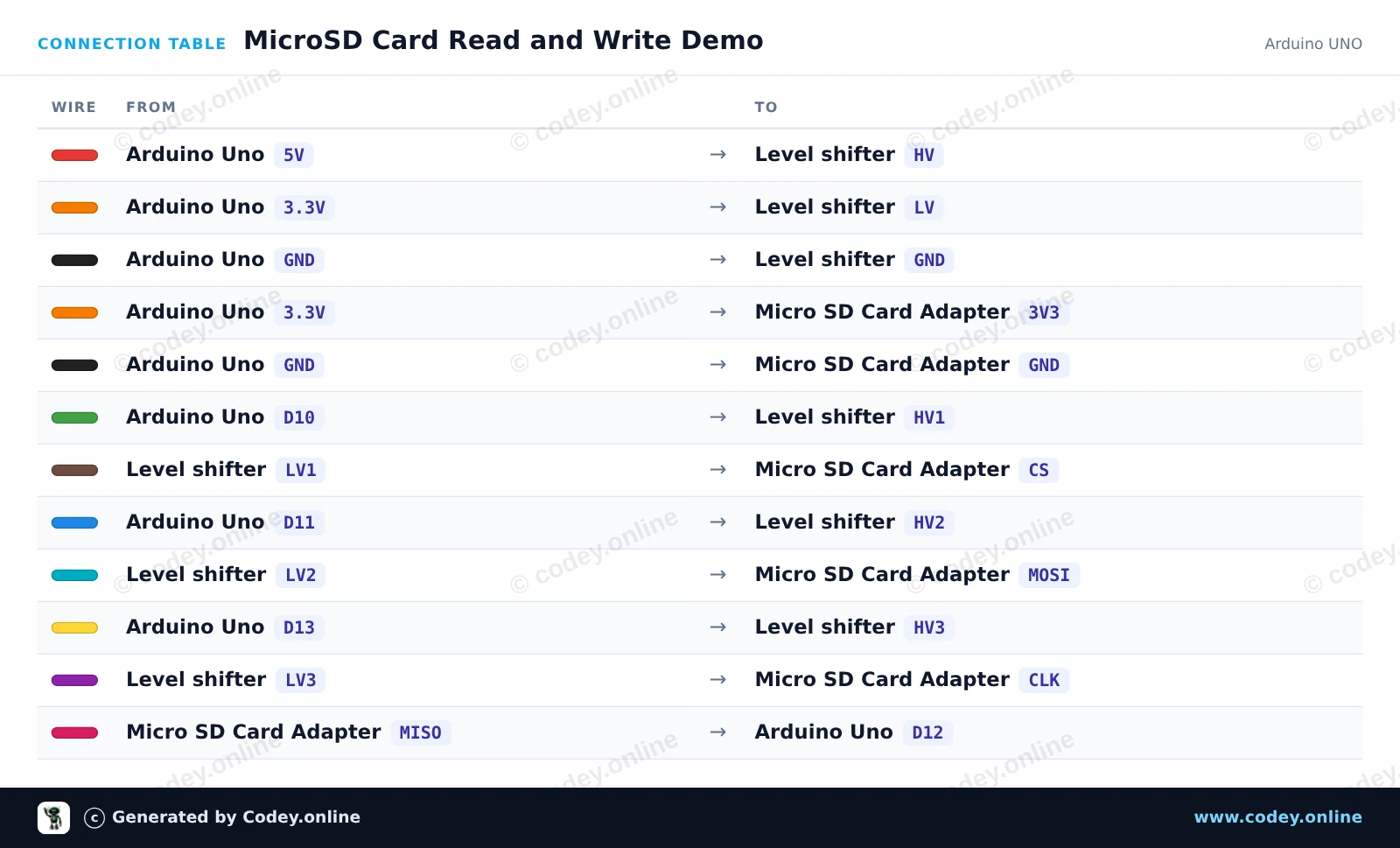
Ето как да свържеш 3.3V Micro SD карта модул за ESP32 | ESP8266 към Arduino UNO или ESP32, с примерен sketch, който можеш да качиш веднага.
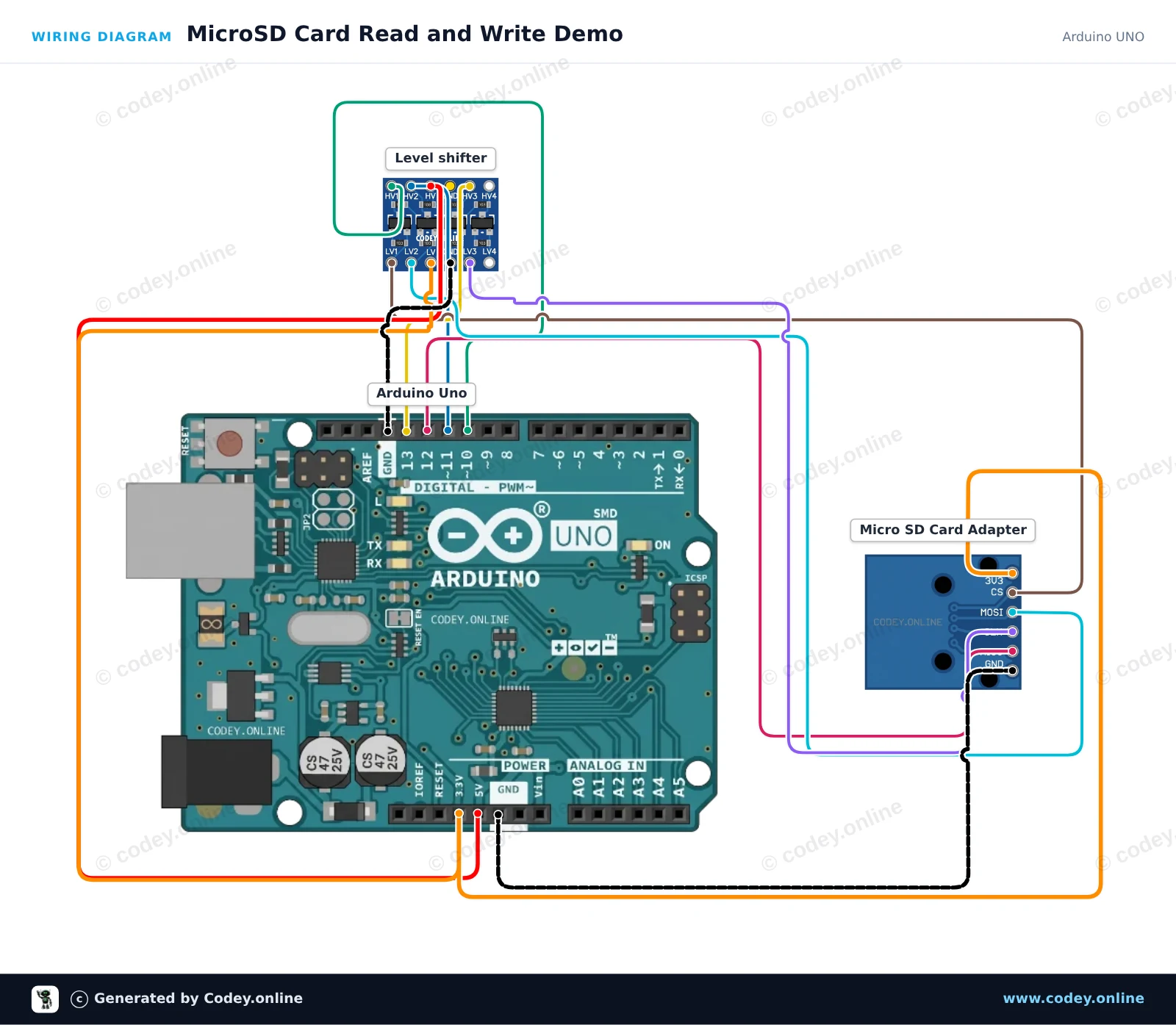
Този проект показва как да се записва текст на microSD карта и да се чете обратно чрез SPI. 4-канален logic level shifter безопасно преобразува 5V логическите сигнали на Arduino Uno до 3.3V за модула на microSD картата. Отворете Serial Monitor на 115200 baud, за да видите състоянието на инициализация и съдържанието на файла.
/*
* ==================================================================
* Generated by Codey.online — https://www.codey.online
* ==================================================================
* Project : MicroSD Card Read and Write Demo
* Board : Arduino UNO (arduino:avr:uno)
* Parts : Micro SD Card Adapter Module 3.3V
* Libraries : none (built-in)
*
* Codey Online is an AI-powered browser IDE for Arduino and ESP32.
* Describe your project and Codey writes the code, draws the wiring
* diagram and uploads it to your board, straight from the browser.
* This code is free to use, modify and share, without warranty.
* ==================================================================
*/
#include <SPI.h>
#include <SD.h>
const int chipSelect = 10;
void setup() {
Serial.begin(115200);
while (!Serial) {
; // Wait for serial port to connect
}
Serial.println(F("Initializing SD card..."));
if (!SD.begin(chipSelect)) {
Serial.println(F("Initialization failed! Check connections & SD card."));
return;
}
Serial.println(F("Initialization done."));
// Write to file
File myFile = SD.open("demo.txt", FILE_WRITE);
if (myFile) {
Serial.println(F("Writing to demo.txt..."));
myFile.println(F("MicroSD card read/write test successful!"));
myFile.close();
Serial.println(F("Done writing."));
} else {
Serial.println(F("Error opening demo.txt for writing."));
}
// Read from file
myFile = SD.open("demo.txt");
if (myFile) {
Serial.println(F("Contents of demo.txt:"));
while (myFile.available()) {
Serial.write(myFile.read());
}
myFile.close();
} else {
Serial.println(F("Error opening demo.txt for reading."));
}
}
void loop() {
// Idle
}
Wiring diagram and example code generated by Codey.online — https://www.codey.online
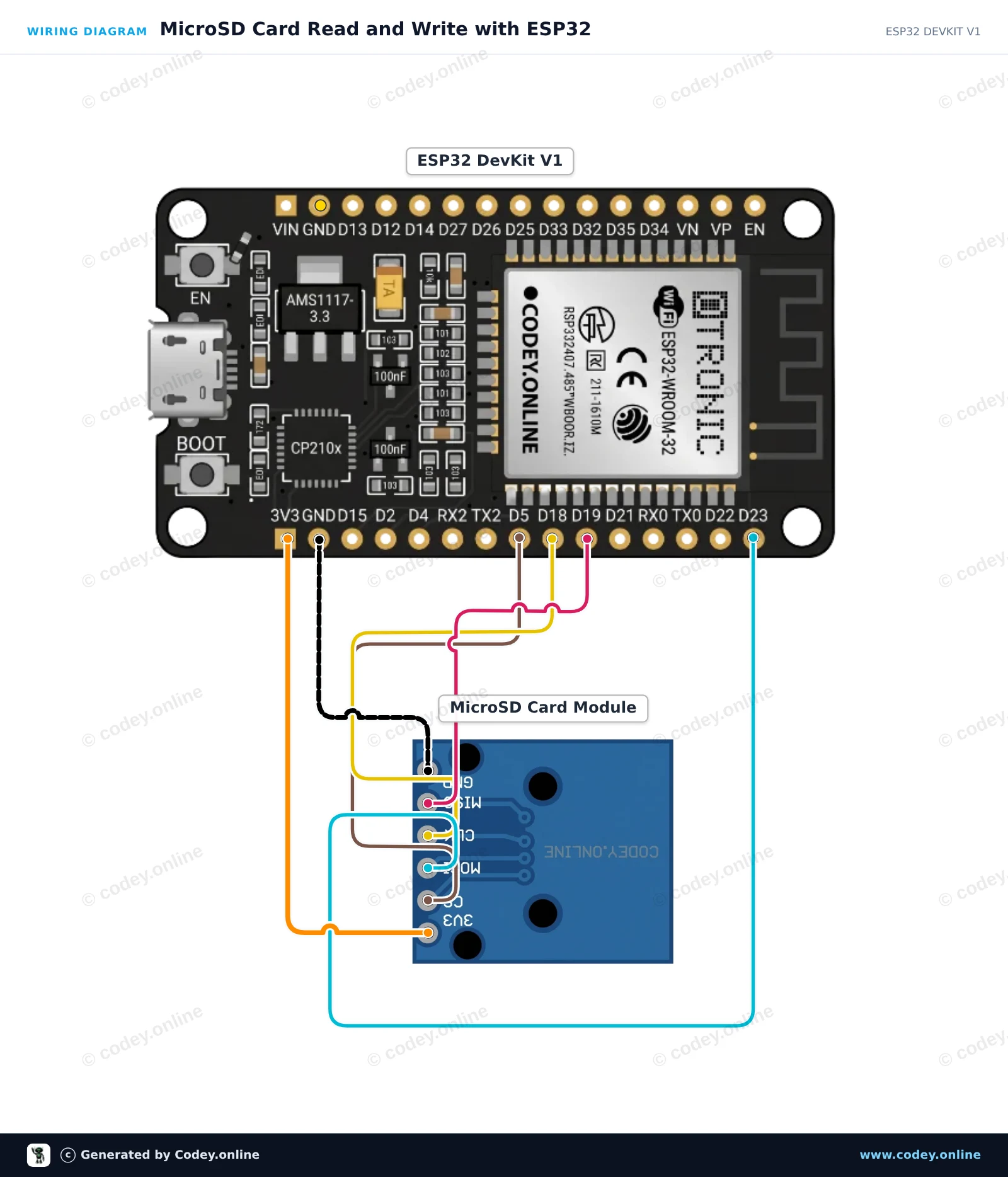
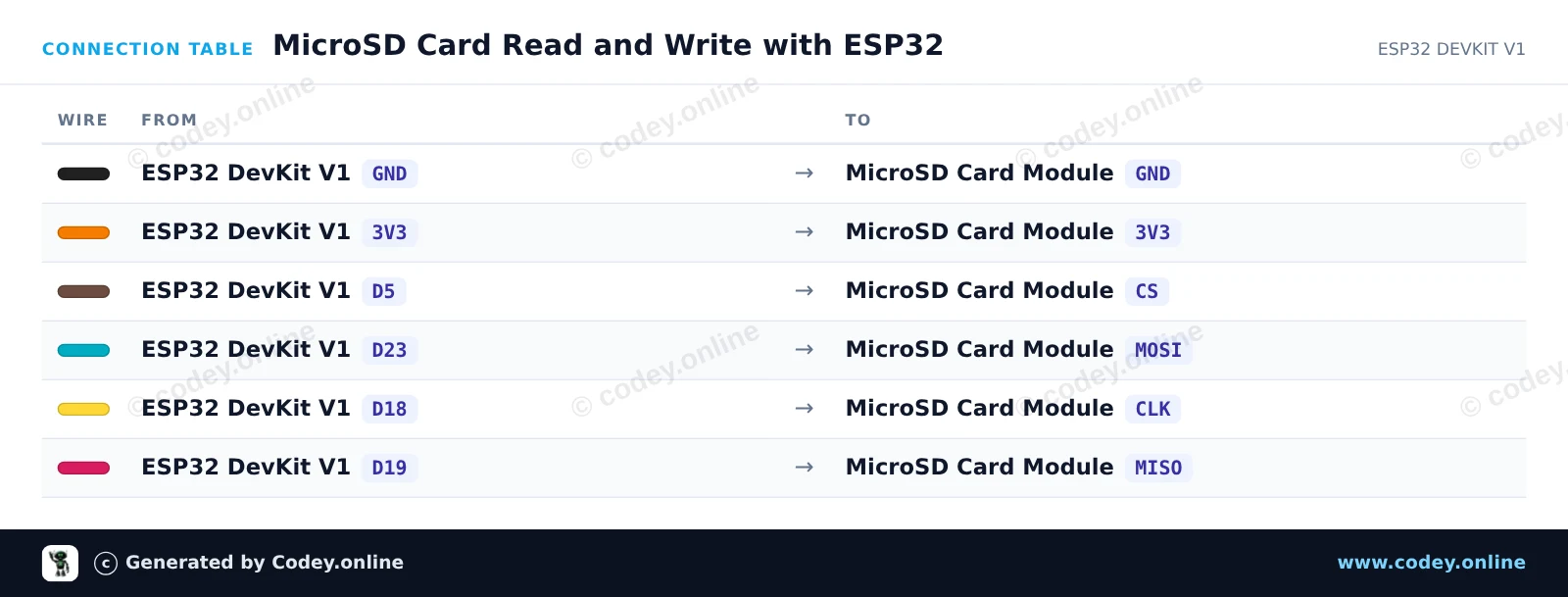
Този пример показва как да свържете модул за MicroSD карта 3.3V с ESP32, като използвате стандартната хардуерна SPI шина (VSPI). Sketch-ът инициализира SD картата, записва тестово съобщение във файл и след това го прочита обратно, за да го покаже в Serial Monitor.
/*
* ==================================================================
* Generated by Codey.online — https://www.codey.online
* ==================================================================
* Project : MicroSD Card Read and Write with ESP32
* Board : ESP32 DEVKIT V1 (esp32:esp32:esp32doit-devkit-v1)
* Parts : Micro SD Card Adapter Module 3.3V
* Libraries : none (built-in)
*
* Codey Online is an AI-powered browser IDE for Arduino and ESP32.
* Describe your project and Codey writes the code, draws the wiring
* diagram and uploads it to your board, straight from the browser.
* This code is free to use, modify and share, without warranty.
* ==================================================================
*/
#include "FS.h"
#include "SD.h"
#include "SPI.h"
const int chipSelect = 5;
void setup() {
Serial.begin(115200);
while (!Serial) { delay(10); }
Serial.println("\n--- MicroSD Card Demo ---");
// Initialize SD card on default VSPI pins (CS = GPIO 5)
if (!SD.begin(chipSelect)) {
Serial.println("Card Mount Failed! Check wiring and make sure card is FAT32 formatted.");
return;
}
uint8_t cardType = SD.cardType();
if (cardType == CARD_NONE) {
Serial.println("No SD card attached.");
return;
}
Serial.print("SD Card Type: ");
if (cardType == CARD_MMC) {
Serial.println("MMC");
} else if (cardType == CARD_SD) {
Serial.println("SDSC");
} else if (cardType == CARD_SDHC) {
Serial.println("SDHC");
} else {
Serial.println("UNKNOWN");
}
uint64_t cardSize = SD.cardSize() / (1024 * 1024);
Serial.printf("SD Card Size: %lluMB\n", cardSize);
// Write to a test file
Serial.println("Writing to test.txt...");
File file = SD.open("/test.txt", FILE_WRITE);
if (file) {
file.println("Hello from ESP32!");
file.println("MicroSD read/write test successful.");
file.close();
Serial.println("Write complete.");
} else {
Serial.println("Failed to open file for writing.");
return;
}
// Read back the test file
Serial.println("Reading from test.txt:");
file = SD.open("/test.txt");
if (file) {
while (file.available()) {
Serial.write(file.read());
}
file.close();
} else {
Serial.println("Failed to open file for reading.");
}
}
void loop() {
// Nothing to repeat in this test
delay(1000);
}
Wiring diagram and example code generated by Codey.online — https://www.codey.online
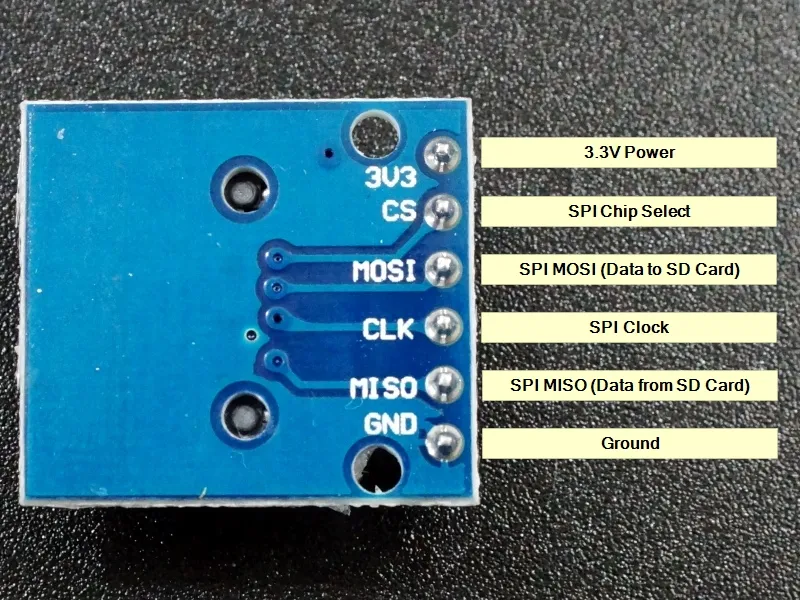
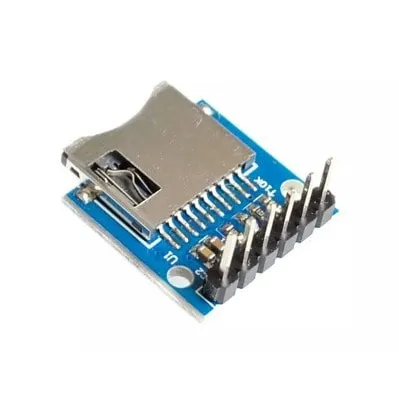
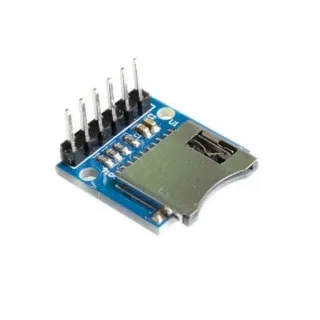
Елементарен модул за четец на MicroSD карти. Благодарение на работата му на 3.3V е много подходящ например за ESP32 или ESP8266. Модулът е снабден с необходимите 10K pull-up резистори на линиите за данни.
Спецификации:
– Работно напрежение: 3.3V
- Тип micro SD слот: Push-Pull
– Интерфейс: SPI
– Operating voltage (logic level): 3.3V
Pin headers вече са предварително запоени.
Размери
Дължина: 2cm
Ширина: 1,8cm
Височина: 1,1cm

| Ширина | 1,8cm |
|---|---|
| Работно напрежение | 3.3V |
| Дължина | 2 cm |
| Височина | 1,1 cm |
| Тип micro SD слот | Push-Pull |
върши това, за което го купих.
Просто и добре.
Работи отлично
3.3V Micro SD карта модул за ESP32 | ESP8266