Ordered on weekdays before 14:00 = shipped the same day and delivered the next day in 98% of cases. Free returns 30-day reflection period 1-year warranty

Wiring diagram and code example

How to connect the Acceleration accelerometer and gyroscope I2C - MPU-6050 to an Arduino UNO or ESP32, with an example sketch you can upload straight away.

MPU-6050 Accelerometer and Gyroscope Demo

This project reads acceleration and angular velocity data from the MPU-6050 6-axis motion tracking sensor over I2C. Connect the sensor to the Arduino Uno, upload the code, and open the Serial Monitor at 115200 baud to view real-time motion readings as you tilt and rotate the module.

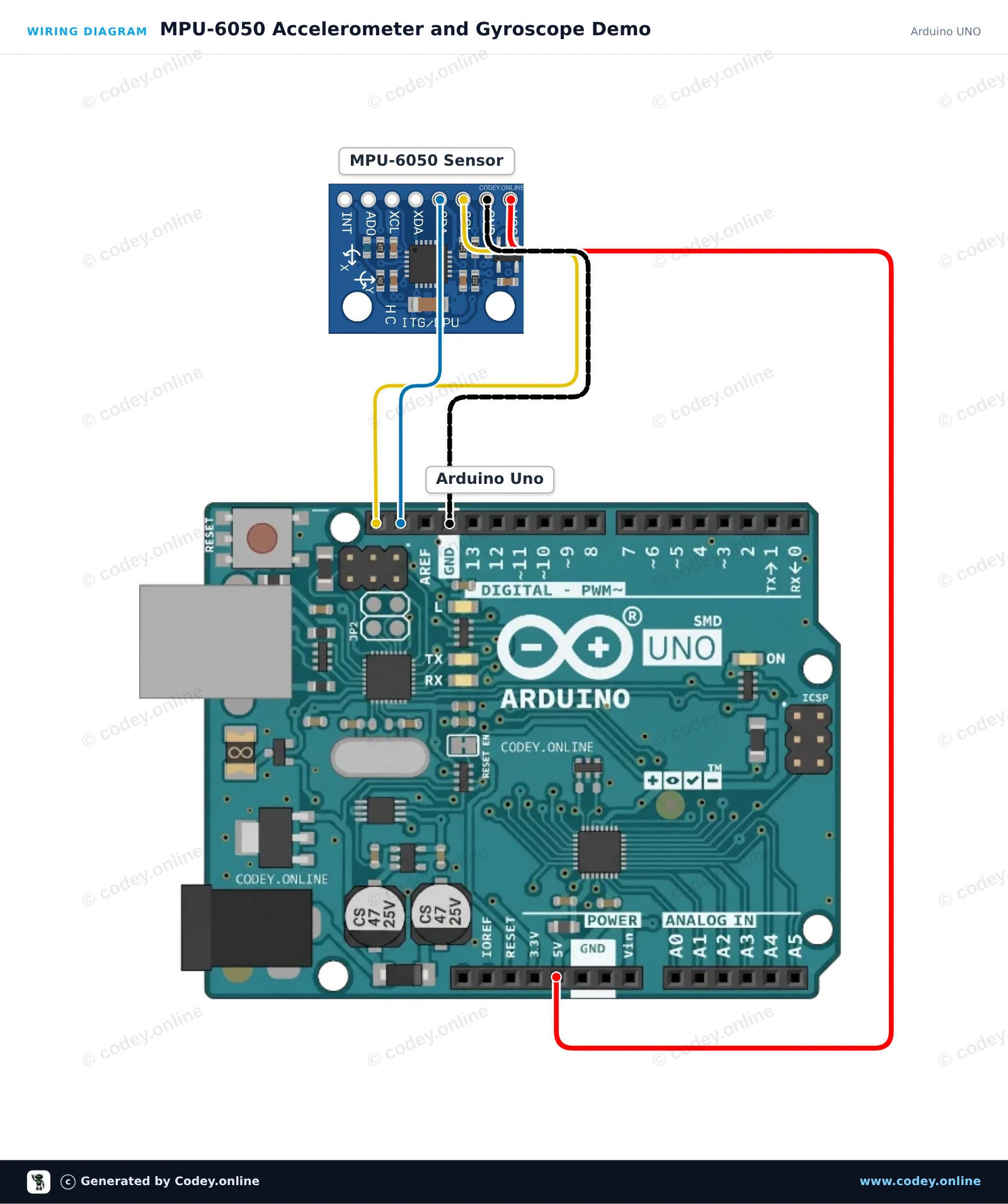
Wiring diagram: Acceleration accelerometer and gyroscope I2C - MPU-6050 on an Arduino UNO
Wiring diagram · Click to enlarge
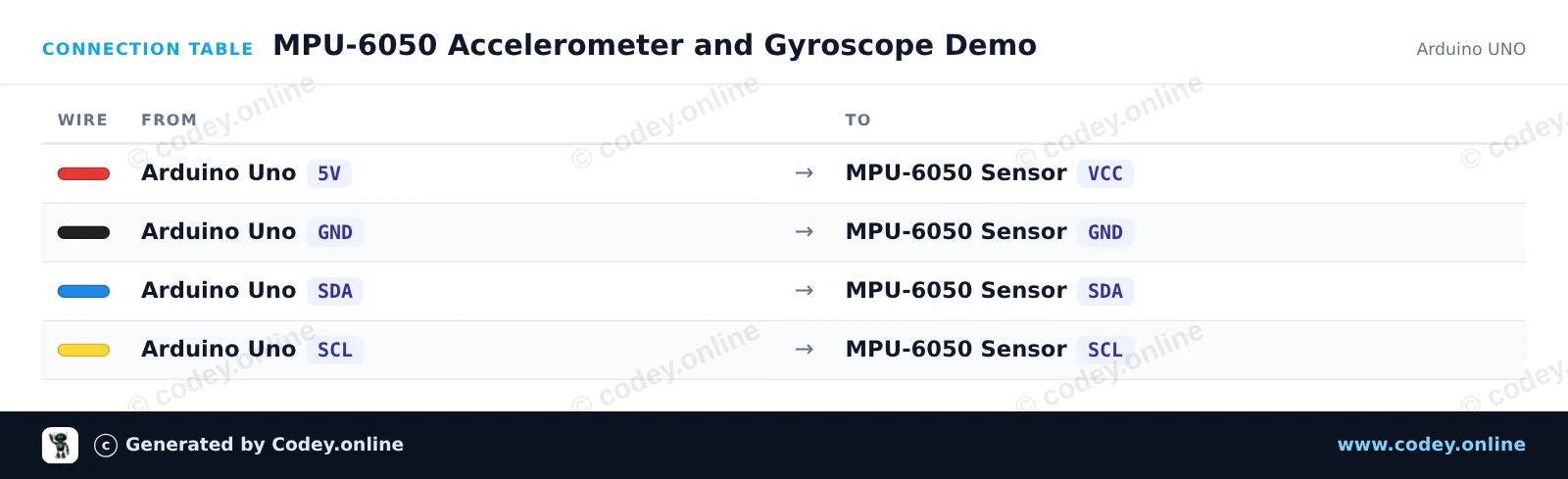
Connection table: Acceleration accelerometer and gyroscope I2C - MPU-6050 on an Arduino UNO
Connection table · Click to enlarge
MPU_6050_Accelerometer_and_Gyroscope_Dem.ino · compiled and verified
/*
 * ==================================================================
 *  Generated by Codey.online  —  https://www.codey.online
 * ==================================================================
 *  Project   : MPU-6050 Accelerometer and Gyroscope Demo
 *  Board     : Arduino UNO (arduino:avr:uno)
 *  Parts     : Accelerometer and Gyroscope I2C MPU-6050
 *  Libraries : Adafruit MPU6050 2.2.9, Adafruit Unified Sensor 1.1.15, Adafruit BusIO 1.17.4
 *
 *  Codey Online is an AI-powered browser IDE for Arduino and ESP32.
 *  Describe your project and Codey writes the code, draws the wiring
 *  diagram and uploads it to your board, straight from the browser.
 *  This code is free to use, modify and share, without warranty.
 * ==================================================================
 */

#include <Wire.h>
#include <Adafruit_MPU6050.h>
#include <Adafruit_Sensor.h>

Adafruit_MPU6050 mpu;

void setup() {
  Serial.begin(115200);
  while (!Serial) {
    delay(10);
  }

  Serial.println(F("Initializing MPU-6050..."));
  if (!mpu.begin()) {
    Serial.println(F("Failed to find MPU-6050 chip. Check connections!"));
    while (1) {
      delay(10);
    }
  }
  Serial.println(F("MPU-6050 initialized successfully!"));

  // Configure sensor ranges and filter bandwidth
  mpu.setAccelerometerRange(MPU6050_RANGE_8_G);
  mpu.setGyroRange(MPU6050_RANGE_500_DEG);
  mpu.setFilterBandwidth(MPU6050_BAND_21_HZ);
}

void loop() {
  sensors_event_t a, g, temp;
  mpu.getEvent(&a, &g, &temp);

  // Print acceleration in m/s^2
  Serial.print(F("Accel (m/s^2) X: "));
  Serial.print(a.acceleration.x, 2);
  Serial.print(F(", Y: "));
  Serial.print(a.acceleration.y, 2);
  Serial.print(F(", Z: "));
  Serial.print(a.acceleration.z, 2);

  // Print rotation rate in rad/s
  Serial.print(F(" | Gyro (rad/s) X: "));
  Serial.print(g.gyro.x, 2);
  Serial.print(F(", Y: "));
  Serial.print(g.gyro.y, 2);
  Serial.print(F(", Z: "));
  Serial.print(g.gyro.z, 2);

  // Print onboard temperature
  Serial.print(F(" | Temp: "));
  Serial.print(temp.temperature, 1);
  Serial.println(F(" C"));

  delay(500);
}

Required libraries: Adafruit MPU6050 2.2.9, Adafruit Unified Sensor 1.1.15, Adafruit BusIO 1.17.4

Wiring diagram and example code generated by Codey.online — https://www.codey.online

ESP32 MPU-6050 Motion Sensor Demo

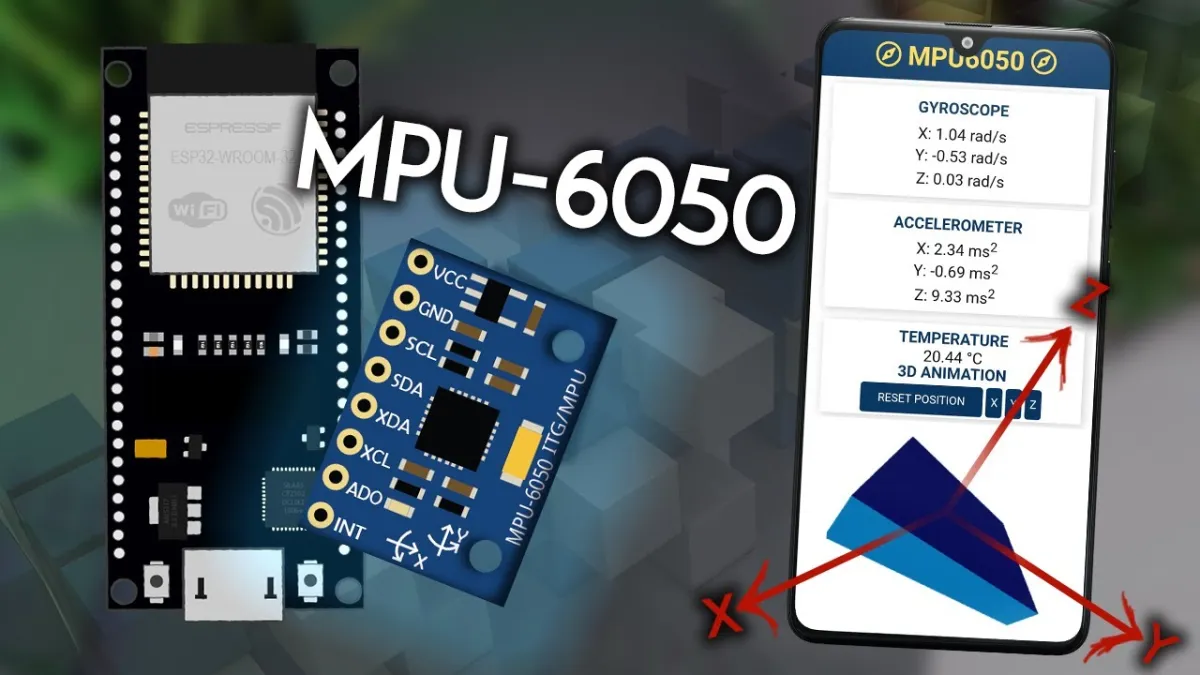
This project reads 3-axis acceleration, rotation speed, and temperature from the MPU-6050 sensor via I2C. The ESP32 reads the sensor data at 10 Hz and prints formatted values to the Serial Monitor at 115200 baud. Open the Serial Plotter to view live graphs of sensor movements.

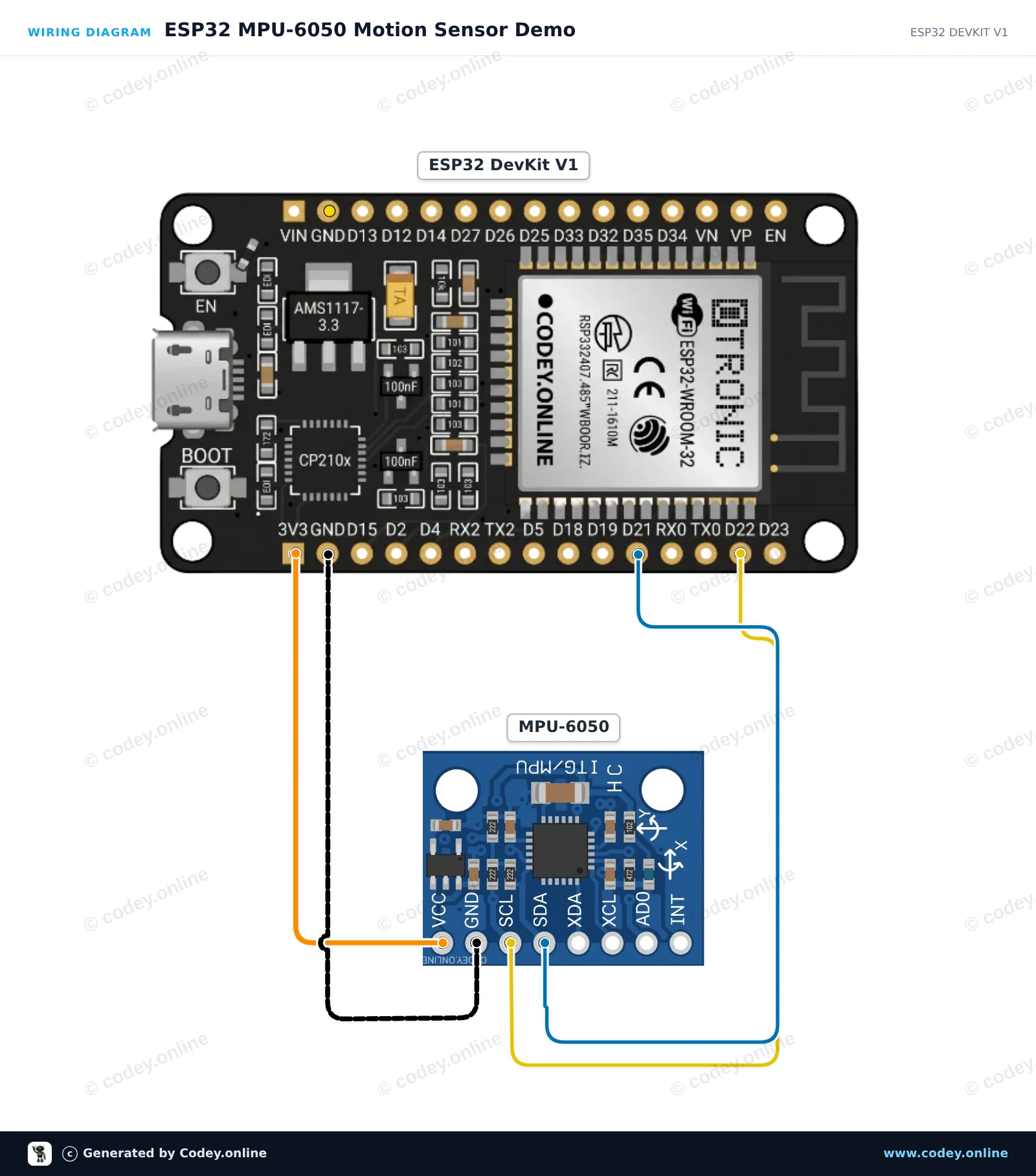
Wiring diagram: Acceleration accelerometer and gyroscope I2C - MPU-6050 on an ESP32 DevKit V1
Wiring diagram · Click to enlarge
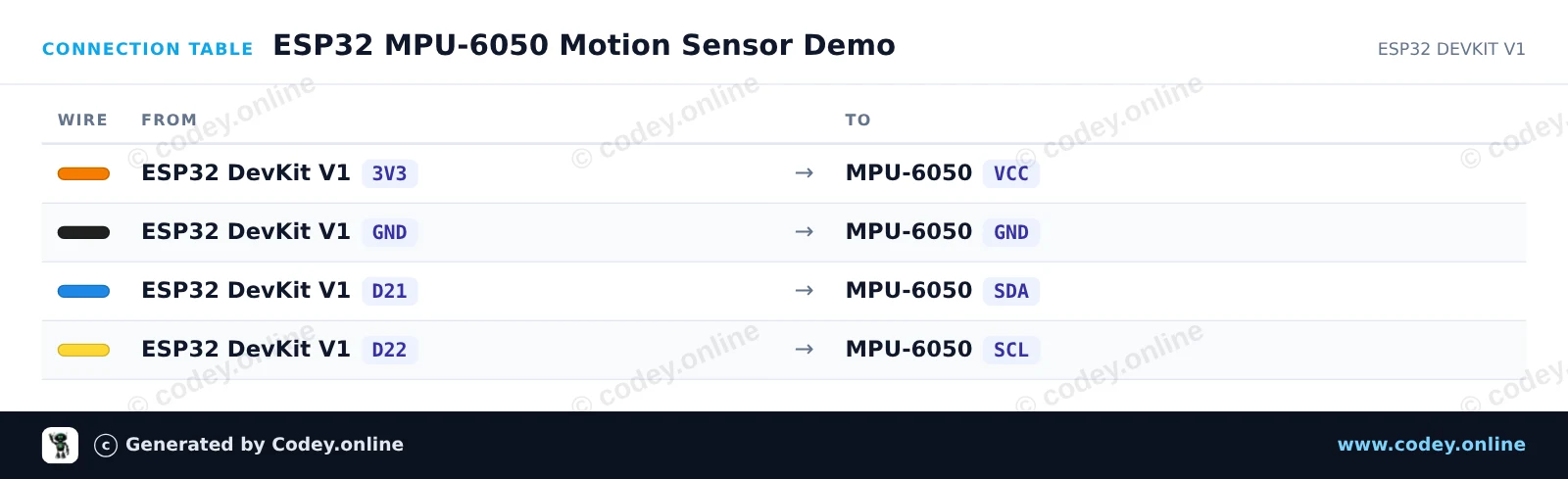
Connection table: Acceleration accelerometer and gyroscope I2C - MPU-6050 on an ESP32 DevKit V1
Connection table · Click to enlarge
ESP32_MPU_6050_Motion_Sensor_Demo.ino · compiled and verified
/*
 * ==================================================================
 *  Generated by Codey.online  —  https://www.codey.online
 * ==================================================================
 *  Project   : ESP32 MPU-6050 Motion Sensor Demo
 *  Board     : ESP32 DEVKIT V1 (esp32:esp32:esp32doit-devkit-v1)
 *  Parts     : Accelerometer and Gyroscope I2C MPU-6050
 *  Libraries : Adafruit MPU6050 2.2.9, Adafruit Unified Sensor 1.1.15
 *
 *  Codey Online is an AI-powered browser IDE for Arduino and ESP32.
 *  Describe your project and Codey writes the code, draws the wiring
 *  diagram and uploads it to your board, straight from the browser.
 *  This code is free to use, modify and share, without warranty.
 * ==================================================================
 */

#include <Adafruit_MPU6050.h>
#include <Adafruit_Sensor.h>
#include <Wire.h>

Adafruit_MPU6050 mpu;

void setup() {
  Serial.begin(115200);
  while (!Serial) delay(10);

  Serial.println("Initializing MPU-6050...");

  // Initialize I2C on ESP32 default pins: SDA (GPIO 21), SCL (GPIO 22)
  Wire.begin(21, 22);

  if (!mpu.begin(0x68, &Wire)) {
    Serial.println("Failed to find MPU-6050 chip!");
    while (1) {
      delay(10);
    }
  }

  Serial.println("MPU-6050 Found!");

  // Configure sensor ranges
  mpu.setAccelerometerRange(MPU6050_RANGE_8_G);
  mpu.setGyroRange(MPU6050_RANGE_500_DEG);
  mpu.setFilterBandwidth(MPU6050_BAND_21_HZ);

  delay(100);
}

void loop() {
  sensors_event_t a, g, temp;
  mpu.getEvent(&a, &g, &temp);

  Serial.print("Accel X: ");
  Serial.print(a.acceleration.x, 2);
  Serial.print(" m/s^2, Y: ");
  Serial.print(a.acceleration.y, 2);
  Serial.print(" m/s^2, Z: ");
  Serial.print(a.acceleration.z, 2);
  Serial.println(" m/s^2");

  Serial.print("Gyro X: ");
  Serial.print(g.gyro.x, 2);
  Serial.print(" rad/s, Y: ");
  Serial.print(g.gyro.y, 2);
  Serial.print(" rad/s, Z: ");
  Serial.print(g.gyro.z, 2);
  Serial.println(" rad/s");

  Serial.print("Temperature: ");
  Serial.print(temp.temperature, 1);
  Serial.println(" degC");
  Serial.println("------------------------------------");

  delay(500);
}

Required libraries: Adafruit MPU6050 2.2.9, Adafruit Unified Sensor 1.1.15

Wiring diagram and example code generated by Codey.online — https://www.codey.online

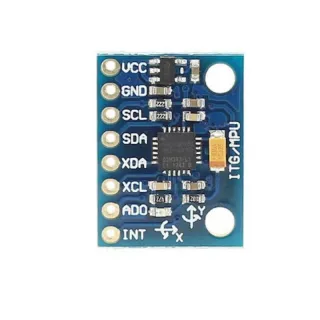
Acceleration accelerometer and gyroscope I2C - MPU-6050

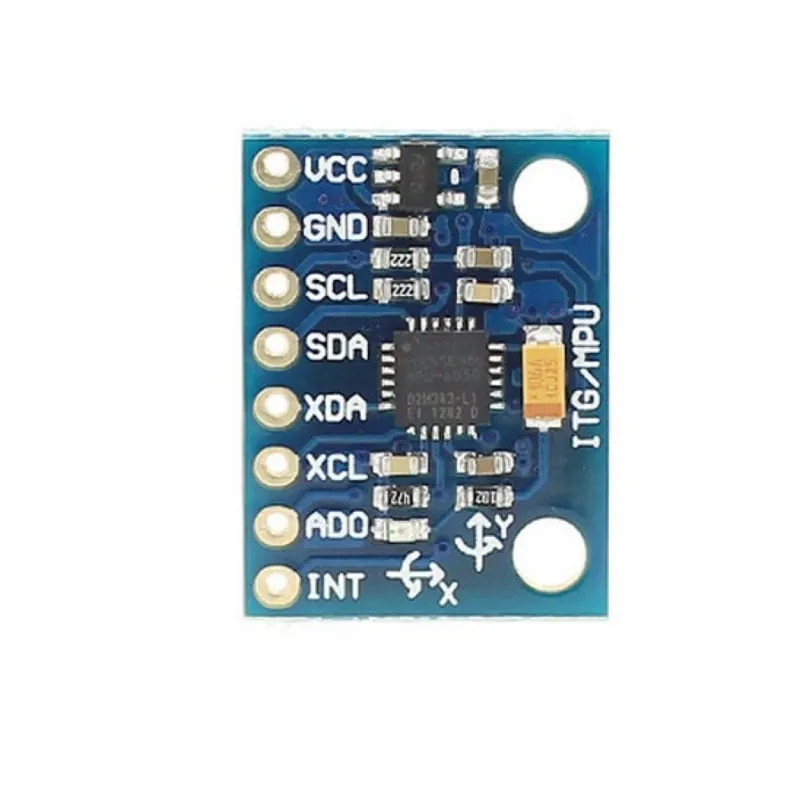
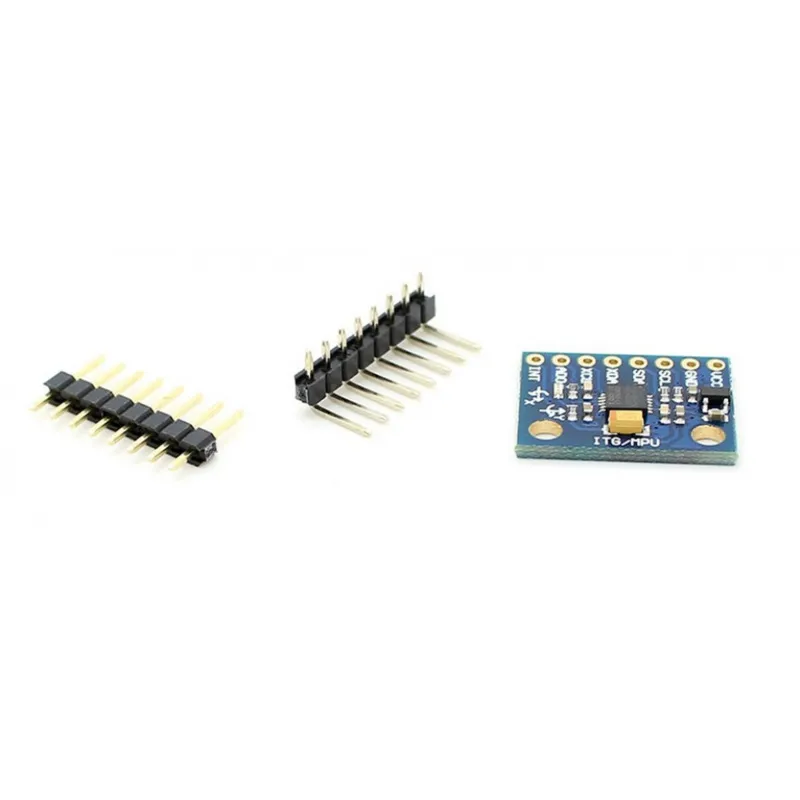
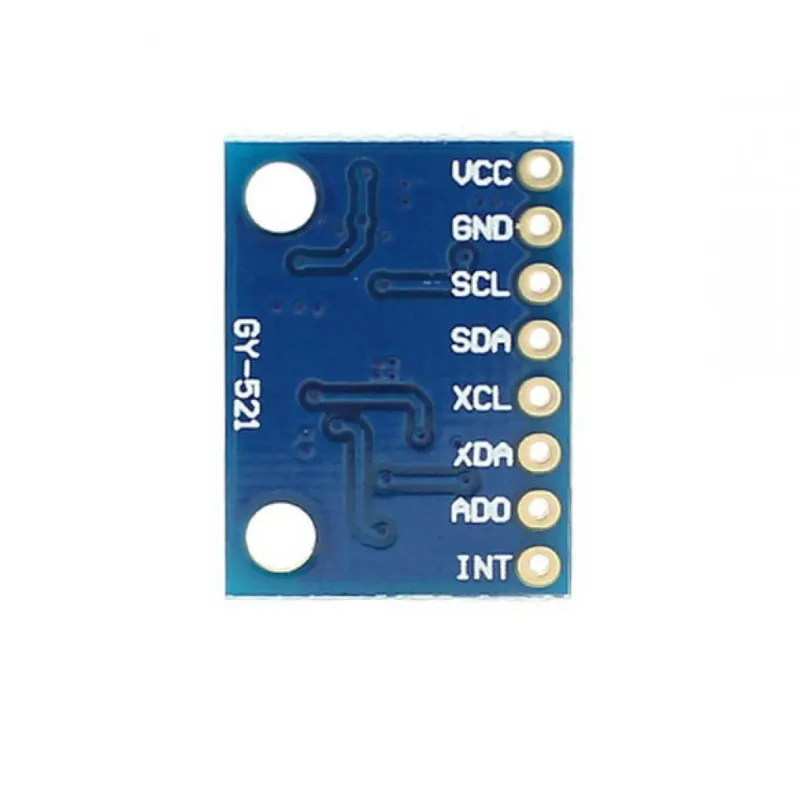
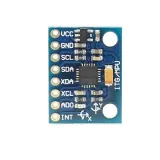
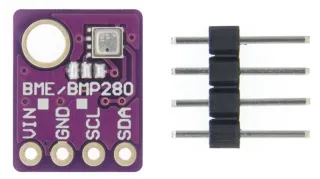
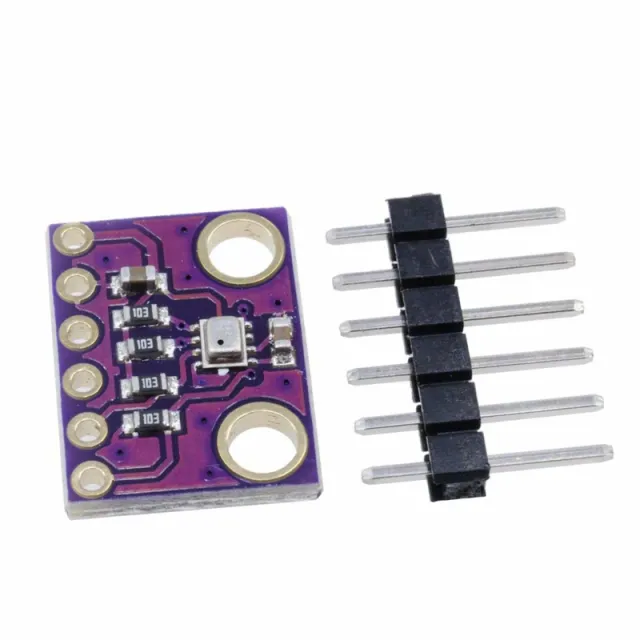
The MPU-6050 module integrates a 3-axis accelerometer and a 3-axis gyroscope. In addition to a smaller size compared to individual solutions, this module also solves problems with differences in typical multi-component systems.
The integrated InvenSense database reduces complex processing and provides a framework for application and API development.

I2C with up to 400 kHz is available for data transmission.

Technical data
- MPU-6050 module (three-axis gyro + three-axis acceleration)
- Power supply: 3- 5 V (internal low-voltage differential)
- Communication: the standard IIC communication protocol
- Chip with built-in 16-bit AD converter, 16-bit data output
- Gyroscope range: ±250, ±500, ±1000, ±2000 °/ s (16 bits)
- Acceleration range: ±2, ±4, ±8, ±16 g (16 bits)
- built-in temperature sensor

Examples of use
- Motion detection games
- augmented reality
- electronic & optical image stabilization


Dimensions
Length: 2.1cm
Width: 1.6cm
Height: 0.34cm

  • 3-axis sensor
  • 16-bit AD
  • I2C interface
  • Temperature sensor
Playing loads the video from YouTube.

Why choose this product?

  • 3-axis measurement – Accelerometer and gyroscope in one module.
  • I2C communication – Data transmission via standard IIC protocol.
  • Up to 400 kHz – Suitable for fast data transmission.
  • 16-bit processing – Built-in ADC and data output.
  • Temperature sensor – For additional measurements on the chip.
Specifications
Width1,6 cm
InterfaceI2C
Length2.1 cm
Supply voltage3-5V
Frequencyup to 400 kHz
Height0,34 cm
Gyroscope range±250, ±500, ±1000, ±2000 °/s
Acceleration range±2, ±4, ±8, ±16 g

Frequently bought together

Total: € 17,60

Reviews

★★★★★ 5,0/5 3 reviews
  • ★★★★★Stijn GroenVerified purchase

    Works well

  • ★★★★★Ferre WillemsVerified purchase

    It was good

  • ★★★★★WalterVerified purchase

    works perfectly!

Write a review
Your rating

Shipping & returns

Shipping

  • Parcel with track & trace€ 7,70Within 24 hours
  • Pick up at PostNL location€ 7,40Within 24 hours
  • Letterbox parcel€ 3,70Within 2 business days
  • Letterbox parcel 24 hours€ 4,55Within 24 hours
  • Pick up in storeFree
All about shipping

Returns

Not satisfied? You have 30 days after delivery to return the product.

All about returns