Ordered on weekdays before 14:00 = shipped the same day and delivered the next day in 98% of cases. Free returns 30-day reflection period 1-year warranty

Wiring diagram and code example

How to connect the WCMCU-5102 module stereo DAC digital to analog converter to an Arduino UNO or ESP32, with an example sketch you can upload straight away.

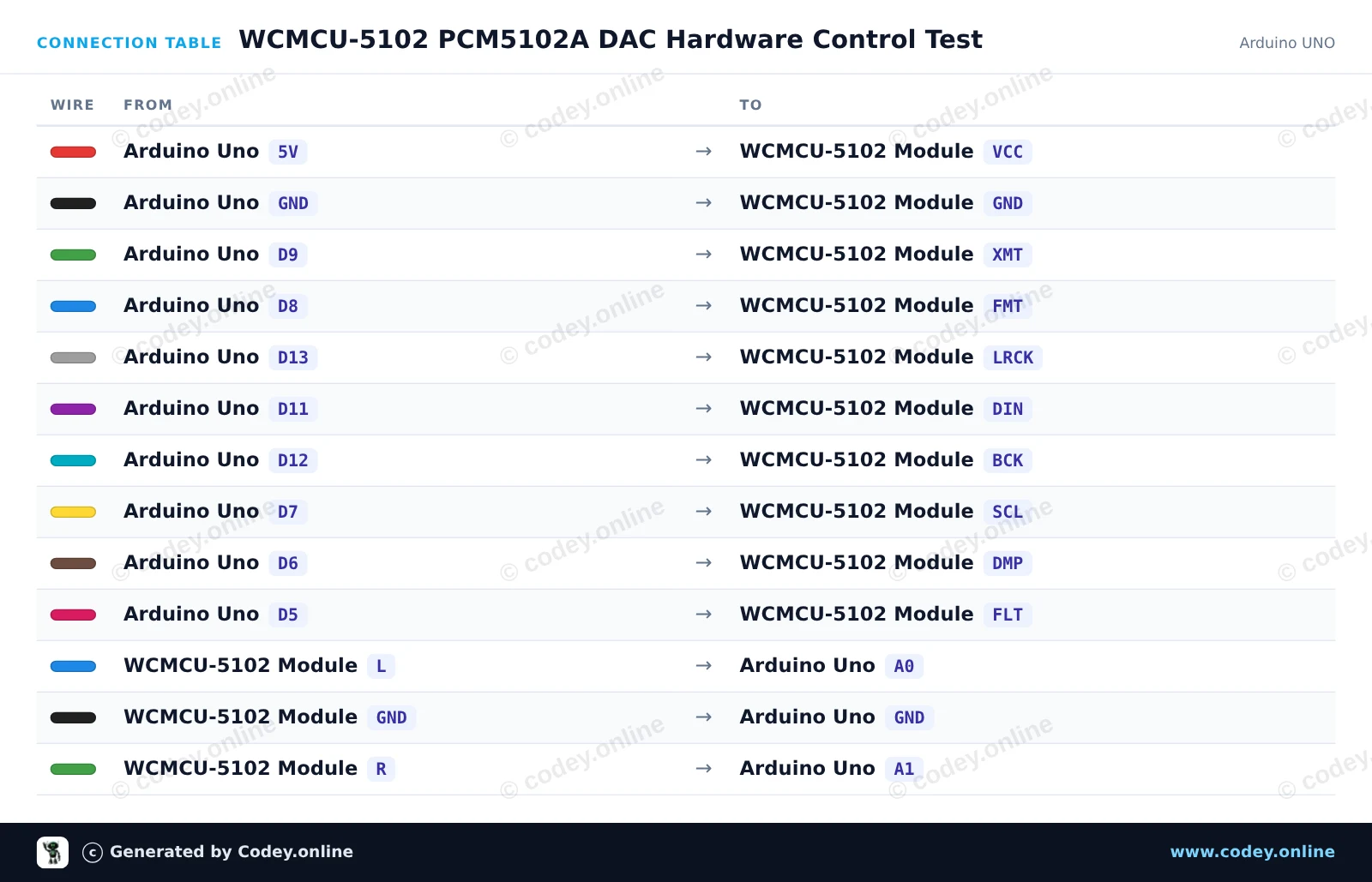
WCMCU-5102 PCM5102A DAC Hardware Control Test

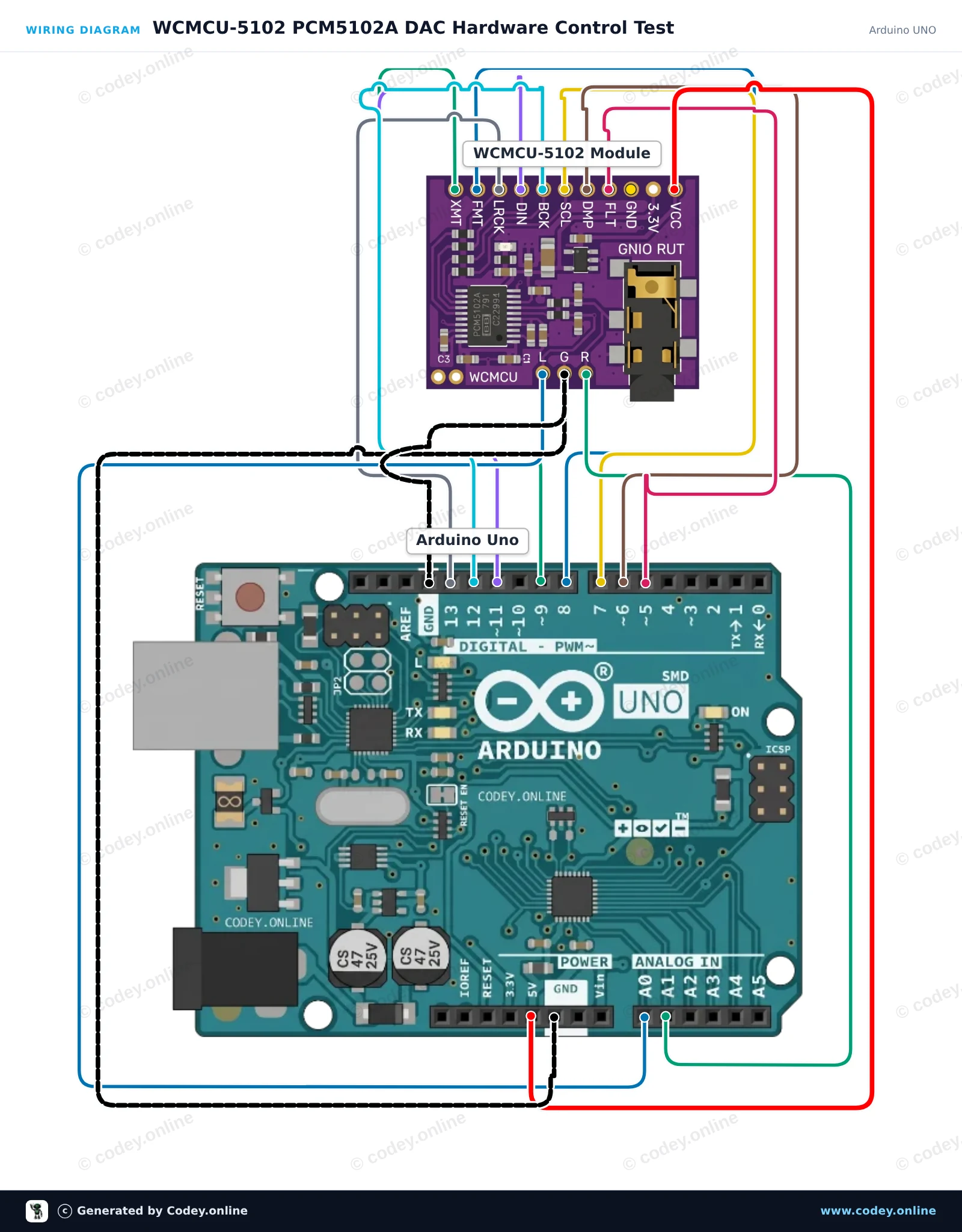
This example demonstrates how to power and configure the PCM5102A DAC module with an Arduino Uno. The sketch sets the hardware configuration pins (mute, format, system clock, de-emphasis, and filter) and reports module status over the Serial Monitor. Note that the analog audio output is line-level and should be connected to headphones or an amplifier, never directly to a speaker.

Wiring diagram: WCMCU-5102 module stereo DAC digital to analog converter on an Arduino UNO
Wiring diagram · Click to enlarge
Connection table: WCMCU-5102 module stereo DAC digital to analog converter on an Arduino UNO
Connection table · Click to enlarge
WCMCU_5102_PCM5102A_DAC_Hardware_Control.ino · compiled and verified
/*
 * ==================================================================
 *  Generated by Codey.online  —  https://www.codey.online
 * ==================================================================
 *  Project   : WCMCU-5102 PCM5102A DAC Hardware Control Test
 *  Board     : Arduino UNO (arduino:avr:uno)
 *  Parts     : WCMCU-5102 module
 *  Libraries : none (built-in)
 *
 *  Codey Online is an AI-powered browser IDE for Arduino and ESP32.
 *  Describe your project and Codey writes the code, draws the wiring
 *  diagram and uploads it to your board, straight from the browser.
 *  This code is free to use, modify and share, without warranty.
 * ==================================================================
 */

// WCMCU-5102 (PCM5102A) DAC Module Control Example
// Configures hardware control pins and toggles the unmute (XMT) signal.

const int PIN_XMT = 9;  // High = Unmute, Low = Soft mute
const int PIN_FMT = 8;  // Low = I2S format
const int PIN_SCL = 7;  // Low = Internal SCK generation
const int PIN_DMP = 6;  // Low = De-emphasis off
const int PIN_FLT = 5;  // Low = Normal latency filter

void setup() {
  Serial.begin(115200);
  while (!Serial);

  pinMode(PIN_XMT, OUTPUT);
  pinMode(PIN_FMT, OUTPUT);
  pinMode(PIN_SCL, OUTPUT);
  pinMode(PIN_DMP, OUTPUT);
  pinMode(PIN_FLT, OUTPUT);

  // Configure default PCM5102A operating modes
  digitalWrite(PIN_FMT, LOW);  // Set standard I2S format
  digitalWrite(PIN_SCL, LOW);  // Generate system clock internally
  digitalWrite(PIN_DMP, LOW);  // Disable de-emphasis filter
  digitalWrite(PIN_FLT, LOW);  // Normal latency filter
  digitalWrite(PIN_XMT, HIGH); // Unmute DAC output

  Serial.println(F("WCMCU-5102 DAC Initialized"));
  Serial.println(F("Configuration: I2S format, internal SCK, unmute active."));
  Serial.println(F("Note: Connect line outputs (L/R) to an amplifier or headphones."));
}

void loop() {
  // Periodic status display
  Serial.println(F("PCM5102A module active and unmuted."));
  delay(2000);
}

Wiring diagram and example code generated by Codey.online — https://www.codey.online

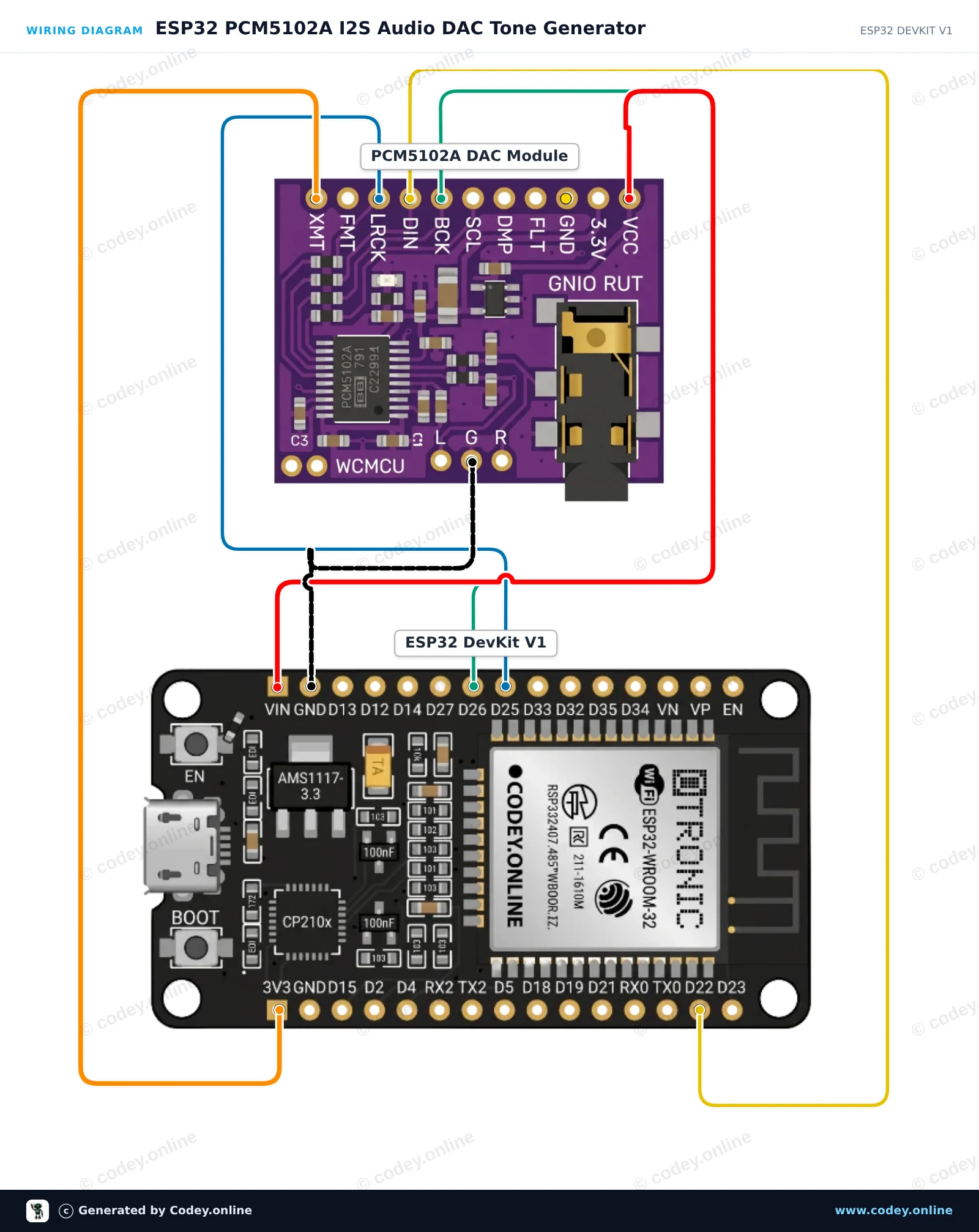
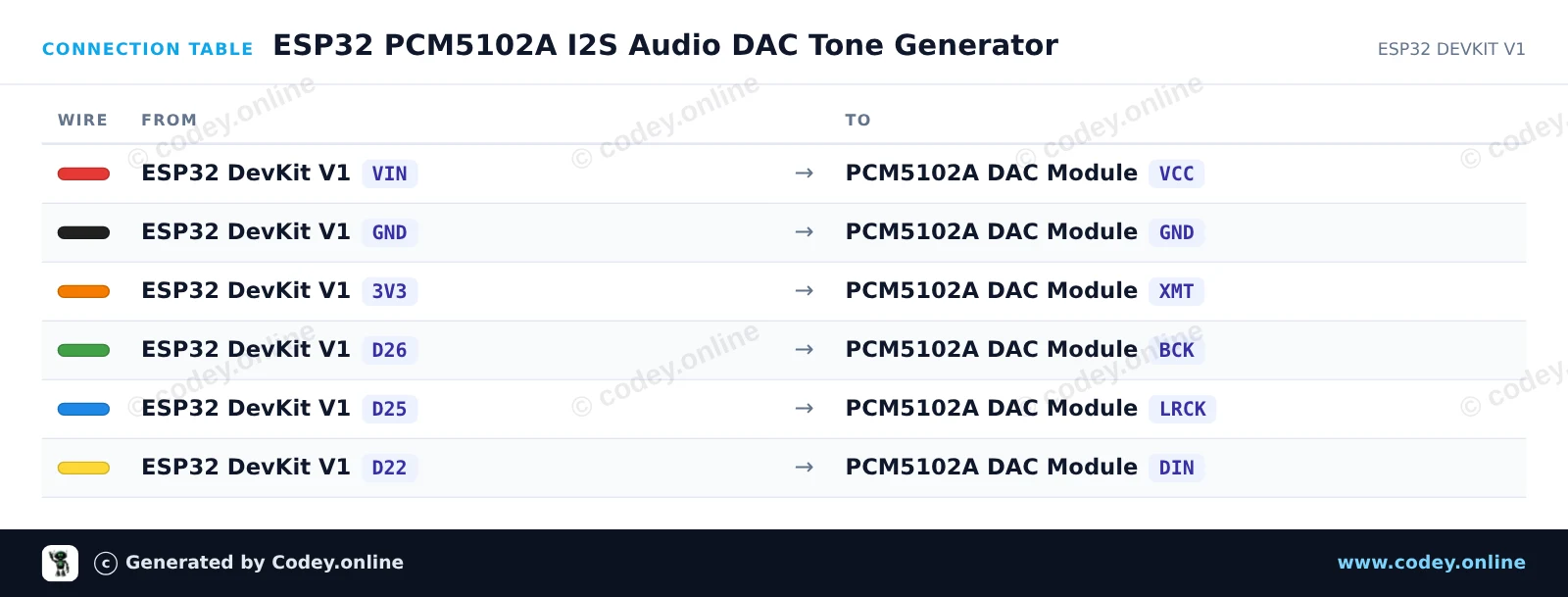
ESP32 PCM5102A I2S Audio DAC Tone Generator

This project connects the ESP32 to a PCM5102A stereo DAC via the I2S digital audio interface to generate a crystal-clear 440 Hz test tone. Plug standard 3.5mm headphones or a line-level amplifier into the audio jack to hear the stereo output. The sketch synthesizes a clean 16-bit sine wave at a 44.1 kHz sample rate using the hardware I2S peripheral.

Wiring diagram: WCMCU-5102 module stereo DAC digital to analog converter on an ESP32 DevKit V1
Wiring diagram · Click to enlarge
Connection table: WCMCU-5102 module stereo DAC digital to analog converter on an ESP32 DevKit V1
Connection table · Click to enlarge
ESP32_PCM5102A_I2S_Audio_DAC_Tone_Genera.ino · compiled and verified
/*
 * ==================================================================
 *  Generated by Codey.online  —  https://www.codey.online
 * ==================================================================
 *  Project   : ESP32 PCM5102A I2S Audio DAC Tone Generator
 *  Board     : ESP32 DEVKIT V1 (esp32:esp32:esp32doit-devkit-v1)
 *  Parts     : WCMCU-5102 module
 *  Libraries : none (built-in)
 *
 *  Codey Online is an AI-powered browser IDE for Arduino and ESP32.
 *  Describe your project and Codey writes the code, draws the wiring
 *  diagram and uploads it to your board, straight from the browser.
 *  This code is free to use, modify and share, without warranty.
 * ==================================================================
 */

#include <Arduino.h>
#include "driver/i2s.h"
#include <math.h>

#define I2S_BCK_PIN   26
#define I2S_LRCK_PIN  25
#define I2S_DATA_PIN  22

const int SAMPLE_RATE = 44100;
const int TABLE_SIZE  = 128;
int16_t sineTable[TABLE_SIZE];

void setup() {
  Serial.begin(115200);
  Serial.println("ESP32 PCM5102A Audio Test");

  // Generate one period of a sine wave in a lookup table
  for (int i = 0; i < TABLE_SIZE; i++) {
    sineTable[i] = (int16_t)(sin(2.0 * PI * i / TABLE_SIZE) * 10000);
  }

  // Configure I2S peripheral
  i2s_config_t i2s_config = {
    .mode = (i2s_mode_t)(I2S_MODE_MASTER | I2S_MODE_TX),
    .sample_rate = SAMPLE_RATE,
    .bits_per_sample = I2S_BITS_PER_SAMPLE_16BIT,
    .channel_format = I2S_CHANNEL_FMT_RIGHT_LEFT,
    .communication_format = I2S_COMM_FORMAT_STAND_I2S,
    .intr_alloc_flags = ESP_INTR_FLAG_LEVEL1,
    .dma_buf_count = 8,
    .dma_buf_len = 64,
    .use_apll = false,
    .tx_desc_auto_clear = true
  };

  i2s_pin_config_t pin_config = {
    .bck_io_num = I2S_BCK_PIN,
    .ws_io_num = I2S_LRCK_PIN,
    .data_out_num = I2S_DATA_PIN,
    .data_in_num = I2S_PIN_NO_CHANGE
  };

  i2s_driver_install(I2S_NUM_0, &i2s_config, 0, NULL);
  i2s_set_pin(I2S_NUM_0, &pin_config);

  Serial.println("Playing continuous 440 Hz stereo tone...");
}

void loop() {
  size_t bytesWritten = 0;
  // Stream stereo samples (left and right channels)
  for (int i = 0; i < TABLE_SIZE; i++) {
    int16_t stereoSample[2] = { sineTable[i], sineTable[i] };
    i2s_write(I2S_NUM_0, stereoSample, sizeof(stereoSample), &bytesWritten, portMAX_DELAY);
  }
}

Wiring diagram and example code generated by Codey.online — https://www.codey.online

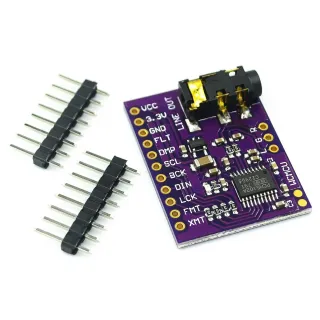
WCMCU-5102 module stereo DAC digital to analog converter

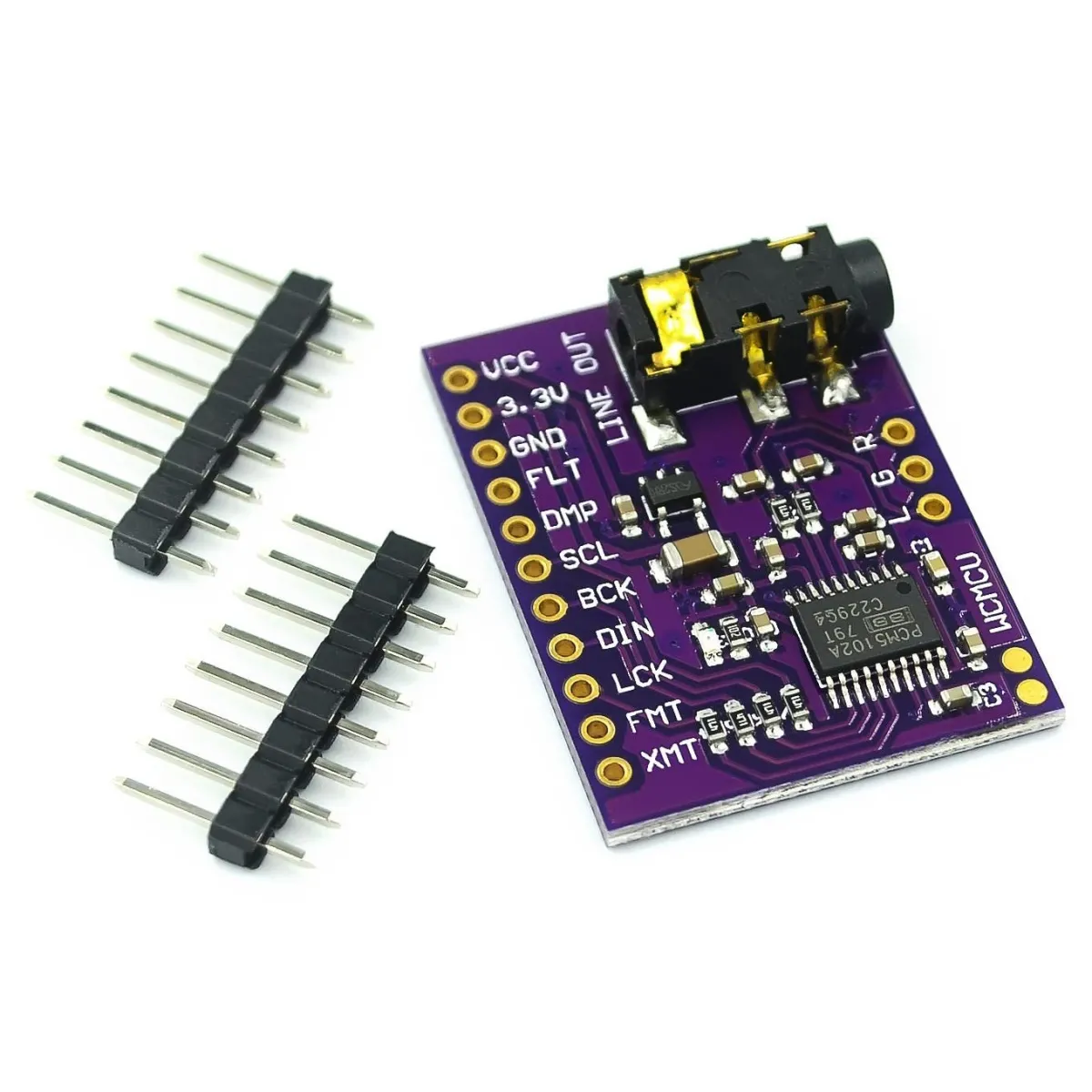
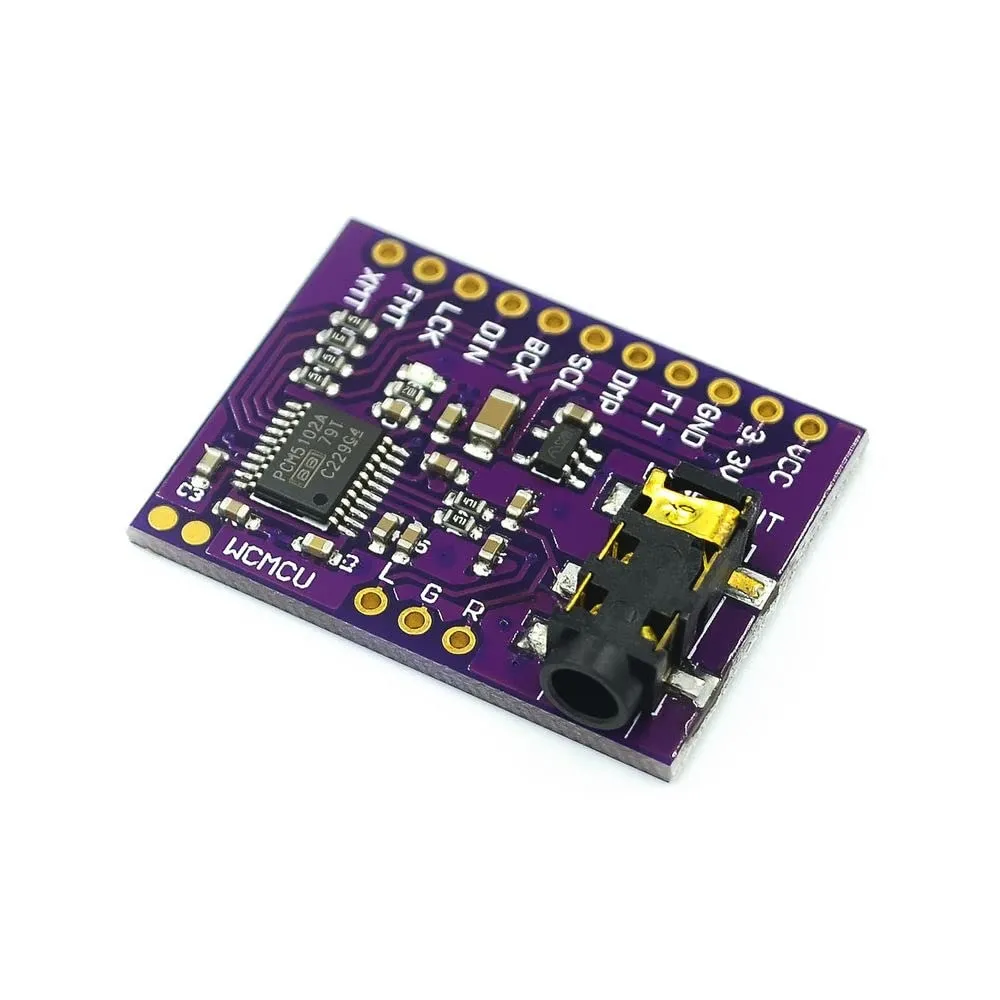
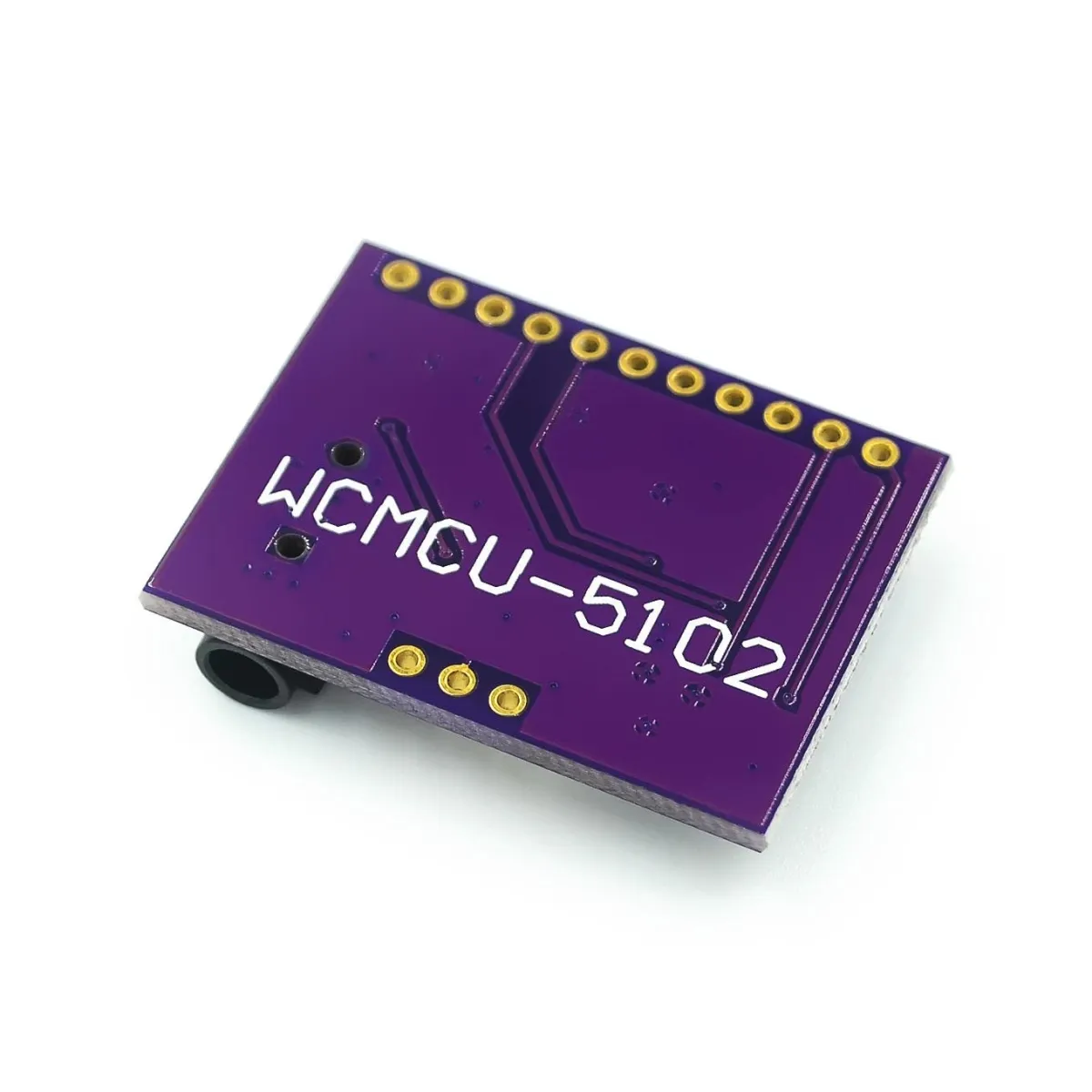
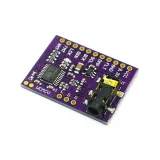
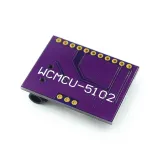
This PCM5102A is a Digital-to-Analog Converter (DAC) module mainly intended for converting digital audio information into an analog audio signal.

Technical specifications:

  1. Resolution: The PCM5102A supports high-resolution audio with bit depths up to 32 bits and sampling rates up to 384 kHz.

  2. Direct Path Architecture: One of the unique features of the PCM5102A is the "Direct Path" architecture, which allows the signal to be sent directly to the output without the need for an external op-amp or DC decoupling capacitor.

  3. Connectivity: The PCM5102A uses the I2S interface, which is commonly used in audio applications for transferring digital audio signals between components.

  4. Supply voltage: 3.3 V to 5 V.

  5. Chip: the WCMCU-5102 has a PCM5 102A chip
  • PCM5102A chip
  • I2S interface
  • Up to 32 bits
  • 384 kHz

Why choose this product?

  • High-resolution audio – Supports up to 32-bit and 384 kHz.
  • Direct signal output – No external op-amp or decoupling capacitor required.
  • I2S interface – For digital audio signals between components.
  • Wide supply voltage – Operates from 3.3 V to 5 V.
Specifications
Resolution32 bits
InterfaceI2S
Supply voltage3.3 V to 5 V
Chipthe WCMCU-5102 has a PCM5 102A chip
Sampling frequency384 kHz

Frequently bought together

Total: € 20,29

Reviews

★★★★★ 5,0/5 1 review
  • ★★★★★daan van dyckVerified purchase

    Does what it’s supposed to do

Write a review
Your rating

Shipping & returns

Shipping

  • Parcel with track & trace€ 7,70Within 24 hours
  • Pick up at PostNL location€ 7,40Within 24 hours
  • Letterbox parcel€ 3,70Within 2 business days
  • Letterbox parcel 24 hours€ 4,55Within 24 hours
  • Pick up in storeFree
All about shipping

Returns

Not satisfied? You have 30 days after delivery to return the product.

All about returns

Recently viewed